Available on Scale · Updated 18 October 2026
Also asked as: “offer gift wrap” · “sell an extra with a product” · “add-ons not available” · “upsell on the product page”
An add-on is a small extra offered beside a product: gift wrapping, a spare blade, a gift note, a second charger. Add-ons is its own section at the foot of the product's form, closed until you open it; its header says what is offered.
The description on the section says where they appear: under Add to cart on the product's page, in the cart and at checkout. One tap adds it to the same order line. That last part is what makes an add-on different from just another product. It rides along with what it was bought for, so you pick and pack them together and a return takes them back together.
Which plan
Add-ons need Scale. Below it the section explains itself with one line beside it, Available on the Scale plan, and the rest of the product form works as normal. Offers you made before a change of plan keep selling in the shop; the section shows them and says they cannot be changed here. See plans and what is in each and change your plan.
Choosing what to offer
On Scale, Add a product as an add-on opens a search of your catalogue.
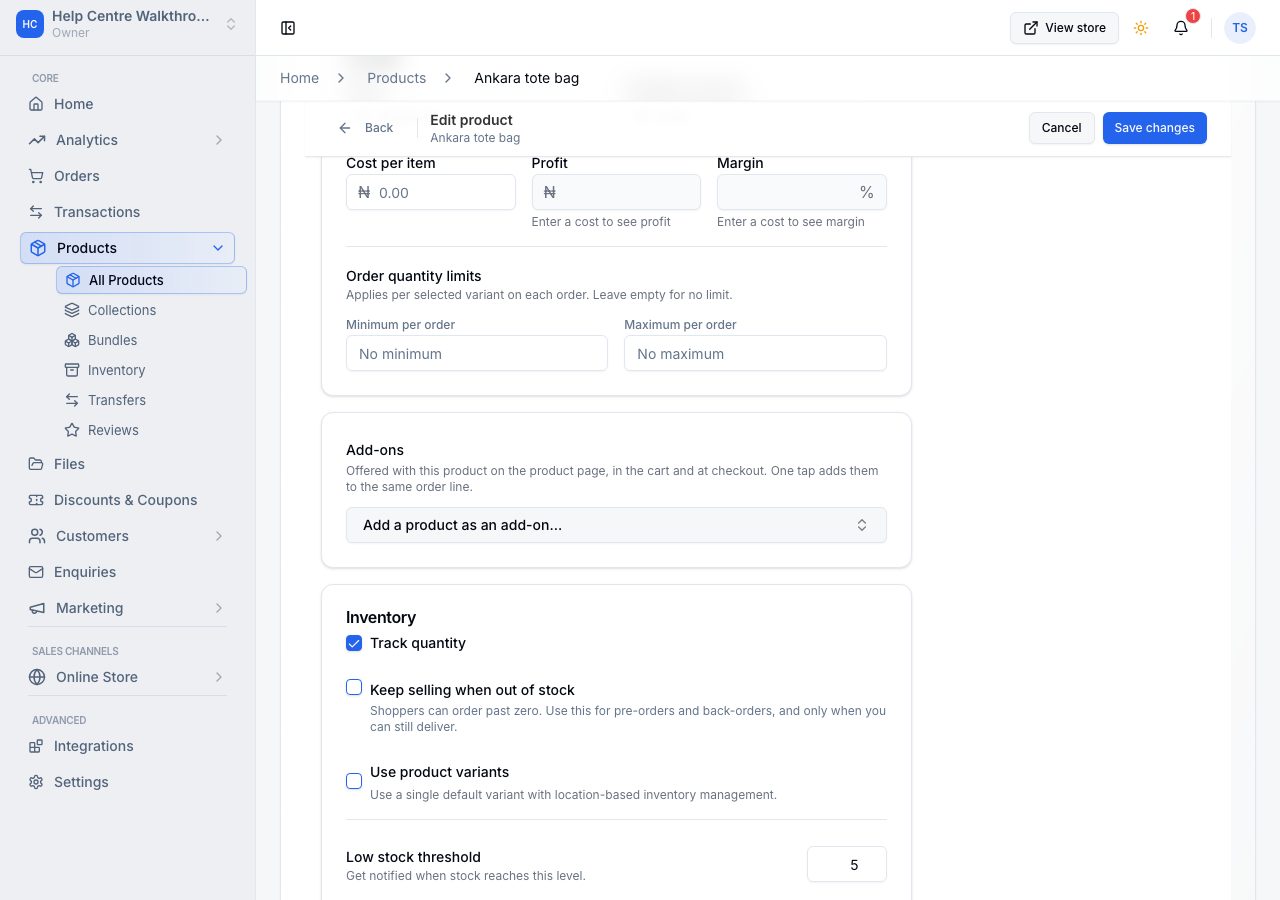
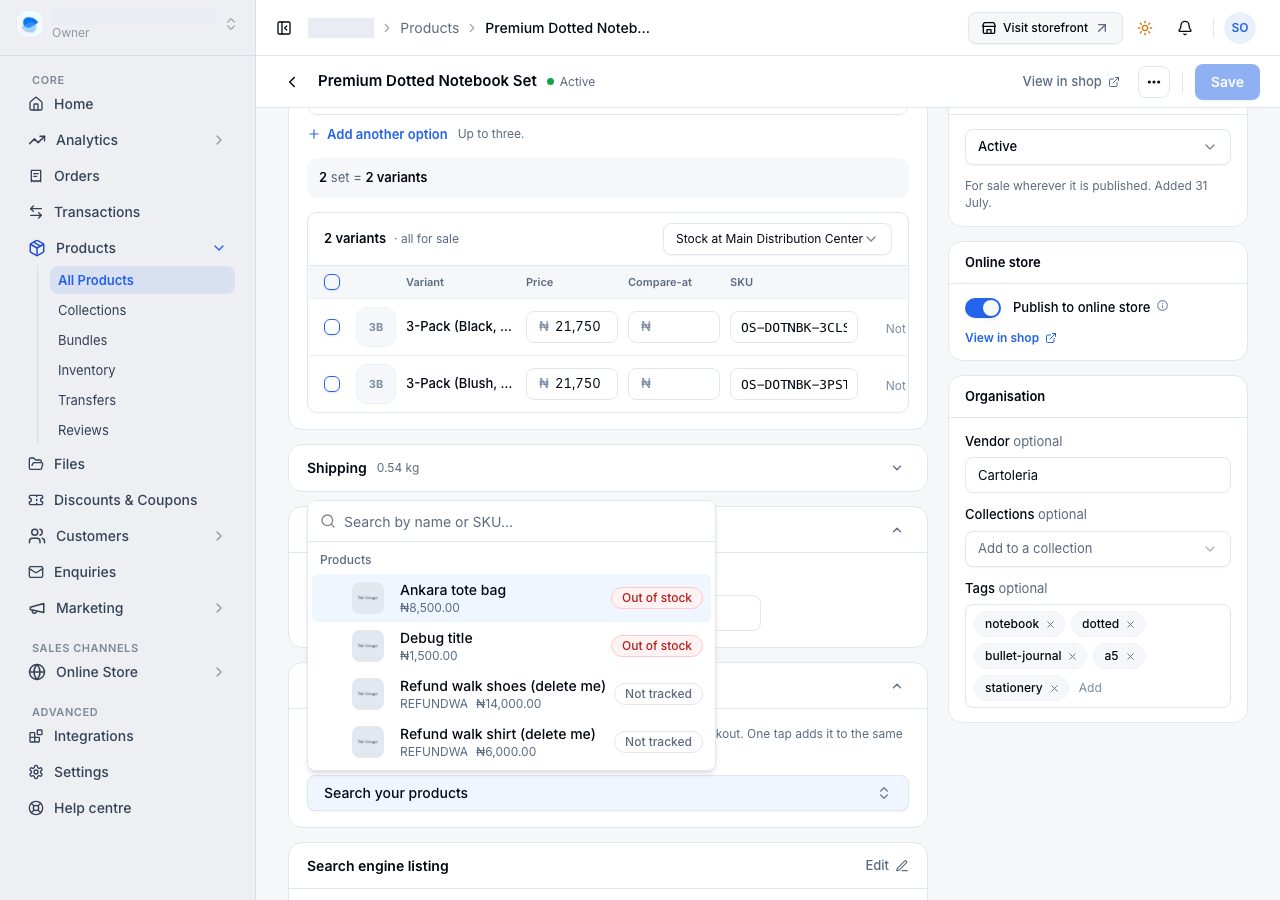
An add-on is an ordinary product in your catalogue, so it has its own price and its own stock, and selling it as an add-on takes stock the same way selling it on its own does. Each add-on you add is a row: the product, what it costs on its own, and Price here, which you leave blank to charge the add-on's own price or fill to charge a price for this pairing only. Drag the rows to set the order shoppers see. A product that comes in variants asks which one to offer.
What the shopper pays for an add-on
- The lower of your Price here and what the add-on sells for on its own. If the add-on is in a flash sale and the sale price is lower, the shopper pays the sale price; the two are never combined. When they are equal, your Price here is used.
- Discounts follow whichever price won. Your Price here takes discount codes and automatic discounts. A sale price follows that sale's Allow discounts on sale items setting. A product on sale that does not allow discounts no longer stops them coming off the add-on riding with it.
- The product page shows what the add-on costs on its own beside your price, and the order, the customer's emails and their receipt say it the same way ("on its own").
- Offered in the cart or at checkout, an add-on is added as its own line at its own price, because there is no product line there for it to ride. The offer there shows that price.
If it does not work
- The section shows the Scale line: the store is not on Scale.
- The add-on does not appear on the storefront: the product is out of stock, or has become a draft or been taken off your online store since you chose it. Only what a shopper could buy on its own is offered as an extra, and the picker only lists products like that.
- You want it on every product: add-ons are chosen per product, so a wrapping service has to be offered on each product you want it with.
- A shopper paid less than your Price here: the add-on was in a flash sale at a lower price. The lower price always wins.
Email support@shoponent.com with your store name if anything here does not match what you see. We read and answer every message.