Available on every plan · Updated 30 October 2026
Also asked as: “group my products” · “create a category page” · “collection not showing” · “automatic collection rules” · “add products to a collection”
A collection is a group of products with a page of its own on your online store: "Home and living", "New in", "Under ten thousand". Products → Collections lists the ones you have, with the number of products in each. A collection with none says No products in amber, because it is a link in your online store that opens an empty page, and the line under the title says how many are like that. The search box matches a name; Filters narrows by Collection type (Manual or Automatic) or by Products (No products or Has products). Select collections with their checkboxes to delete them.
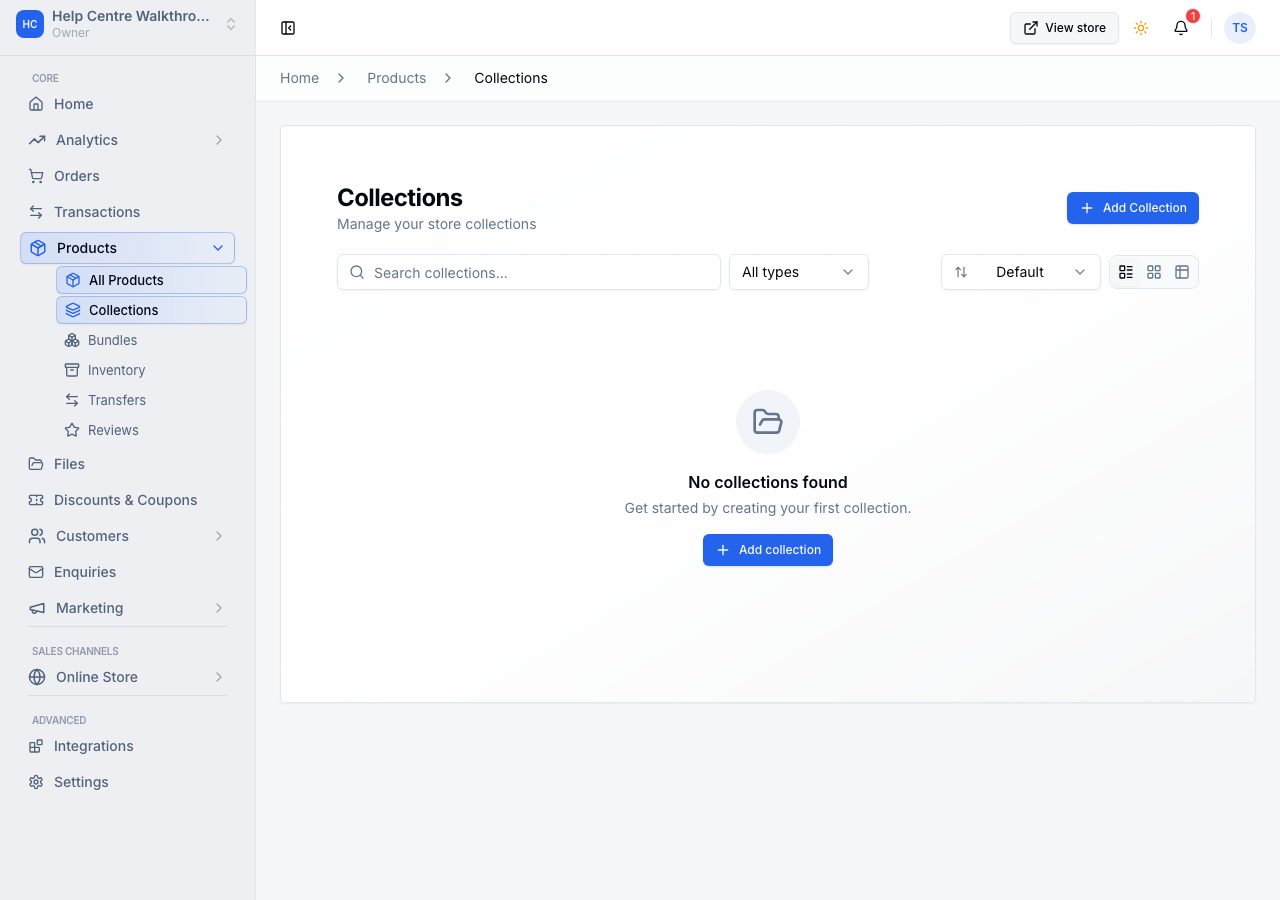
A collection's page
Open a collection from the list. Its page is where you see it and change it, laid out like a product's page, with Save at the top.
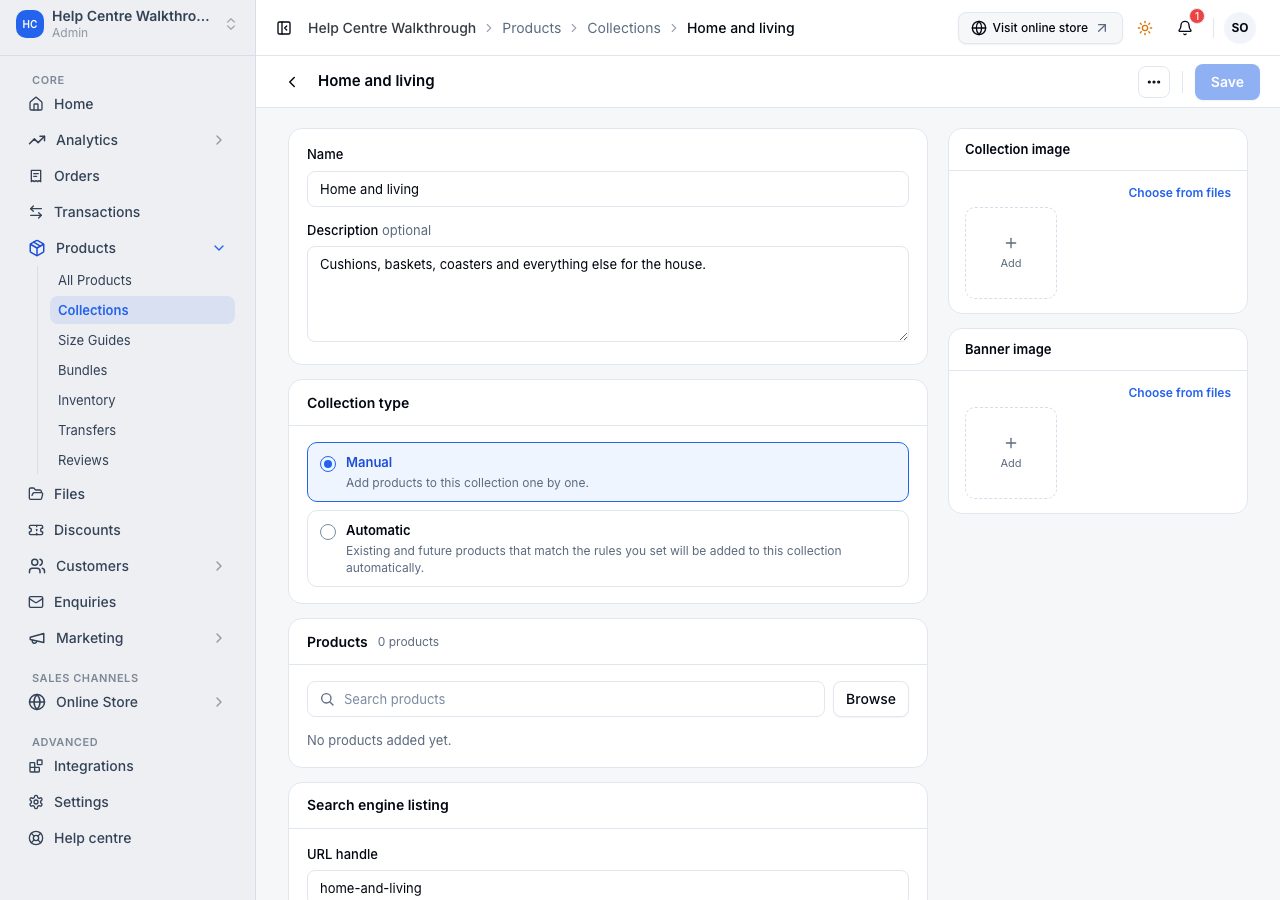
- Name is the heading shoppers see. Description sits under it on the storefront and is optional.
- Collection type is the choice that matters. Manual means you add the products yourself. Automatic means you set rules, and every product that matches them is added, including ones you add to your catalogue later.
- Products lists what is in it. On a manual collection, Browse (or typing in Search products) opens your catalogue to tick products and add them; drag a product by its handle to change the order the storefront shows, and remove one with its cross. On an automatic collection the list is what the rules match.
- Search engine listing holds the URL handle, the collection's address on your online store. Renaming the collection leaves the handle alone, so links in your menus keep working; changing the handle is how you change the address on purpose.
- Collection image is the square picture on collection cards; Banner image is the wide picture at the top of the collection's own page. Both come from your media library.
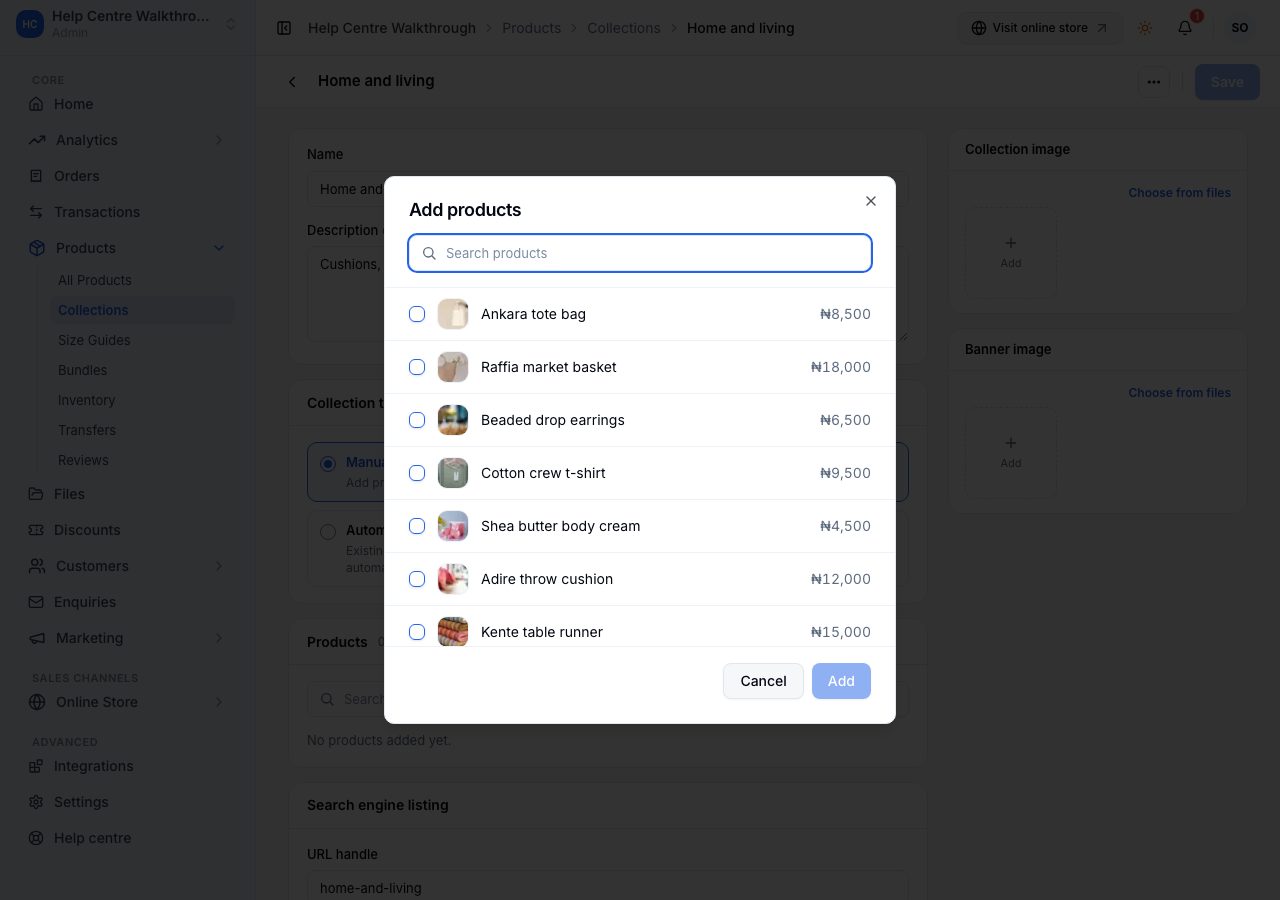
Nothing is saved until you choose Save: the products you add, remove or reorder are saved with everything else, and Discard puts the page back as it was. The More menu at the top holds View in store and Delete collection.
Make one
Choose Add collection on the list. The same page opens empty, with Save collection at the top.
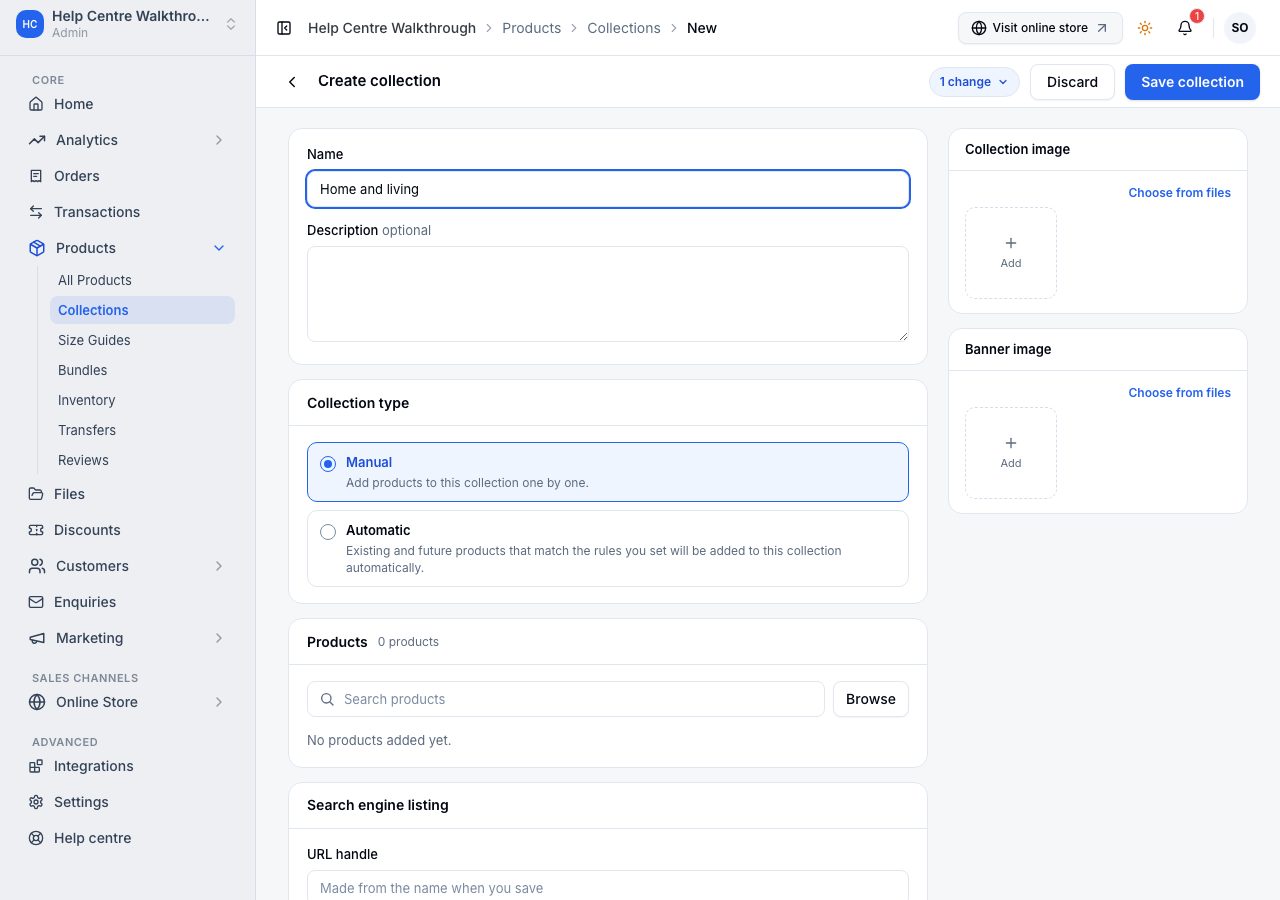
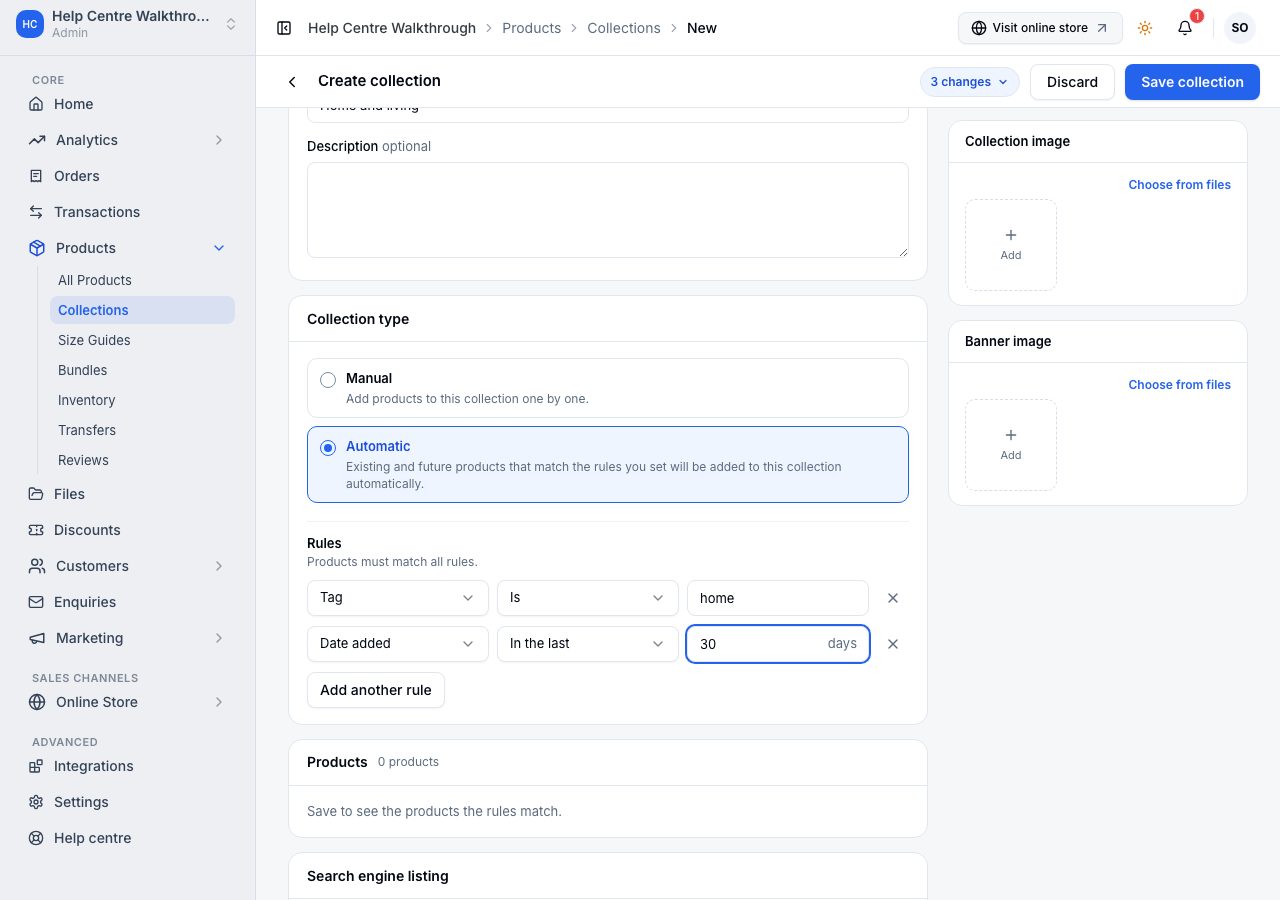
For an automatic collection, choose Automatic and set its rules: a field (Product name, Price, Category, Tag, Vendor or Date added), a condition and a value. Products must match all rules. Add another rule narrows it further.
Date added is how a "New arrivals" collection keeps itself. Choose In the last and a number of days, and the collection is always the products you added in that many days: nothing to edit next month. Is after and Is before take a fixed day instead, for something like everything since a particular delivery.
Changing an existing collection from one type to the other changes what is inside it, and the page asks before it saves: a collection made automatic loses the products you added manually, and one made manual loses its rules and has no products until you add them.
A product can be in up to twenty collections, and being in none is fine too. From the product form you can only add it to a manual collection; an automatic one decides for itself.
Where collections appear
- Their own page on your online store.
- Anywhere your theme shows collections: a row on the home page, a menu, a featured block.
- In your navigation menus, when you link to one. See navigation menus.
Deleting a collection never deletes its products. The confirmation says so, and names any of your menus that link to the collection, because that link would open a page that no longer exists.
If it does not work
- The collection is empty on the storefront: a manual collection has no products yet, or an automatic one has rules nothing matches. Check the rules against a product you expect.
- It does not appear anywhere: nothing links to it. Add it to a menu, or to a section in your online store.
- A draft product is missing from it: only active products show to shoppers, in a collection as anywhere else.
Email support@shoponent.com with your store name if anything here does not match what you see. We read and answer every message.