Available on Professional and Scale · Updated 30 October 2026
Also asked as: “sell a set of products together” · “kit or gift set” · “bundle stock” · “bundle price” · “fixed or dynamic bundle”
A bundle is a kit: several products sold as one. It behaves like a product on your online store, with its own name, pictures and page, and it takes its stock from the products inside it. Products → Bundles lists yours, each with its price, the price of the products bought separately struck through beside it, and how many are Available.
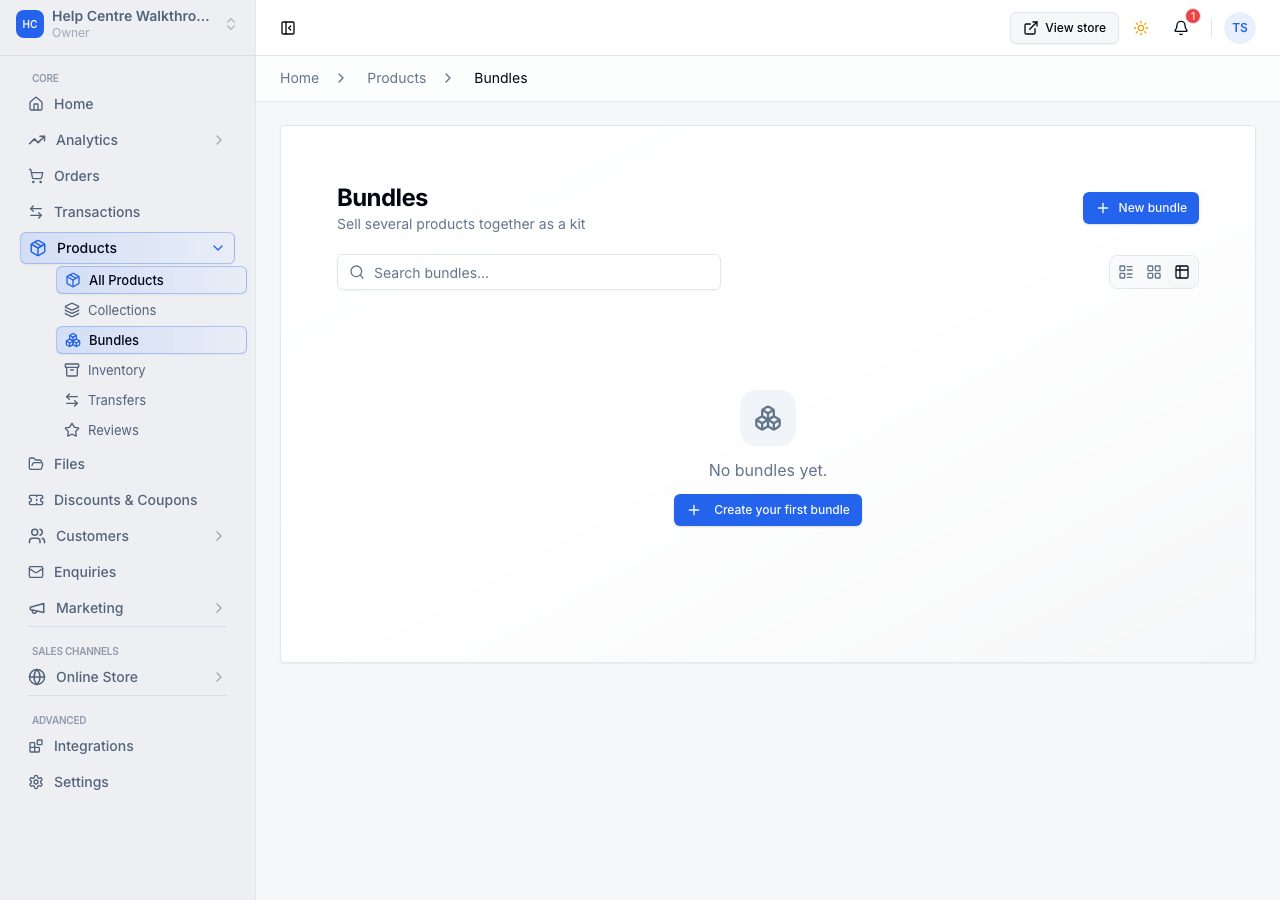
Make one
Choose Create bundle. The page is laid out like a product's.
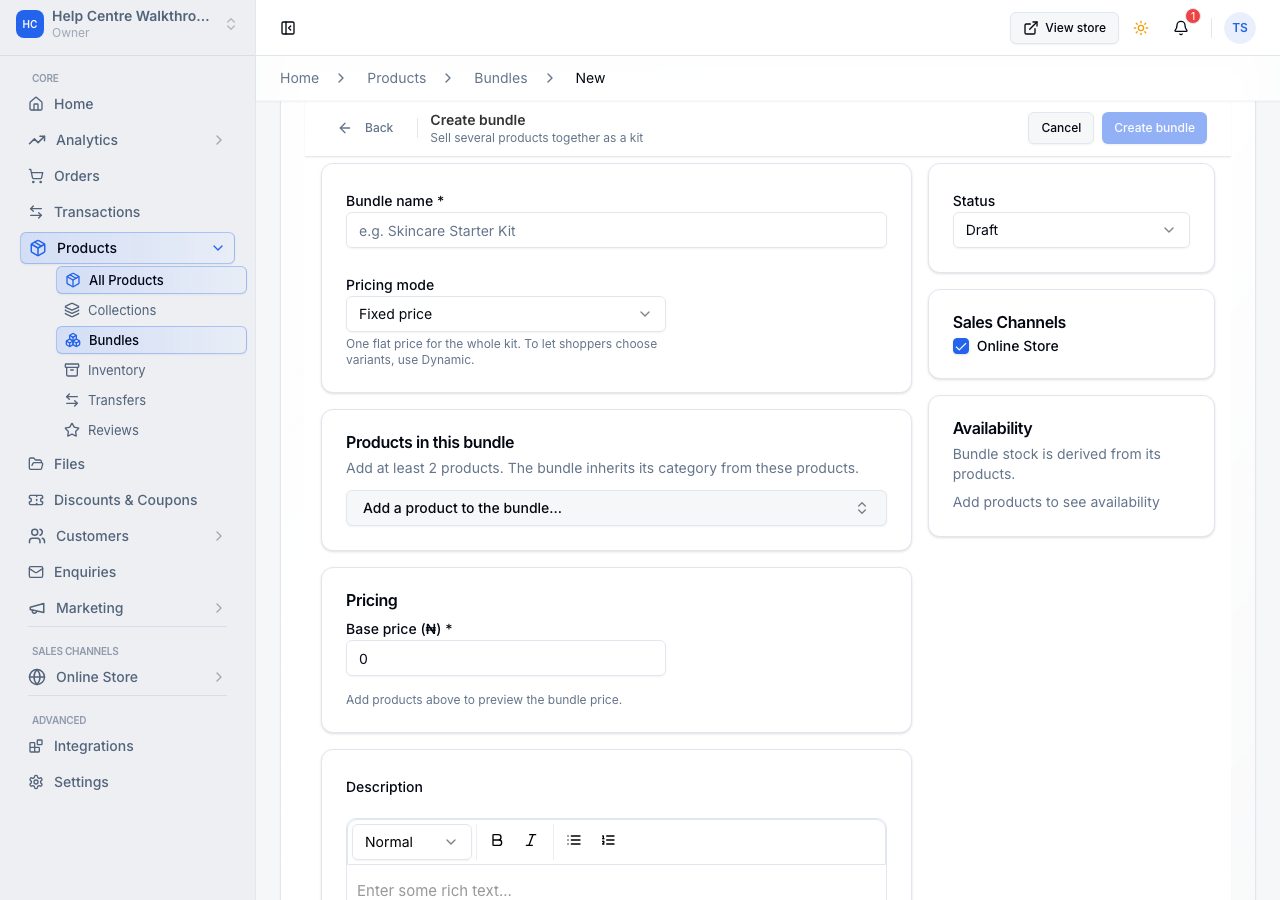
- Name is what shoppers see.
- Bundle type decides how the kit is priced, and it comes before the products because it decides what they can be:
- Fixed: one flat price for the whole kit. Each product is the variant on its row.
- Dynamic: the price is the sum of the chosen products, minus your discount. Turn on Let shopper choose the variant on any product with options to let the shopper pick a size or colour. Switching back to Fixed turns those choices off, and the page asks first.
- Description and Media are the kit's own, as on a product.
- Products takes at least two of your products, with the quantity of each in one kit.
- Pricing shows the Components total, your Base price (Fixed) or Discount (Dynamic), and what Customers save.
- Status and Publishing, on the right, work as they do on a product: a bundle is a Draft until you make it Active, and Online store decides whether it is shown there.
- Availability is worked out from the products inside it: whichever runs out first decides, and the page names it. You never count kits. A product whose stock is not tracked does not limit the kit.
Choose Save bundle.
What happens when one is bought
The order shows the bundle as the line a shopper bought, with the products inside it beneath, so you know what to pick and pack. The bundle's line also says what its products would have cost bought separately, and the customer's emails and receipt say it the same way. It is never shown as an old price, because the bundle was never sold at it. Stock comes off each product inside, not off the bundle, which is why the two never drift apart. Once every product inside has been fulfilled, the order is fulfilled too.
If it does not work
- Save bundle will not go through: the bar at the top names what is missing. A bundle needs a name, at least 2 products, and a base price when it is Fixed.
- The list says Out of stock: one of the products inside it is out of stock. A kit can only sell while everything in it can. Not tracked means none of its products tracks stock, so there is no number to give.
- Bundles require a plan upgrade: bundles are on the Professional and Scale plans. See plans and what is in each.
- A flash sale does not change the bundle's price: bundles keep their own price; a sale on a product inside a bundle does not reach the bundle. Discount codes and automatic discounts do apply to bundles.
- A shopper cannot choose a variant: the bundle is Fixed. Make it Dynamic and turn on Let shopper choose the variant for that product.
Email support@shoponent.com with your store name if anything here does not match what you see. We read and answer every message.