Available on every plan · Updated 29 September 2026
Also asked as: “update stock” · “received a delivery” · “stock count is wrong” · “what is running out” · “committed stock”
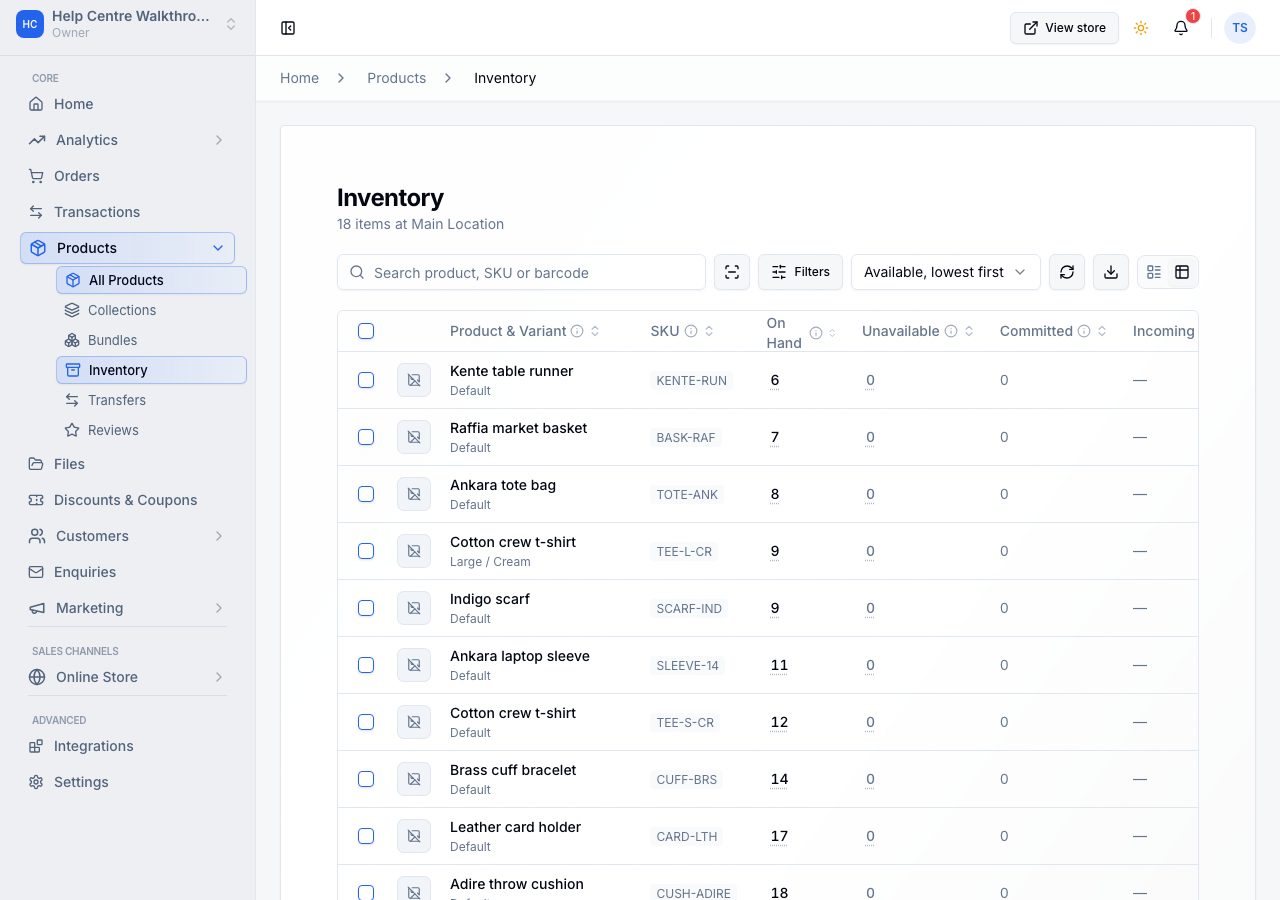
Products → Inventory is the stock of one location, a row per product or variant. It opens on All, with the least available first; Out of stock and Low stock are the other two views, each with its count. The branch is the control beside the filters, and the page opens on one: yours, or the store's first. Choosing All Locations shows the totals across every branch as a report, and stock is changed at a branch.
The five numbers
| Column | What it means |
|---|---|
| On hand | all units at this branch: available, committed and not for sale together |
| Not for sale | units at this branch that cannot be sold, such as damaged or held stock |
| Committed | units reserved for orders that are not fulfilled yet. Orders write this, you never do |
| Incoming | units on their way to this branch in a transfer |
| Available | units you can sell: on hand minus committed and not for sale |
Available is the number that matters, and it is why the other four are shown beside it: without them, Available reads like arithmetic that does not add up. It is in plain ink when there is enough, amber when the product is running low by its threshold, and red when there is none. A product whose stock is not tracked says Not tracked in that column and shows no other figure. What these columns mean, above the table, says all of this in place. The product's name opens its variant's page, which is where that variant's stock at every location and its whole history live.
Find what you need
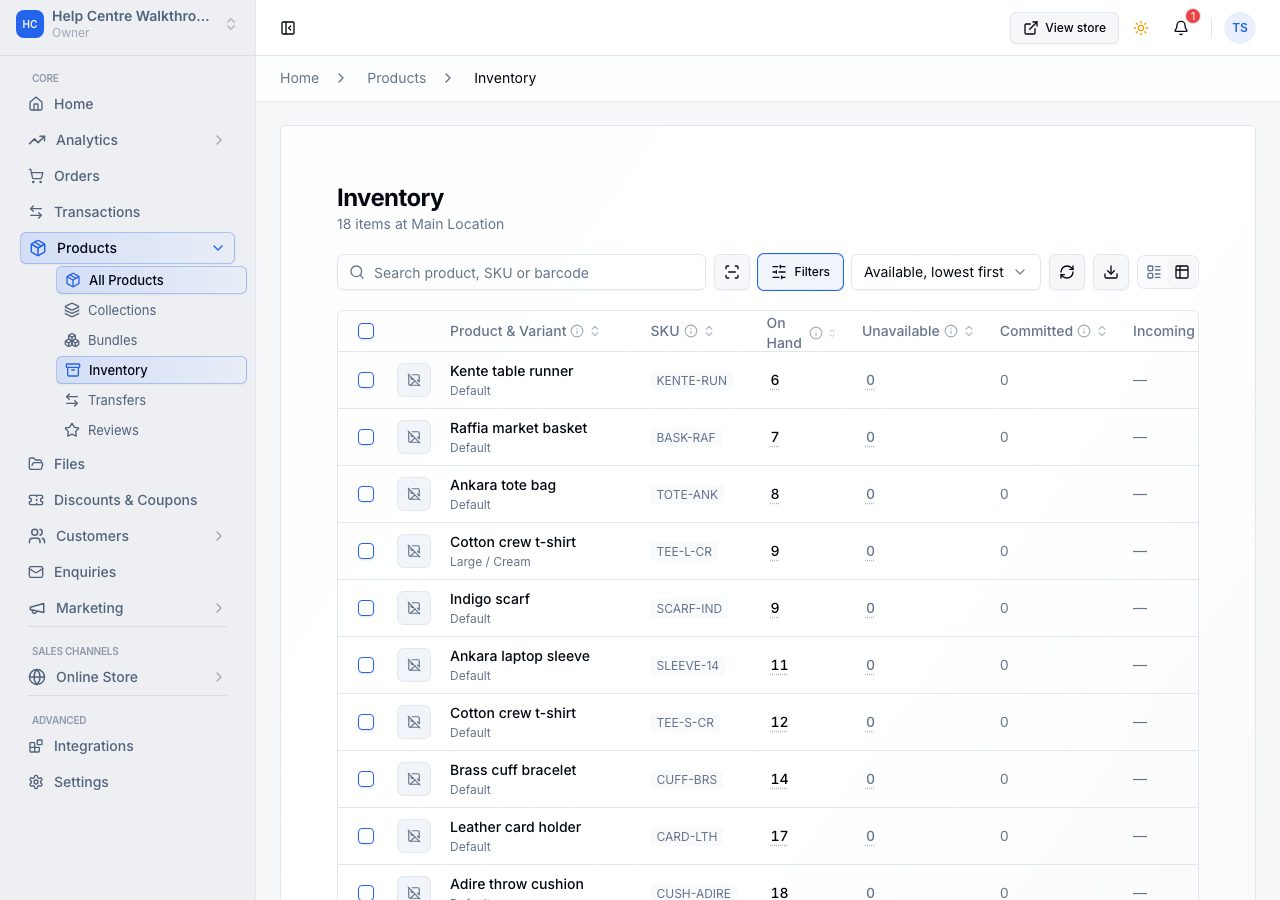
The search box matches a product name, a stock reference or a barcode. Filters narrows by stock level, product status, whether stock is tracked, collection, incoming transfers and reference.
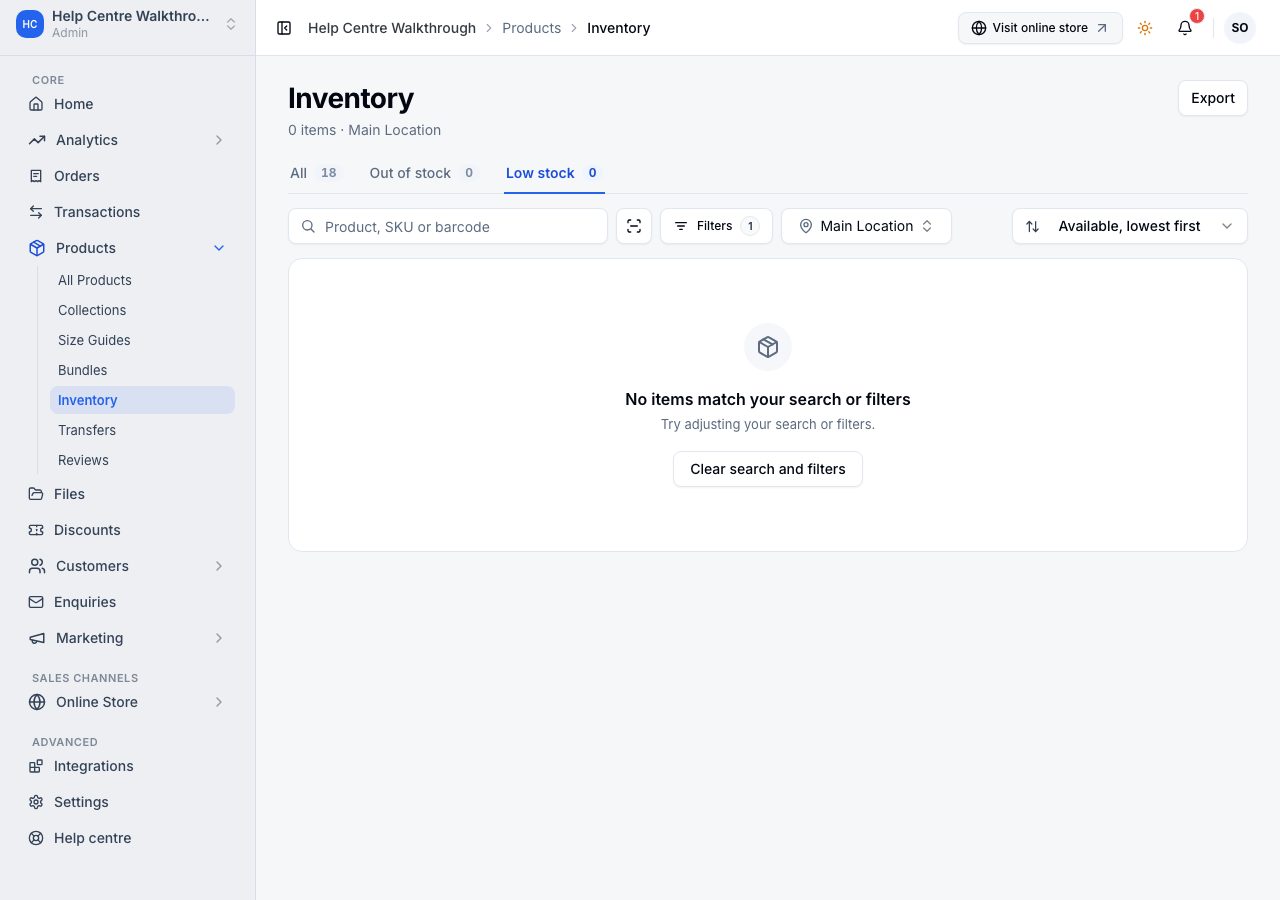
The sort control at the top right changes the order; the default is Available, lowest first, which is the order for a morning check. Tick the rows you want and choose Bulk edit to type their counts into one grid and save them together; the box in the table's header ticks the whole page.
Change a count
Choose the number in a row and the editor opens on the spot.
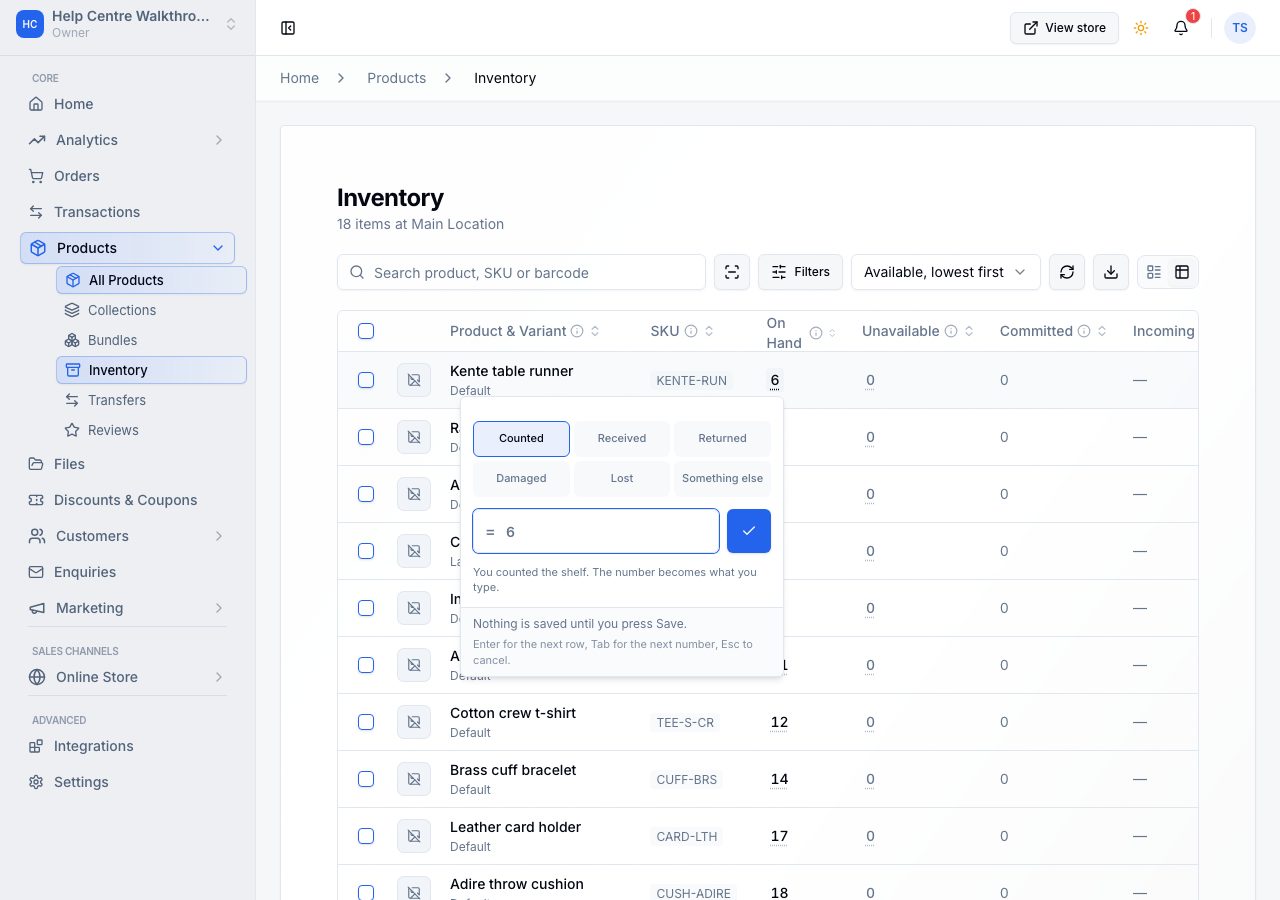
The row of words across the top is why the number is changing, and it changes what the number means:
- Counted: you counted the shelf. What you type becomes the new figure.
- Received, Returned: stock arriving. What you type is added to what is there.
- Damaged, Lost: stock going. What you type comes off.
- Something else: for anything that is none of these.
That distinction is the whole editor. A receipt of five against a stored twelve is seventeen; a count of five against a stored twelve is five. The editor shows the answer either way, so you never do the arithmetic yourself.
On a phone the editor opens as a sheet with a tab per number, On hand and Not for sale, each showing what it holds now; choose the one you are changing and the reason list follows it, opening on Counted for On hand and Damaged for Not for sale. The two tabs are one entry: count the shelf, switch tab, type the damaged two, and one Apply records both. The lines underneath name every number that will move, so you can read the whole change before you take it, and a tab holding a number you cannot see is marked with a dot.
Nothing is saved until you save. Enter moves to the next row, Tab to the next number, Escape cancels. While anything is waiting, a count says how many: open 3 changes to read them back, each naming the product and where its number is going, and Discard puts them all back. On a phone that count sits beside the page's name and Discard and Save are at the bottom of the screen.
Why the reason matters
Every change is recorded with its reason, so the history of a product answers "where did the other three go" months later. It is also why the reason sits on each cell rather than on the page: one delivery note can cover twenty products, but a count, a breakage and a return are different facts about different items.
If it does not work
- Committed will not change: it is written by orders, and by nothing else. Cancel or fulfil the order and it follows.
- The number went stale: somebody else changed it while you were typing. The editor refuses rather than overwriting; reopen the row and type it again.
- A product shows no number at all: its stock is not tracked, so there is nothing to count. That is different from zero, and those rows sort last.
- The product is not on this page: it is not stocked at this location, or it is not in the view you are on. Choose All, use the filters, or check the branch beside them.
- Something on the phone: the branch is the first control and the three views are chips. Each row shows what is left over what it is left of, in the same colours. Tap the product's name to open the variant and the figure, which is underlined, to change the number; a tap anywhere else on the row does nothing, so a miss never takes you off a count you are part way through. Tap the picture to start a selection for Bulk edit; the picture then shows a tick, and Select all takes the whole page. Holding a row selects it too.
Email support@shoponent.com with your store name if anything here does not match what you see. We read and answer every message.