Available on every plan · Updated 30 October 2026
Also asked as: “which plan am I on” · “what does my plan include” · “feature says upgrade” · “difference between starter and professional” · “how many locations can I have”
Every store has exactly one subscription, on one of three plans: Starter, Professional and Scale. What each includes, and what each costs, are on the pricing page; this page is about how the plans work inside Admin.
Where your plan lives
Settings → Plan shows the plan you are on, its price, how it is paid (monthly or yearly) and when it renews. If you are on a founding-merchant price, a note under it says until when the price is locked; see Founder pricing. Bills, your card and cancelling are on the page beside it, Settings → Billing.
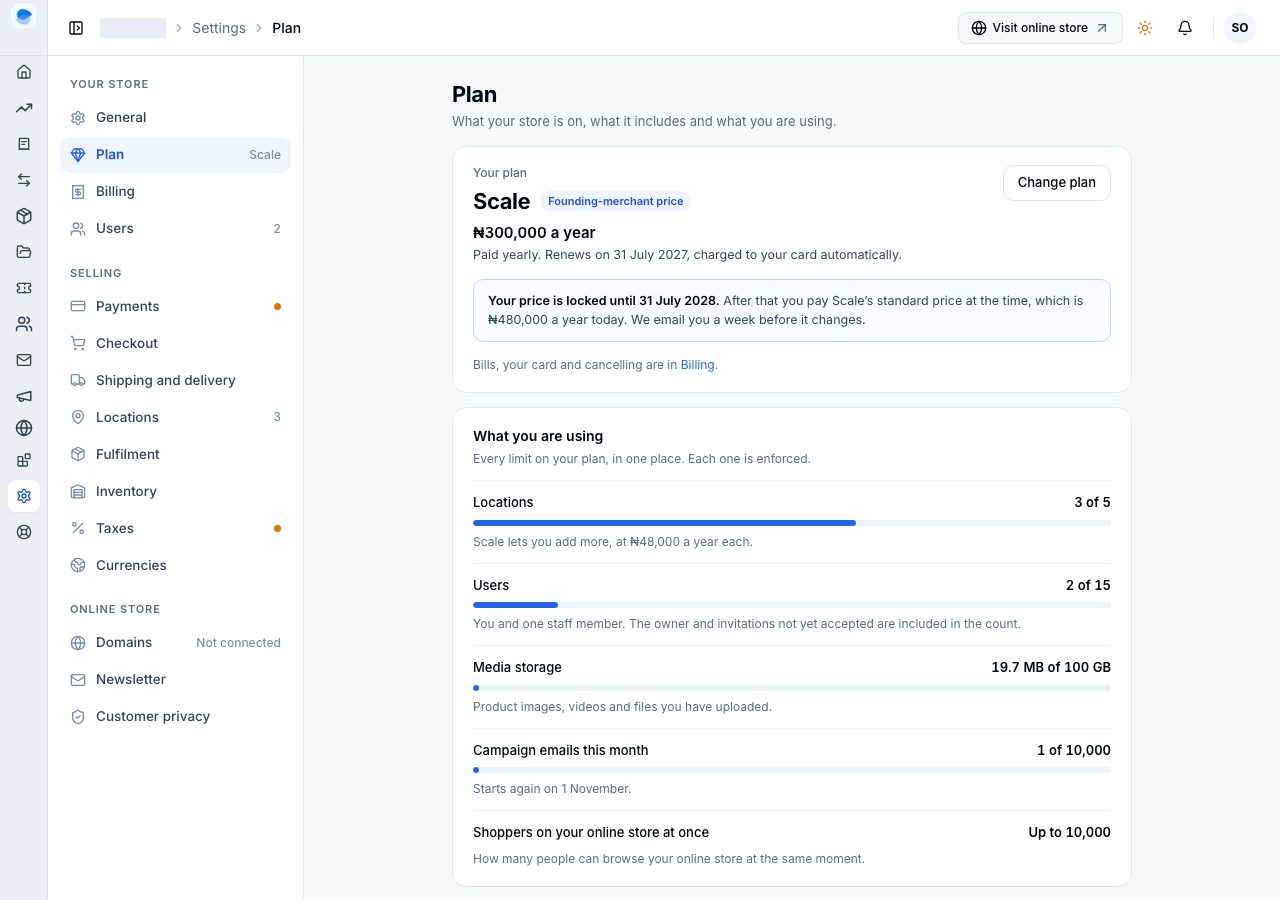
Under your plan, What you are using puts every limit in one place: locations, users, media storage, campaign emails this month, and how many shoppers can browse your online store at once. Each bar shows how much of the limit you have used, and each limit is enforced: at the top of a bar, adding one more is refused until you make room or raise the limit.
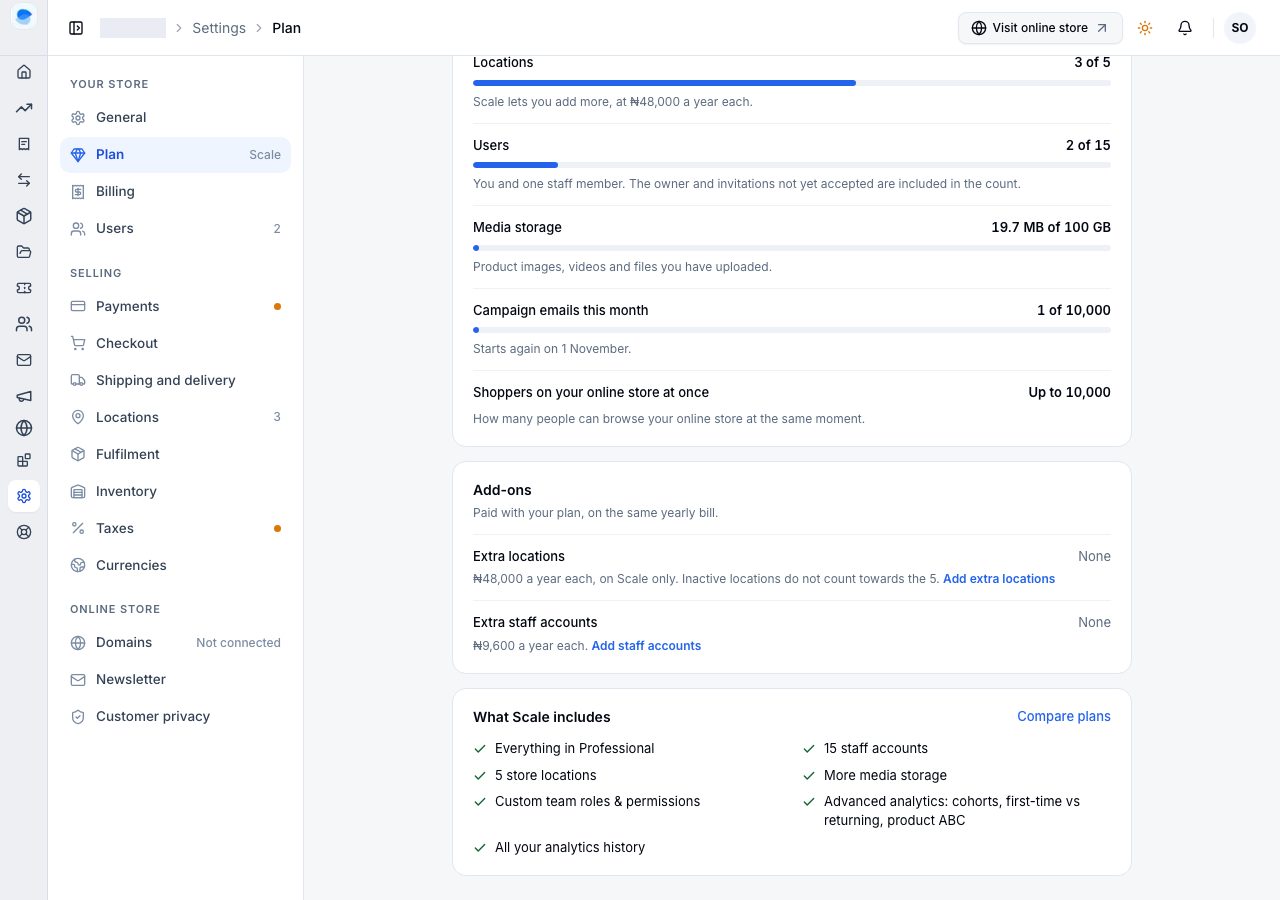
Further down, Add-ons lists what you have bought on top of the plan (see Add-ons), and What your plan includes lists the plan's features, line by line.
Comparing the plans
Change plan at the top of the page, or Compare plans beside what your plan includes, opens every plan side by side. Yours is marked Your plan, and the others say whether moving to them is an Upgrade or a Downgrade. Choosing a plan opens it to list what it includes, and the summary beside the list says what would change and what you would pay, before anything is charged. The switch at the top shows yearly or monthly prices; paying yearly is cheaper over the year.
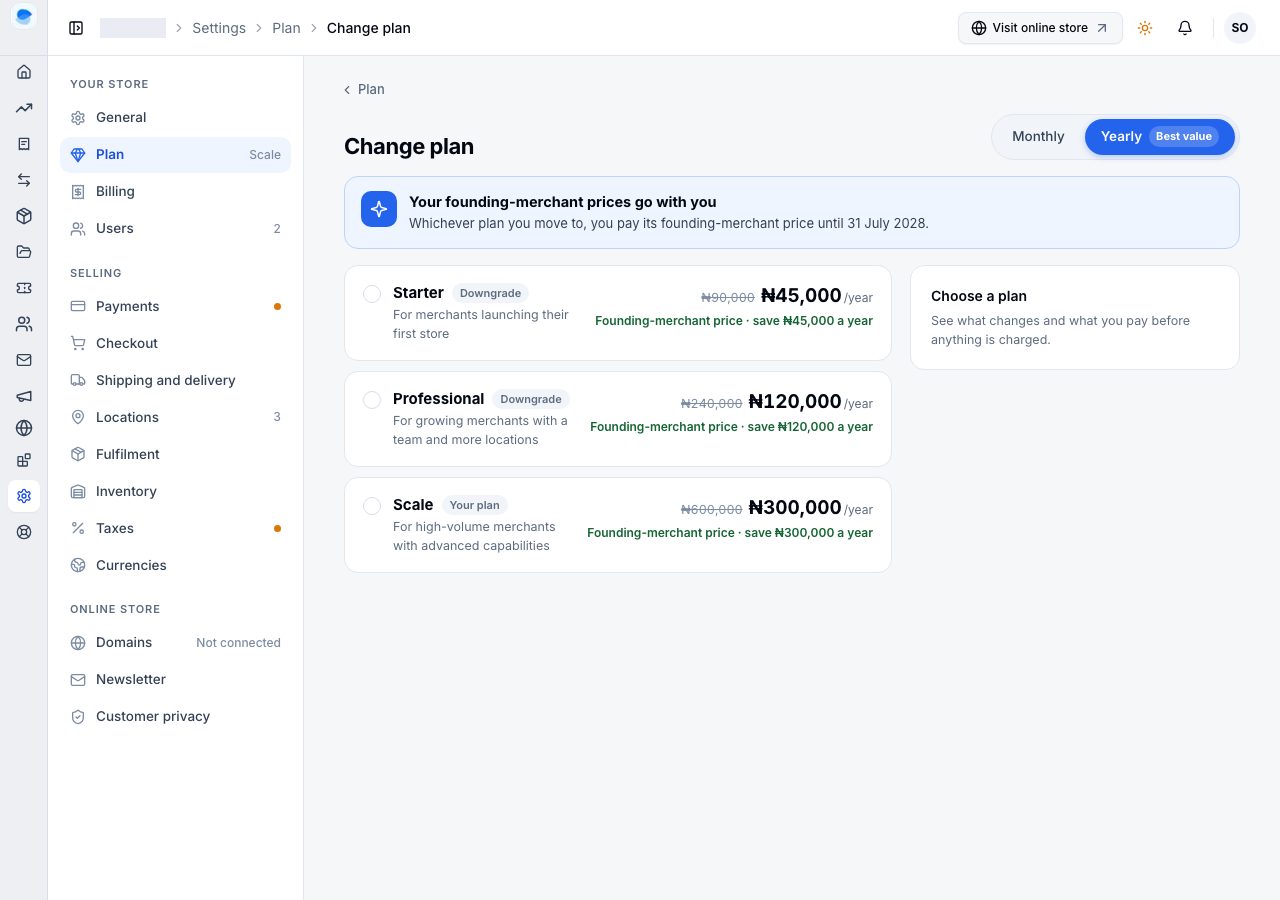
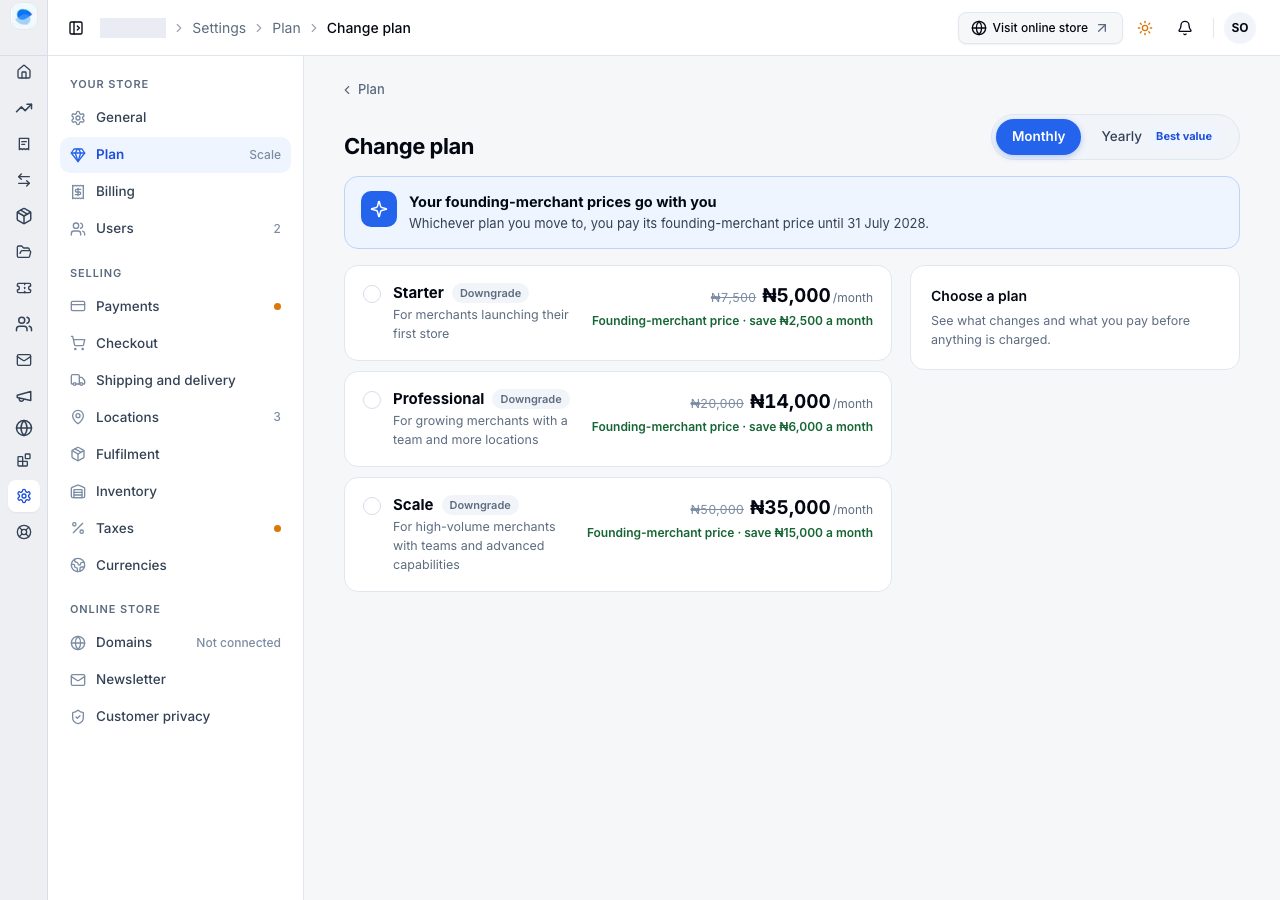
To move, see Change your plan.
How the plans differ
The plans build on each other: Professional includes everything in Starter, and Scale everything in Professional. Broadly:
- Starter is a complete shop: products, inventory and orders, a location, a staff account alongside your own, discounts, payment gateways, delivery rates, imports and exports, and the core reports.
- Professional adds the storefront editor and custom pages, the blog, reviews, bundles, abandoned checkouts, more locations and staff accounts, and the full report library with longer history.
- Scale adds custom team roles, more locations and staff accounts again, more media storage, and the advanced analytics. It is also the only plan on which you can buy extra locations.
The exact numbers and every line are on the pricing page and in Change plan, and those read from the same place, so they never disagree.
What a feature your plan does not include looks like
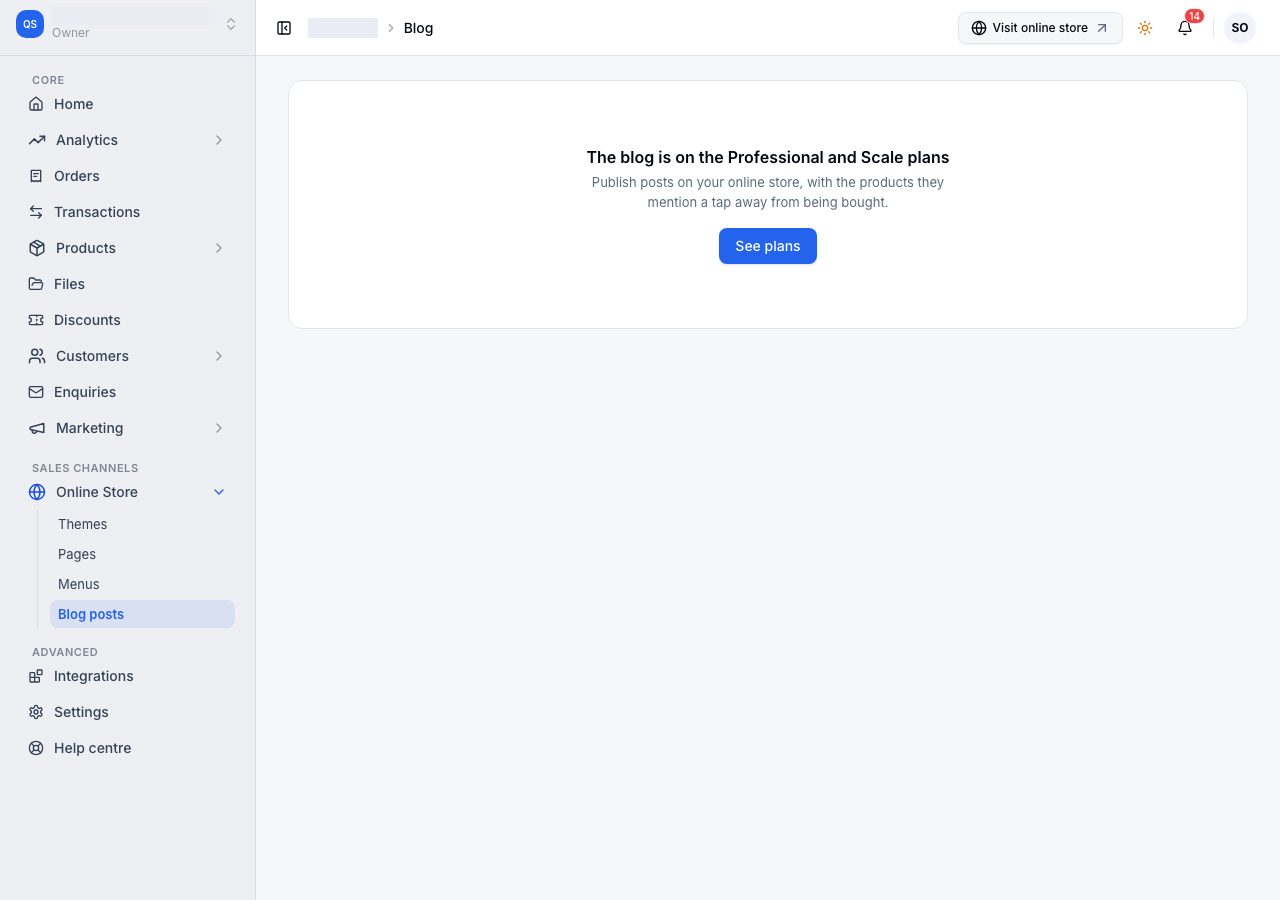
A feature your plan does not include stays in the menu, so you can see it is there, and its page says which plans include it, with See plans. Nothing you made is deleted when a plan no longer includes it: the feature stops working, and what you made with it waits for you.
Changing, paying, lapsing
- To move between plans, see Change your plan. To raise the number of users or locations without changing plan, see Add-ons.
- A new store chooses its plan as it is created; see Create your store and choose a plan.
- What happens when a payment fails, and when an online store goes offline, are their own pages: When a payment fails and Why your online store is offline.
Email support@shoponent.com with your store name if anything here does not match what you see. We read and answer every message.