Available on every plan · Updated 30 October 2026
Also asked as: “payment failed” · “past due” · “premium features locked” · “card declined on renewal” · “renewal reminder” · “features switched off” · “pay my overdue bill”
A subscription renews in one of two ways, and what happens when a renewal is not paid depends on which.
The two ways a store renews
- By card, when one is on file: it is charged on the renewal date.
- By bill, when there is none: we email the bill seven, three and one day before the renewal date, with a link anyone can pay, and you can pay it from Settings → Billing.
Paying a bill by card from Billing puts that card on file, so the next renewal is charged on the day. A card that stops working goes the other way: the store moves to paying by bill rather than being retried for ever.
The ladder
- A card payment fails, or a bill's date passes unpaid. A card is tried again three more times over the following week. Nothing changes for you or your customers.
- Past due. A grace period of fourteen days starts. Everything keeps working, and the banner across Admin says what happened, when the card is tried next, and the date everything keeps working until. Paying at any point ends it, and the new billing cycle runs on from the day the old one ended, so no days are lost.
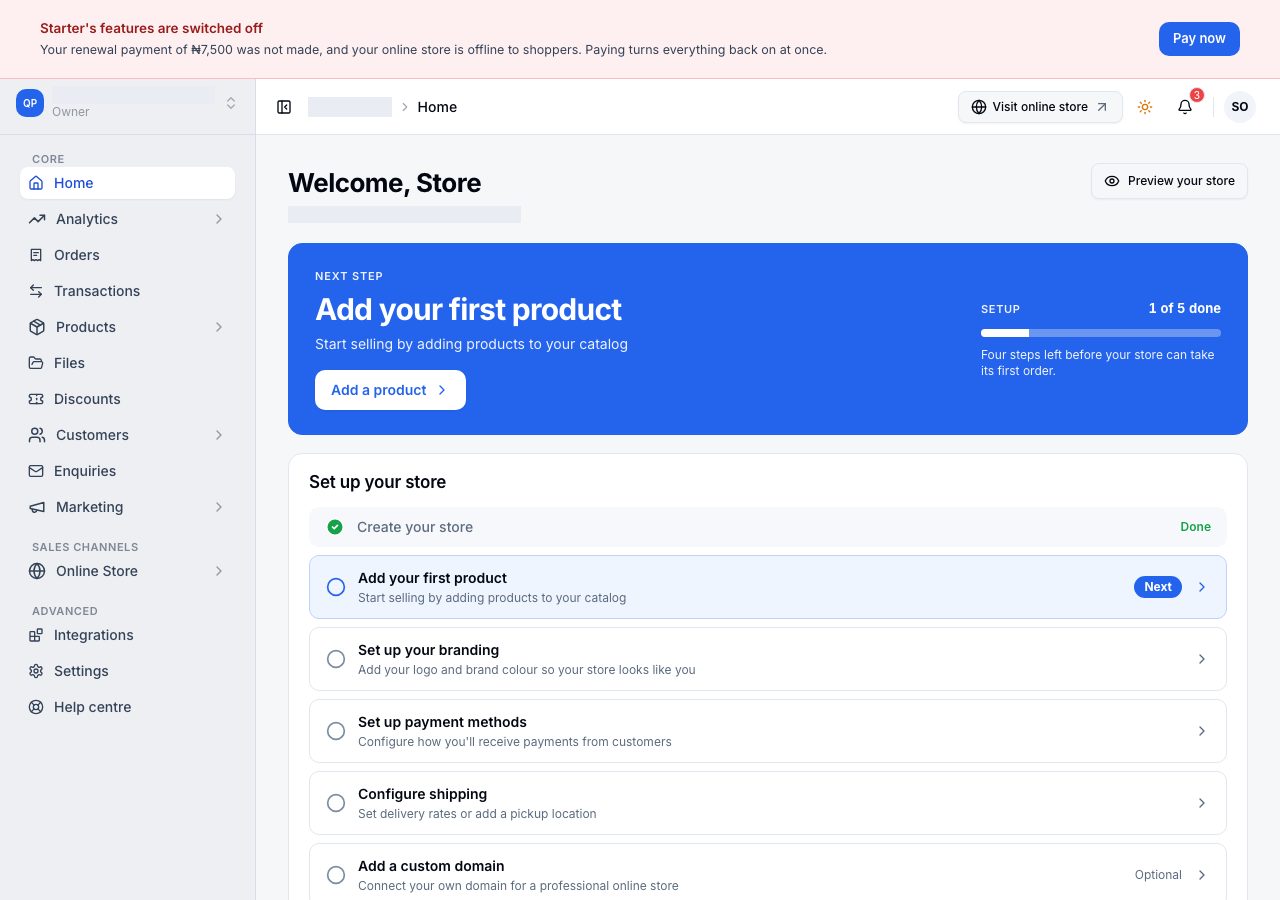
- Features switched off. When the grace period runs out, your plan's features stop: the banner says so, pages that need an active plan say Your subscription is not active, and orders, products and customers stay manageable. Your online store keeps serving shoppers until four weeks after the payment first failed.
- Offline. After that the online store stops serving; see Why your online store is offline.
The banner across Admin names the step you are on and carries Pay now, which is the fix at every step.
Fixing it
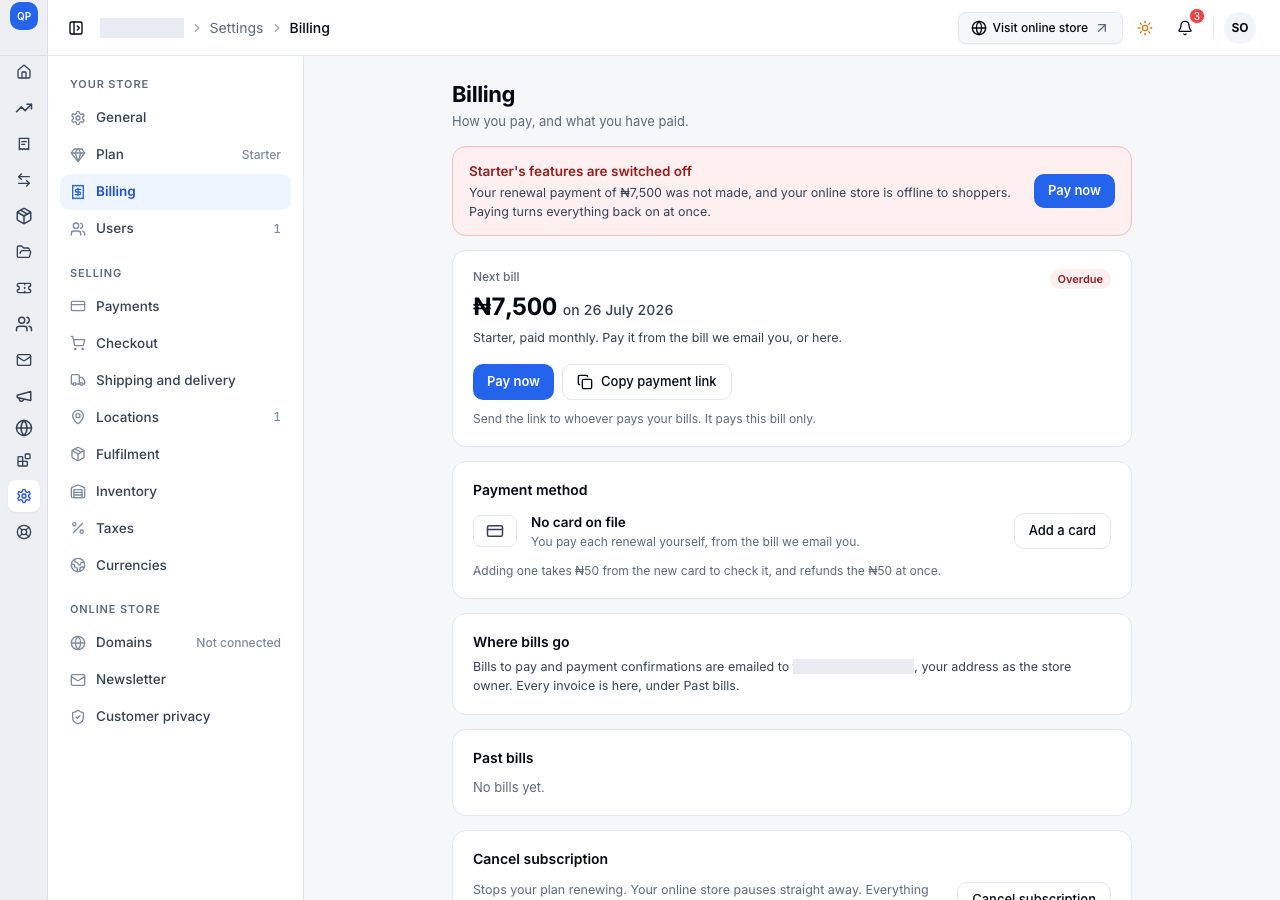
Settings → Billing shows the bill as Overdue, with Pay now and Copy payment link. Pay now opens the payment window, and the plan, its features and your online store come back the moment the payment completes. Copy payment link copies the bill's own link, for whoever pays your bills; it pays this bill only.
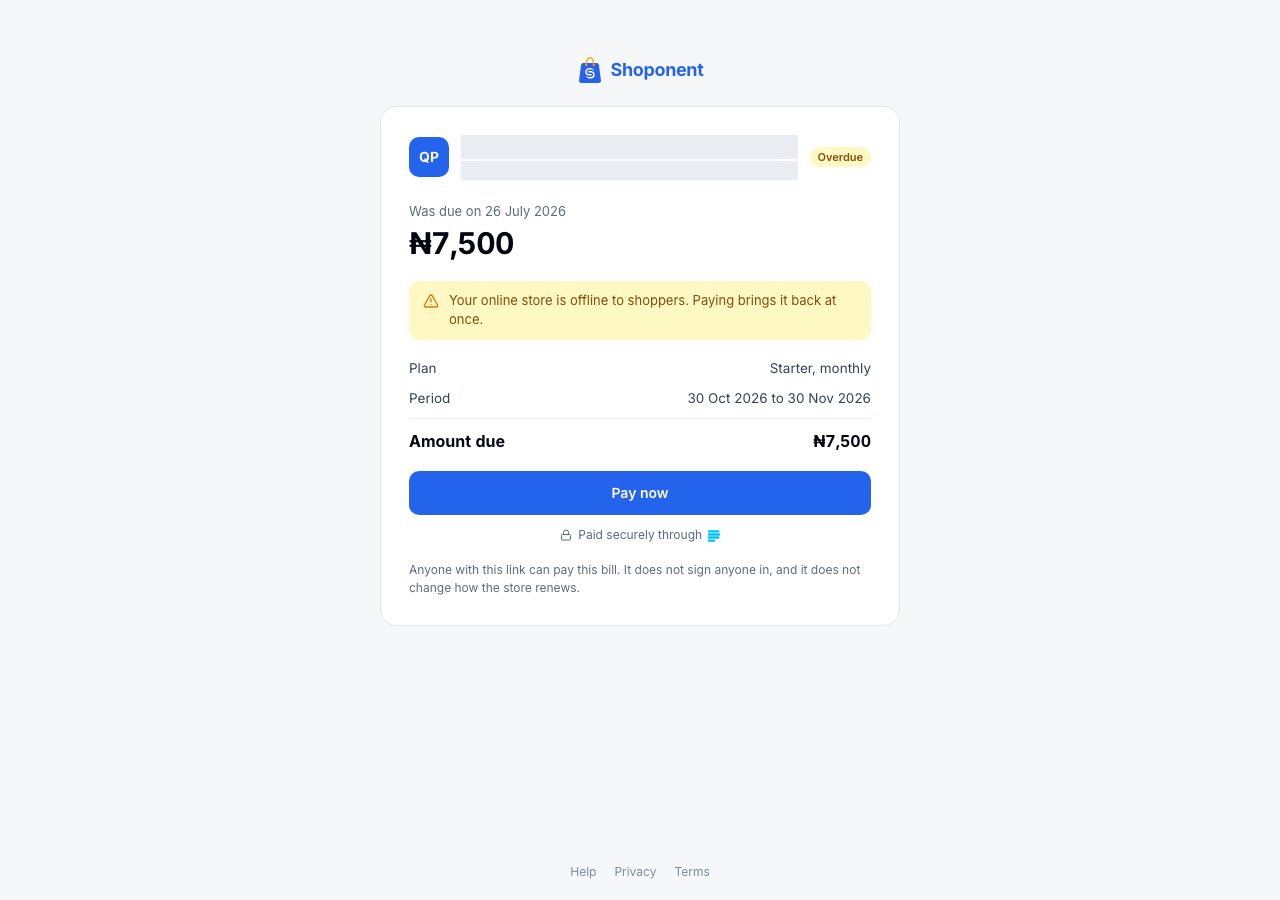
The link opens the bill with no sign-in. While the online store is still open it says the last day to pay to keep it open (Pay on or before the date); once it has gone offline, it says so, and that paying brings it back at once.
To change the card your renewals are charged to, use Replace card on Billing (or Add a card when there is none). It takes a small charge from the new card to check it and refunds it at once.
What is never affected
- Your data. Nothing is deleted at any step.
- A complimentary subscription. A store on a hundred-percent discount is never charged, never reminded and never lapses; only a cancellation ends it.
- Orders already placed. They stay yours to fulfil.
If it does not work
- The card is declined: choose Pay now again with another card, or send the bill's link to whoever pays.
- You paid but the banner is still there: refresh once. If it stays, email us with your store name and the payment reference from the confirmation email.
Email support@shoponent.com with your store name if anything here does not match what you see. We read and answer every message.