Available on every plan · Updated 30 October 2026
Also asked as: “download my invoice” · “receipt for my subscription” · “payment history” · “export billing to excel” · “when is my next bill”
Settings → Billing is where you see what you pay and what you have paid.
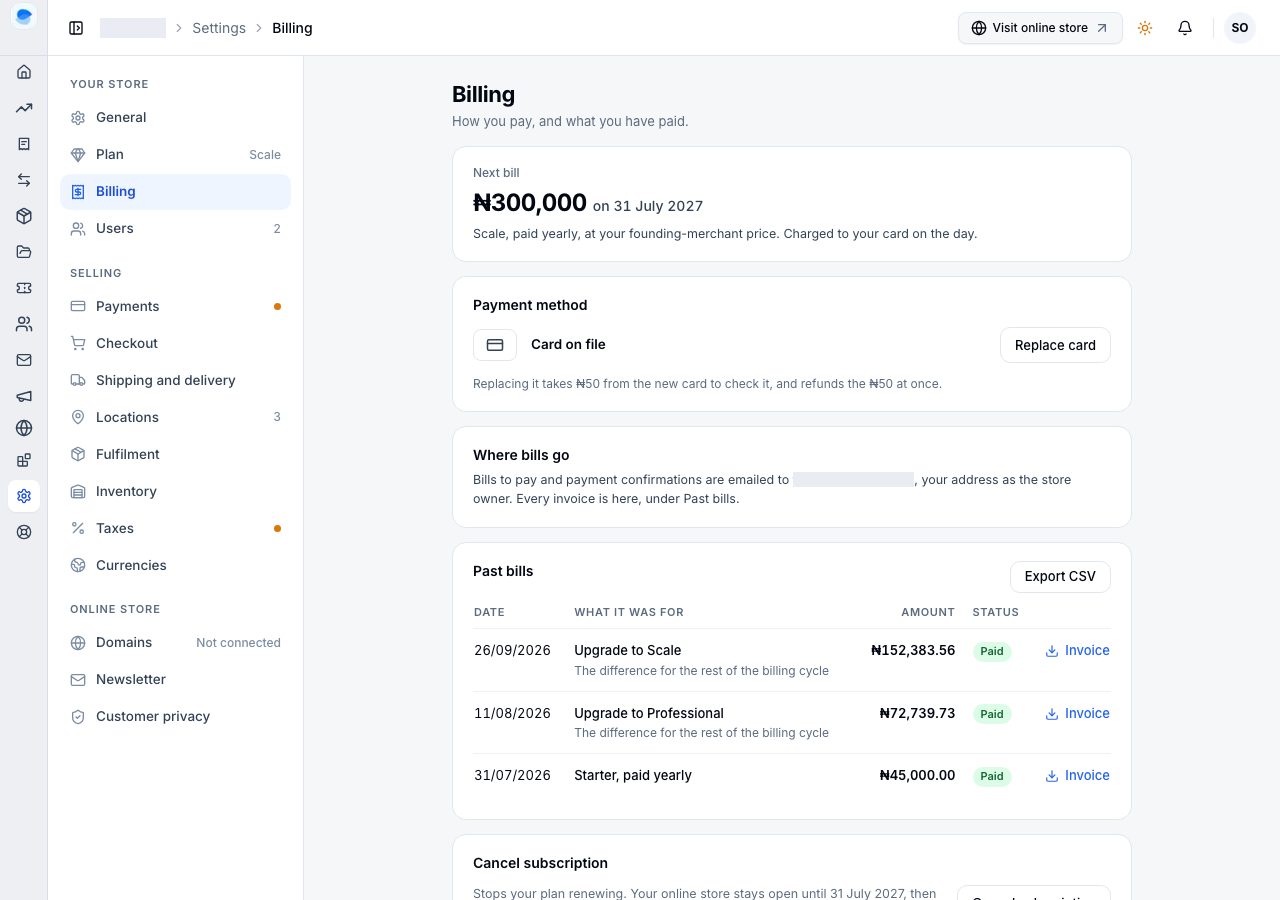
From the top:
- Next bill: the amount, the date, and what it is for (your plan, how it is paid, and whether it is charged to your card on the day or paid by you from the bill we email).
- Payment method: the card bills are charged to, with Replace card, or Add a card if there is none.
- Where bills go: bills to pay and payment confirmations are emailed to the store owner's address, and every invoice is here, under Past bills.
- Past bills: every bill paid for the store, newest first.
Download an invoice
Each paid bill in Past bills says what it was for (a renewal, an upgrade's difference for the rest of the billing cycle, extra staff accounts or locations) and has Invoice at the end of its row. It downloads the invoice for that bill as a file to keep or send to your accountant. The invoice names who billed you: Shoponent Limited, with its registered address and tax ID. The amount is the whole price; Shoponent does not charge VAT on it.
Export the list
Export CSV above the table downloads every bill as a spreadsheet: the date, what it was for, the amount, the status and the payment reference.
What the list does not show
- Payments for your customers' orders. Those are your sales, under Transactions and Orders; this list is what you pay us.
- A payment that never completed. A closed payment window or a declined card leaves nothing here, because nothing was charged.
- Anything before the store's first payment. A new store shows No bills yet until it pays its first bill.
If it does not work
- A payment you made is missing: it may still be confirming. Refresh after a minute; if it is still absent, email us with the payment reference from the confirmation email.
- The invoice will not download: allow downloads for the site and try again.
Email support@shoponent.com with your store name if anything here does not match what you see. We read and answer every message.