Available on every plan · Updated 30 October 2026
Also asked as: “upgrade my plan” · “downgrade my plan” · “switch to annual” · “plan change scheduled” · “undo a plan change” · “change plan during trial”
Settings → Plan shows your plan with Change plan beside it.
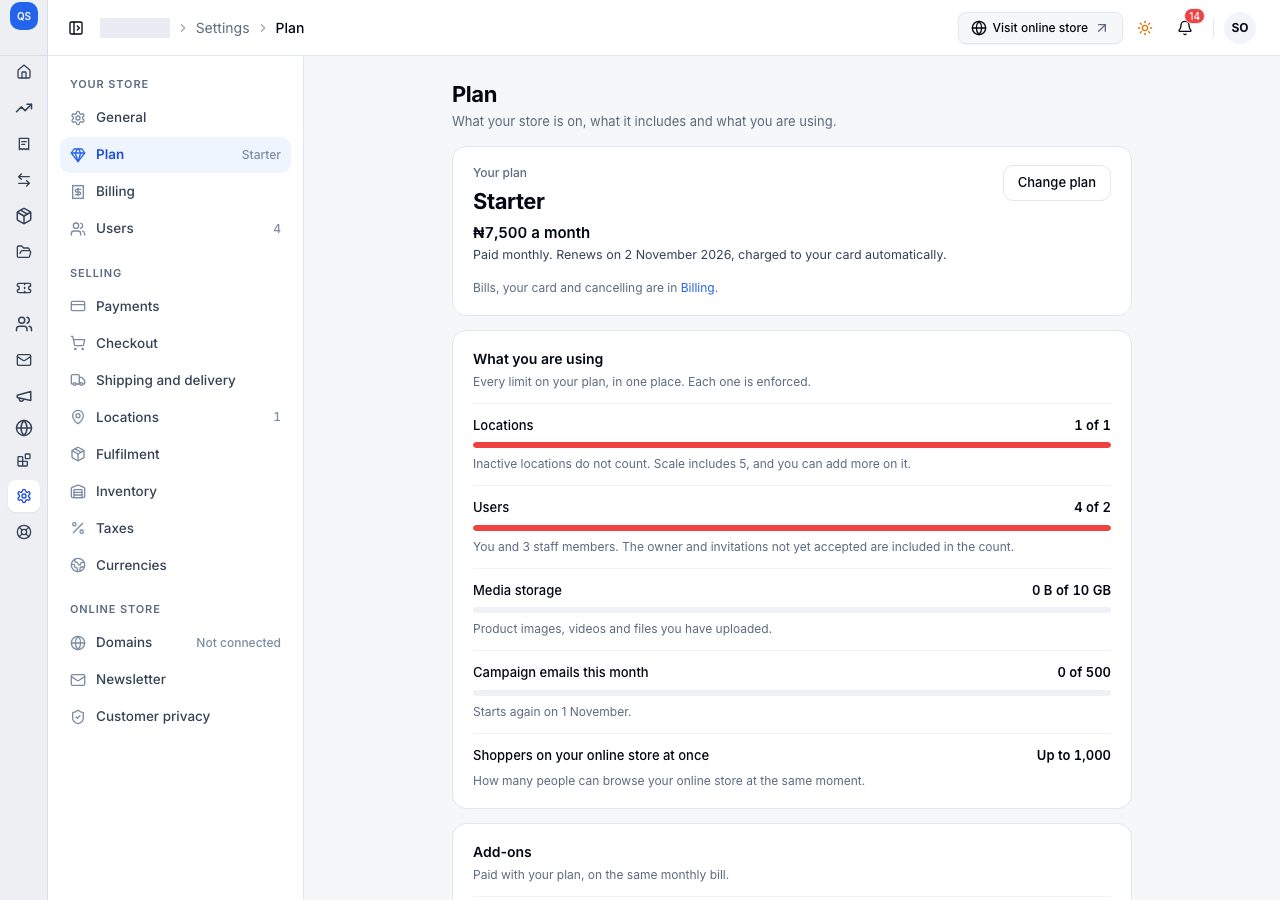
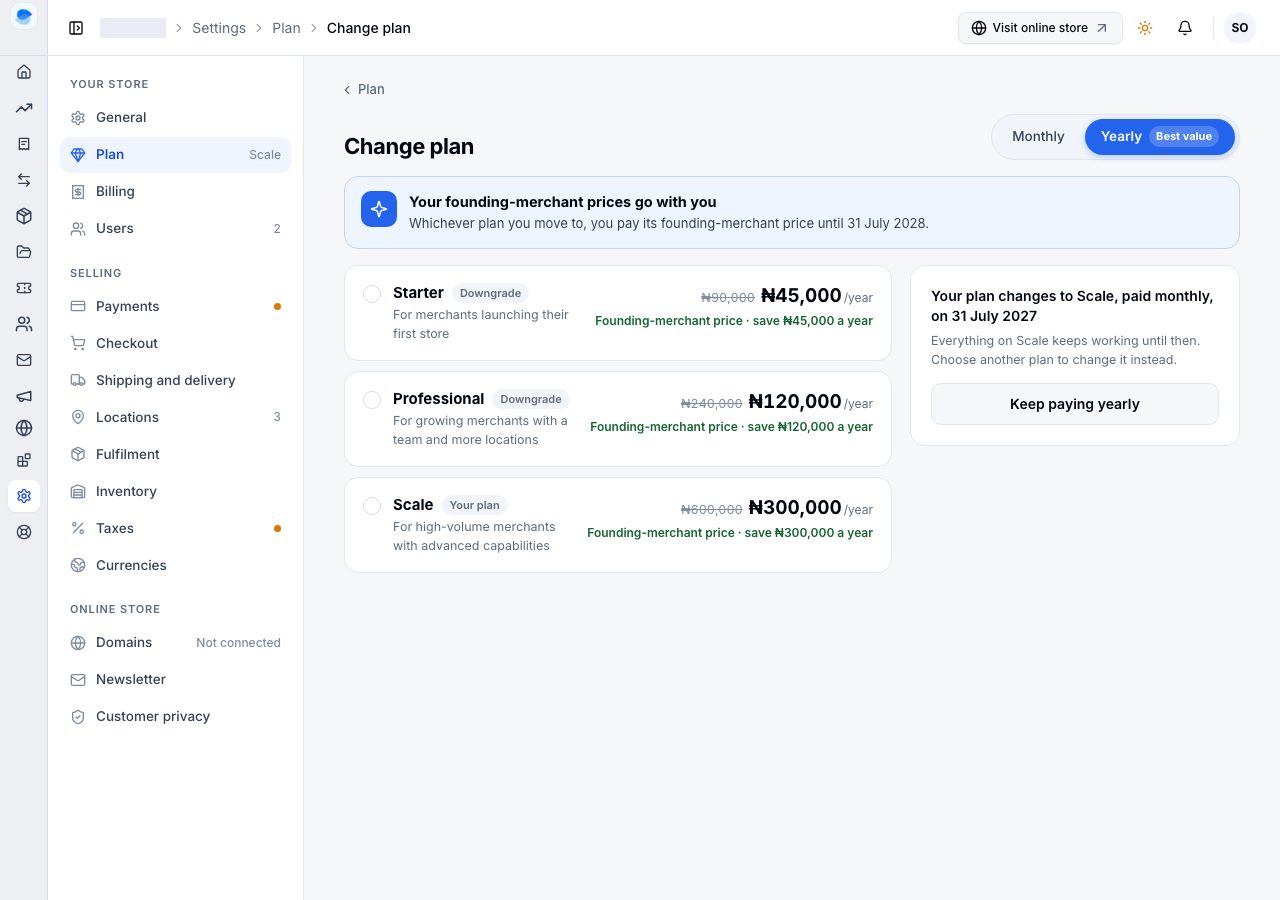
Change plan lists every plan, each marked Your plan, Upgrade or Downgrade, with the Monthly / Yearly switch at the top. While your founding-merchant price runs, a note says it goes with you to any plan; see Founder pricing. Choose a plan: it opens to list what it includes, and the summary beside the list says what happens and what you pay, before anything is charged.
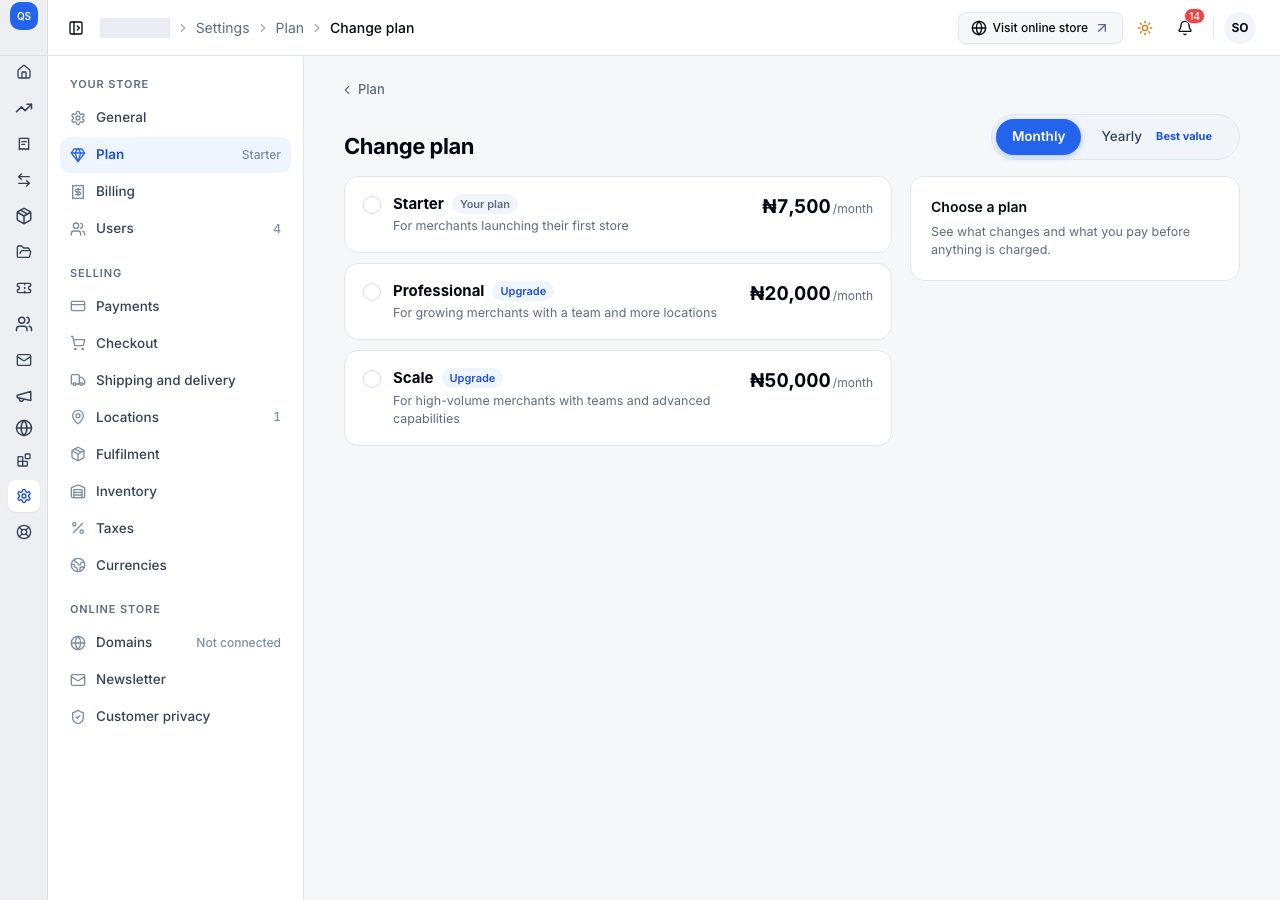
An upgrade starts as soon as you pay
Moving to a higher plan, or from monthly to yearly, is an upgrade. The summary, Upgrade to the plan, shows:
- The new plan for the days left in your billing cycle, less your current plan for the same days: the difference is what you pay today. A move from monthly to yearly starts a year of the new plan from today, less what is left of this month.
- Pay today, and what you pay From your renewal date.
- On Scale, extra locations can be added in the same payment.
Choose Pay now. With a card on file it is charged straight away (Use another card pays with a different one); otherwise the payment window opens. The new plan starts as soon as the payment completes.
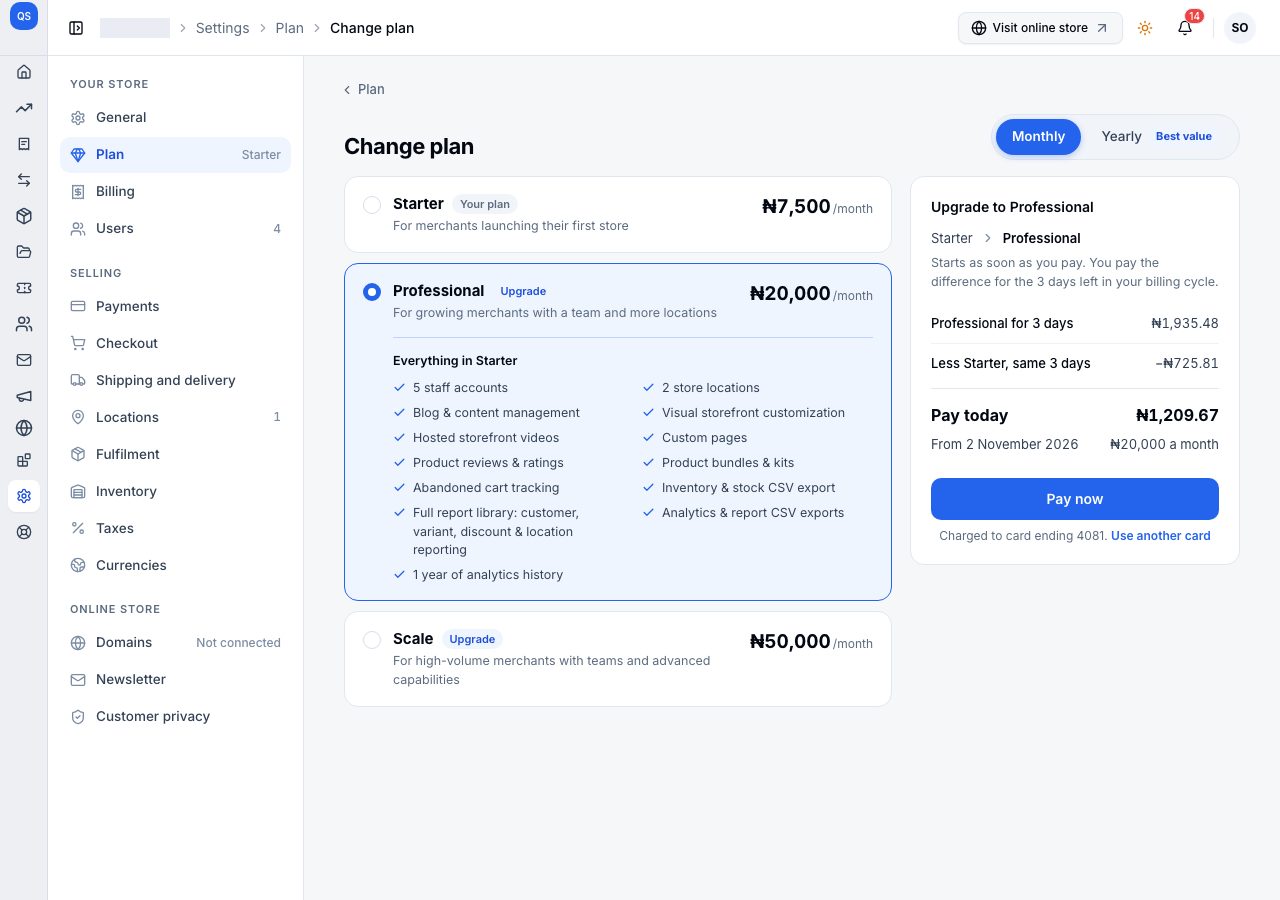
A downgrade starts when your billing cycle ends
Moving to a lower plan, or from yearly to monthly, is a downgrade. You keep your current plan until the end of the billing cycle you paid for, then the new plan starts. Pay today is nothing, and nothing is refunded. The summary, Downgrade to the plan, says what changes and waits until it adds up:
- Locations: if you have more active locations than the new plan includes, choose the ones that become inactive (never your default location). They keep their stock and history.
- Extra locations end on the date, below Scale.
- Users: if you have more than the new plan includes, choose what happens to the extra ones: keep them as paid extra staff accounts from the renewal, or suspend them.
- Stops on the date: the features the new plan does not include.
Choose Downgrade to the plan once every choice is made.
While a downgrade waits
Until it starts, Settings → Plan and Billing say what changes and when, Your plan changes to the plan on the date, and what you pay from that day. Billing's Next bill is already the new plan's price. Your current plan keeps working in full until then.
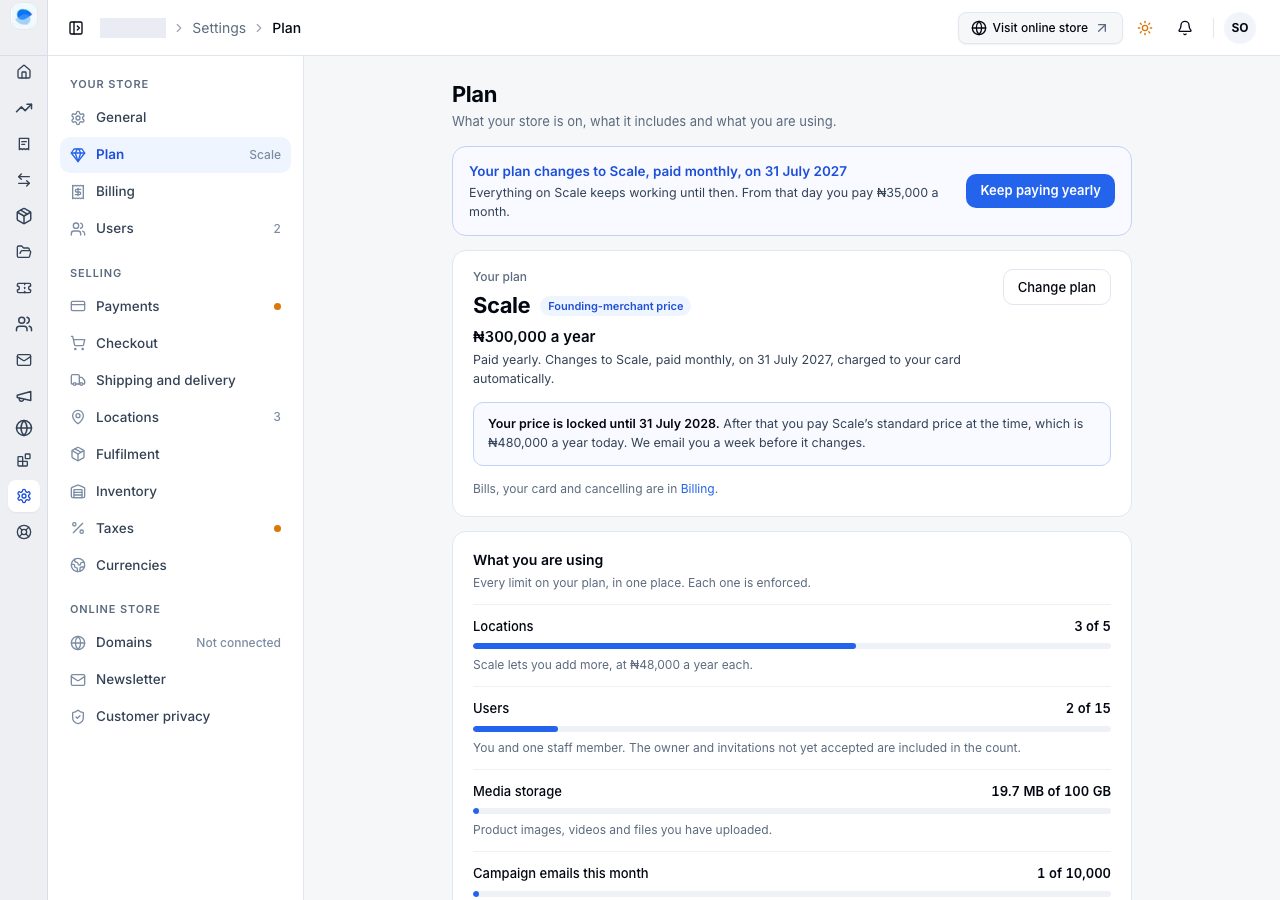
Changed your mind? Keep and your plan's name (or Keep paying yearly, when only the billing cycle would change) cancels the change; nothing is charged and nothing else moves. Change plan says the same, and marks the plan you are moving to with the day it starts. Choosing another plan there replaces the change with that one.
On a trial, or after a billing cycle has ended
Nothing is being paid for then, so there is no cycle to protect and nothing to take a difference from: any change applies at once and costs nothing, and your next payment is the new plan's price.
What a plan change does to your data
Nothing is deleted by a downgrade. A feature the lower plan does not include stops working, and what you made with it is kept for when you move back up.
If it does not work
- Change plan refuses with "Keep your subscription first": your subscription is cancelling. Choose Keep my subscription in the banner first; a plan change and a cancellation cannot both be waiting.
- You changed your mind about a downgrade: choose Keep in the banner on Plan or Billing before the date it names.
- The payment window did not open: allow pop-ups for the site and try again. Nothing is charged until the payment completes.
Email support@shoponent.com with your store name if anything here does not match what you see. We read and answer every message.