Available on every plan · Updated 30 October 2026
Also asked as: “renew now” · “pay now” · “reactivate my store” · “reopen my store” · “subscription expired” · “pay for my subscription” · “pay early” · “renew before it is due”
There are two ways back, depending on how the subscription stopped:
- A renewal that was not paid: pay it with Pay now.
- A subscription that was cancelled: reopen the store by choosing a plan and paying.
A store that pays each renewal from the bill we email can also pay before the bill is due.
Pay an overdue renewal
Open Settings → Billing. Next bill shows the amount, marked Overdue, with Pay now under it. The banner across Admin carries the same Pay now.
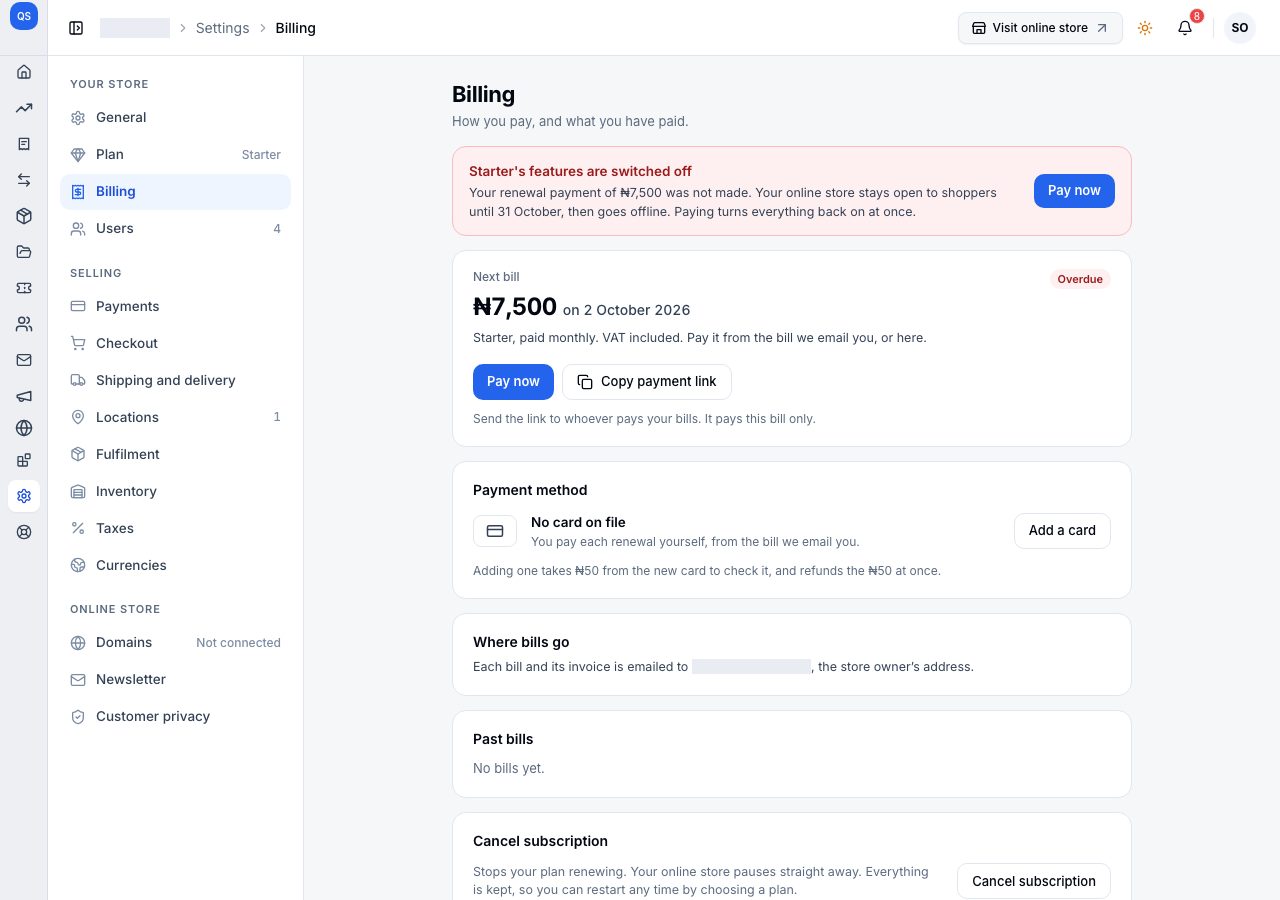
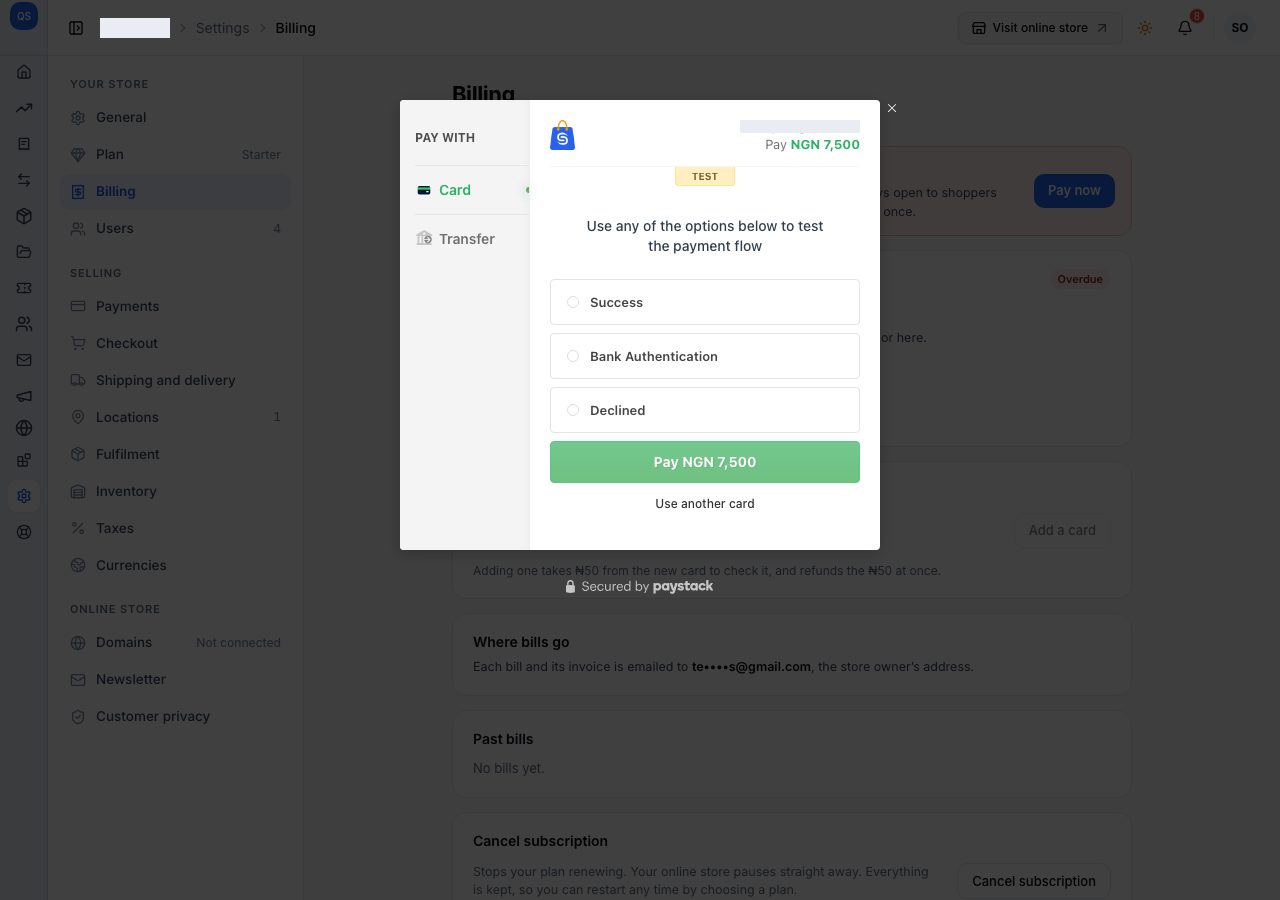
Choose Pay now. The payment window opens for the amount shown; pay by card or bank transfer.
When the payment completes, Admin says your plan is renewed, the banner goes, and Next bill shows the next renewal. Your plan's features and your online store come back at once, and the bill is listed in Past bills with its invoice.
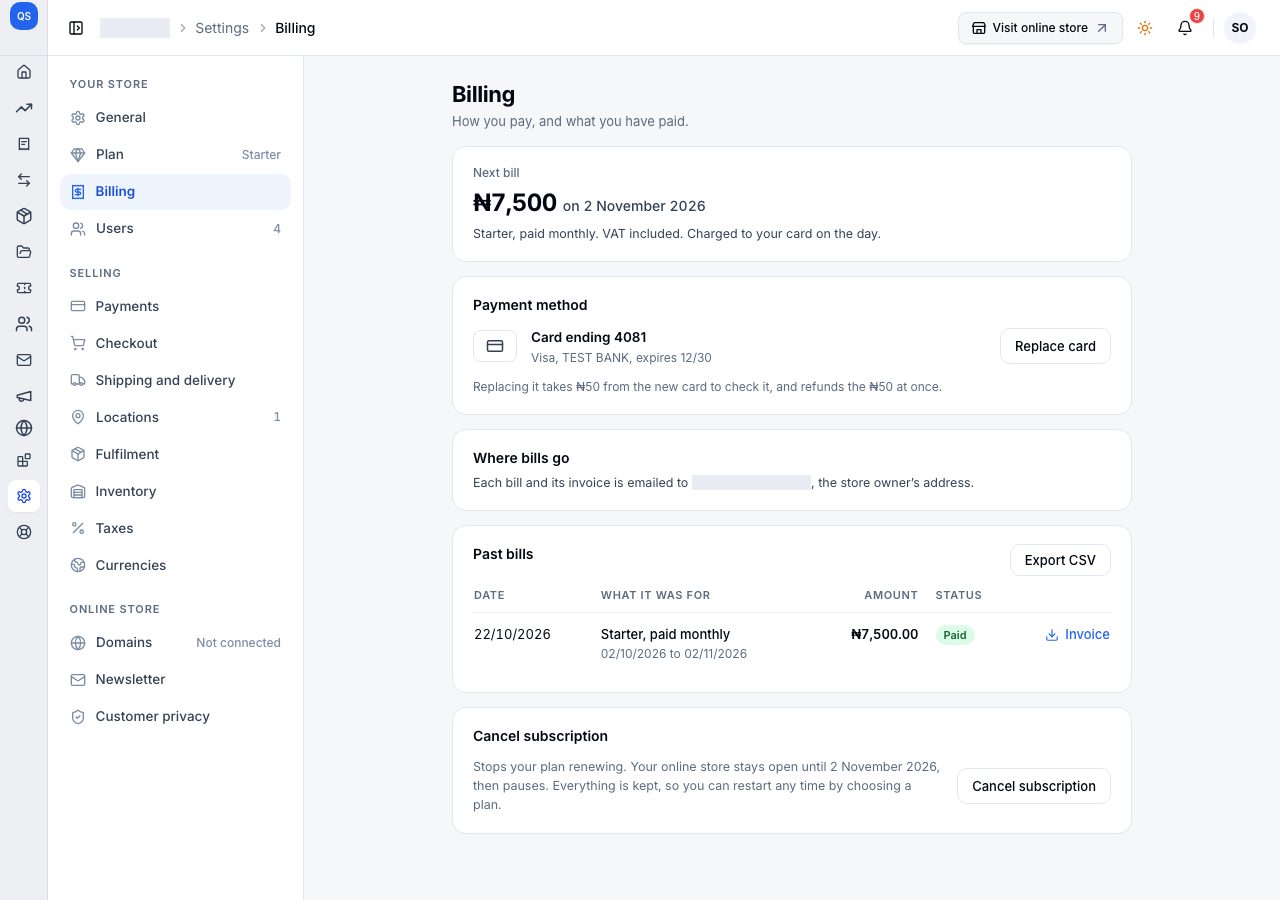
Paying by card saves the card for your renewals, so from then on they are charged on the day. Nothing has to be re-entered: your products, orders and settings were never touched.
Which dates you pay for. If your online store was still open when you paid, the new billing cycle runs on from the day the old one ended, because those days were served. If it had already gone offline, the new cycle starts the day you pay.
Pay before the bill is due
A store that pays each renewal by bill, rather than by a card charged on the day, can pay its next bill at any time. A bill is due from its first reminder, seven days before the renewal date. Before then Billing shows the next bill with Pay early, and says that paying now renews early: your next billing cycle still starts on the date shown, so no days are lost.
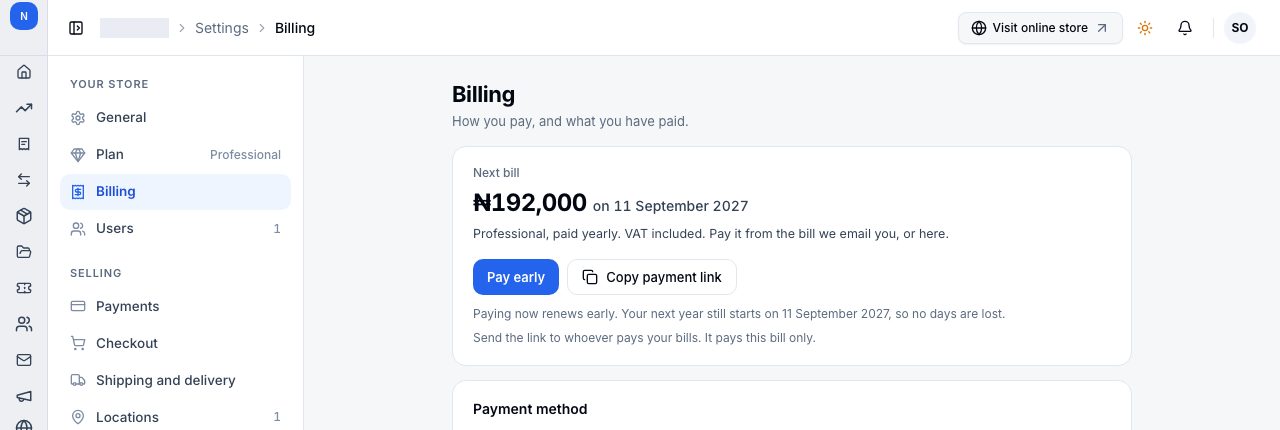
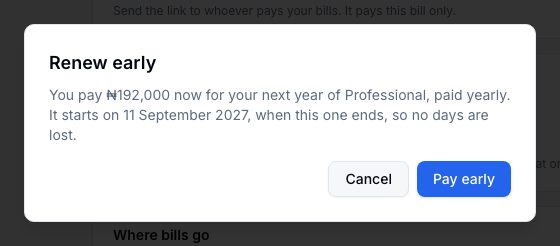
Pay early asks first, with the amount, the plan and the day the cycle you are paying for starts. Pay early in the dialog opens the payment window; Cancel closes it with nothing paid.
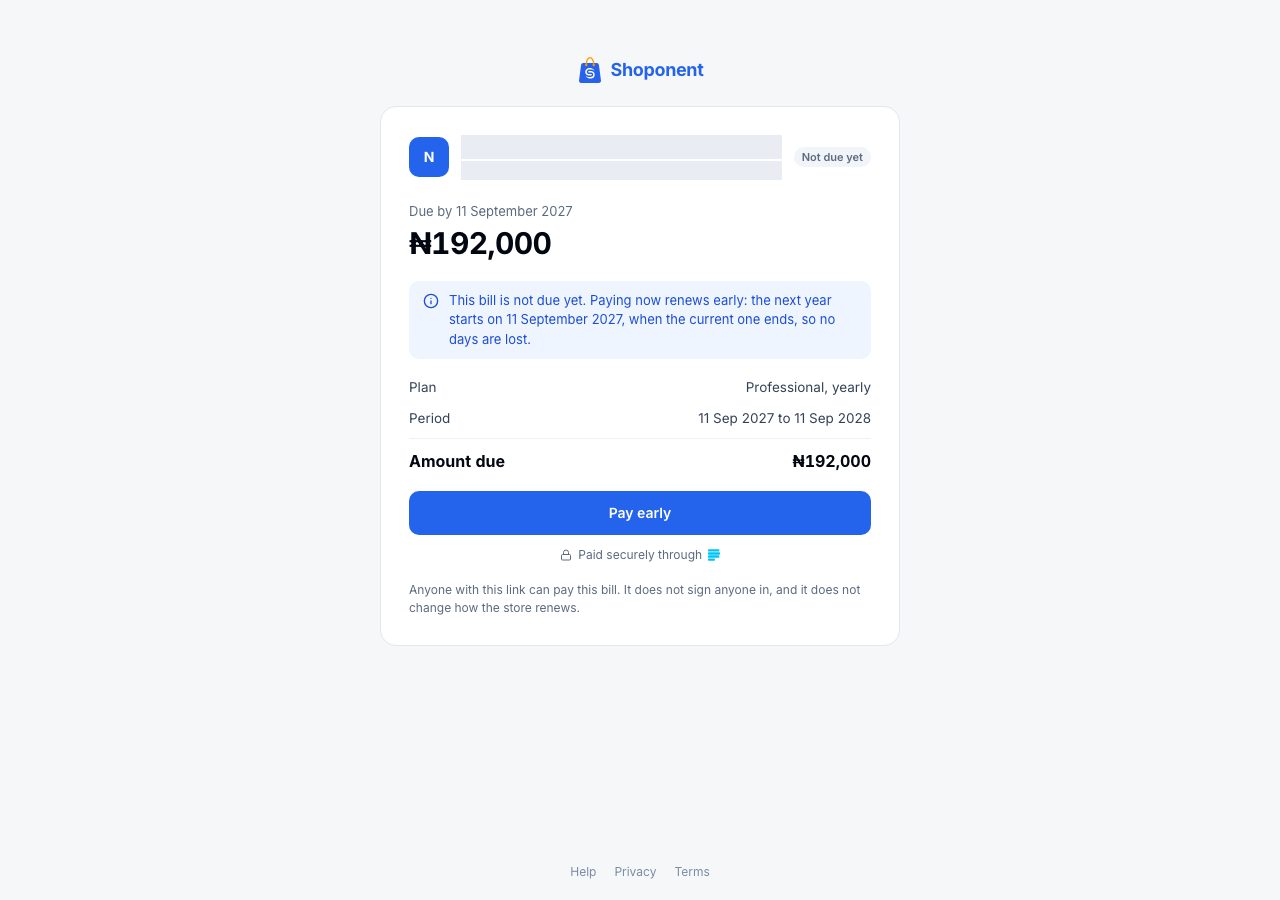
The bill link says the same to whoever you send it to: Not due yet, and that paying now renews early.
You can pay at most one billing cycle ahead. Once you have, neither Billing nor the link offers a button, and both say when paying early opens again: one cycle before the date your plan is paid through.
Reopen a cancelled store
Opening a cancelled store in Admin takes you to Reopen your store. It says when the subscription ended and that products, orders and customers are all still there. There is no free trial when reopening.
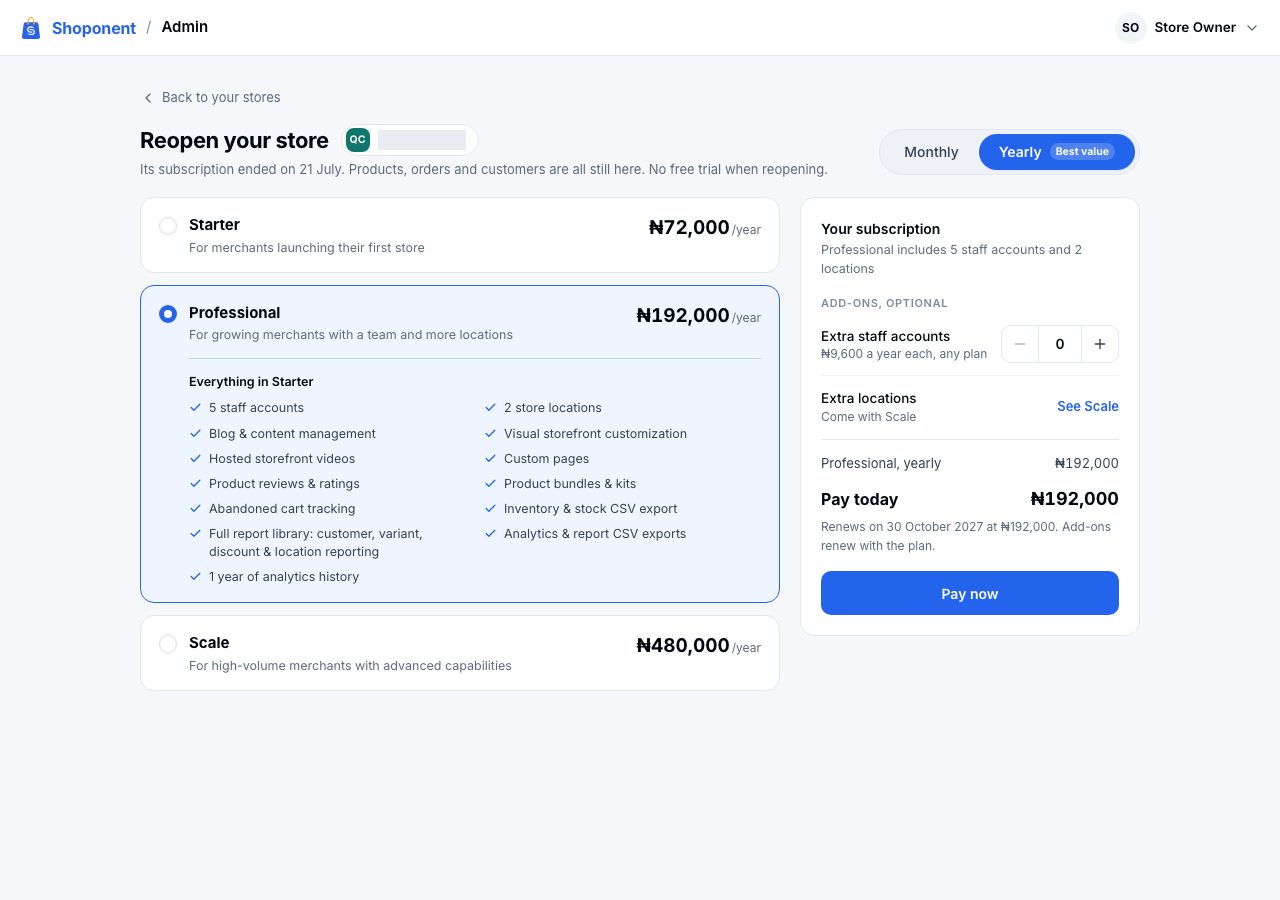
- Choose monthly or yearly, then a plan. The plan opens to list what it includes.
- Beside it, the summary shows what the plan includes, lets you add extra staff accounts (and extra locations on Scale), and shows Pay today with the date it renews.
- Choose Pay now and pay in the payment window. When the payment completes, the store is open again in Admin and its online store serves again.
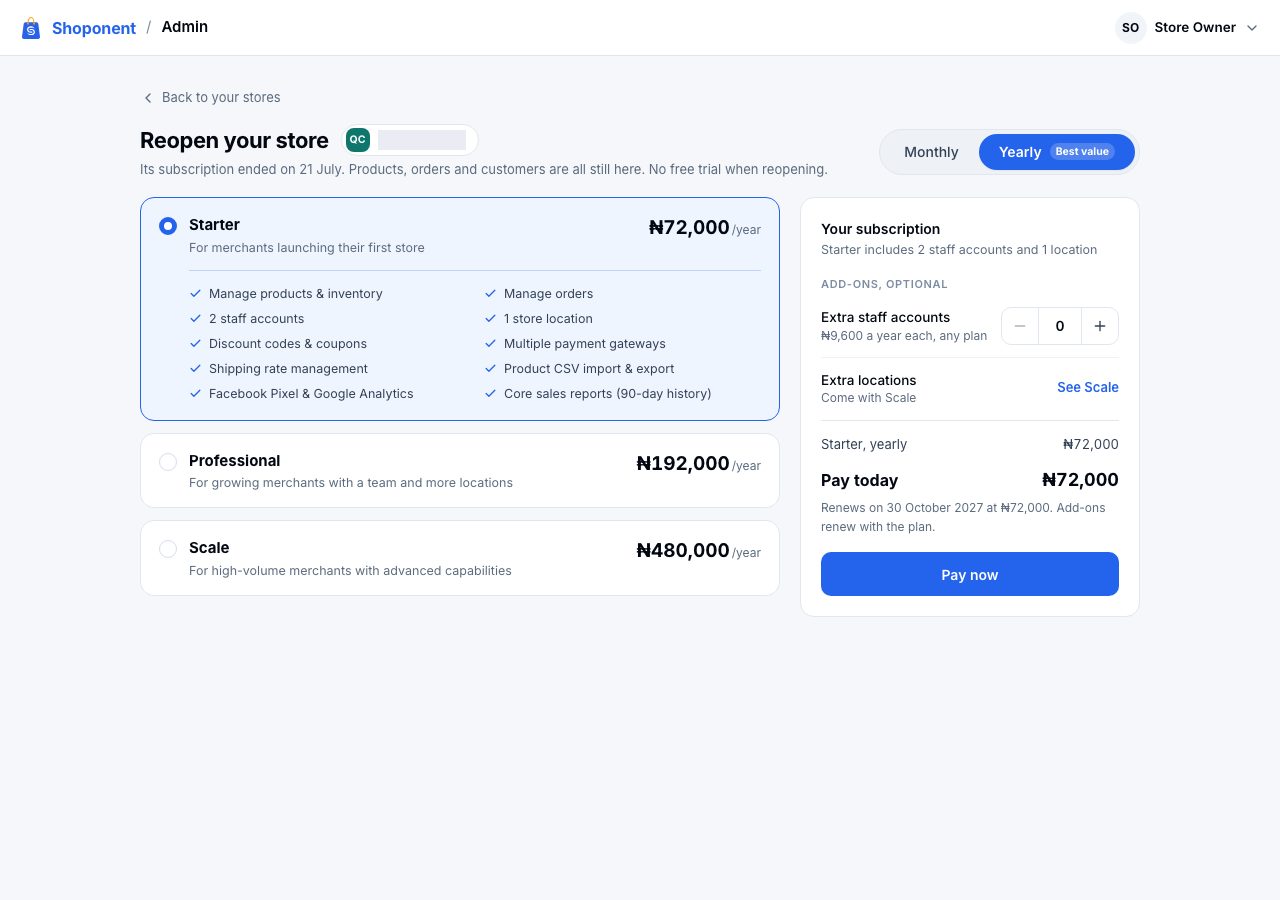
If the store's founding-merchant price had not ended, the page says so and it reopens at that price; see Founder pricing.
If it does not work
- The payment window did not open: allow pop-ups for the site and try again. Nothing is charged until the payment completes.
- Someone started paying this bill a moment ago: the bill is held for one payment at a time, so a second one is not taken. Wait a few minutes before paying again.
- The payment was taken but Admin did not confirm it: do not pay again. It shows on Billing within a few minutes; if it does not, email us with your store name and the payment reference.
- Nothing to pay: the subscription is complimentary. It cannot be reopened by paying; email us and our team restores it.
Email support@shoponent.com with your store name if anything here does not match what you see. We read and answer every message.