Available on every plan · Updated 22 October 2026
Also asked as: “set a delivery fee” · “shipping row will not tick” · “customers cannot check out” · “free delivery” · “delivery to other countries”
A store with no delivery rate offers no delivery at checkout, and a shopper whose address no rate reaches cannot place the order. Configure shipping is the row on Home's setup list that sets up your first rate. If your customers collect from you instead, a pickup location completes the row as well.
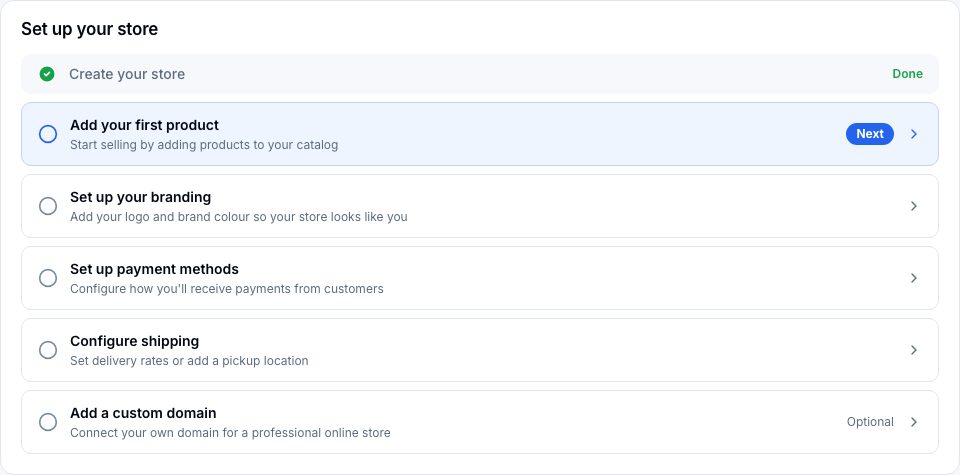
1. Open Shipping and delivery
Choose Configure shipping. It opens Settings → Shipping and delivery, on Delivery rates, where your rates are listed with Add rate at the top.
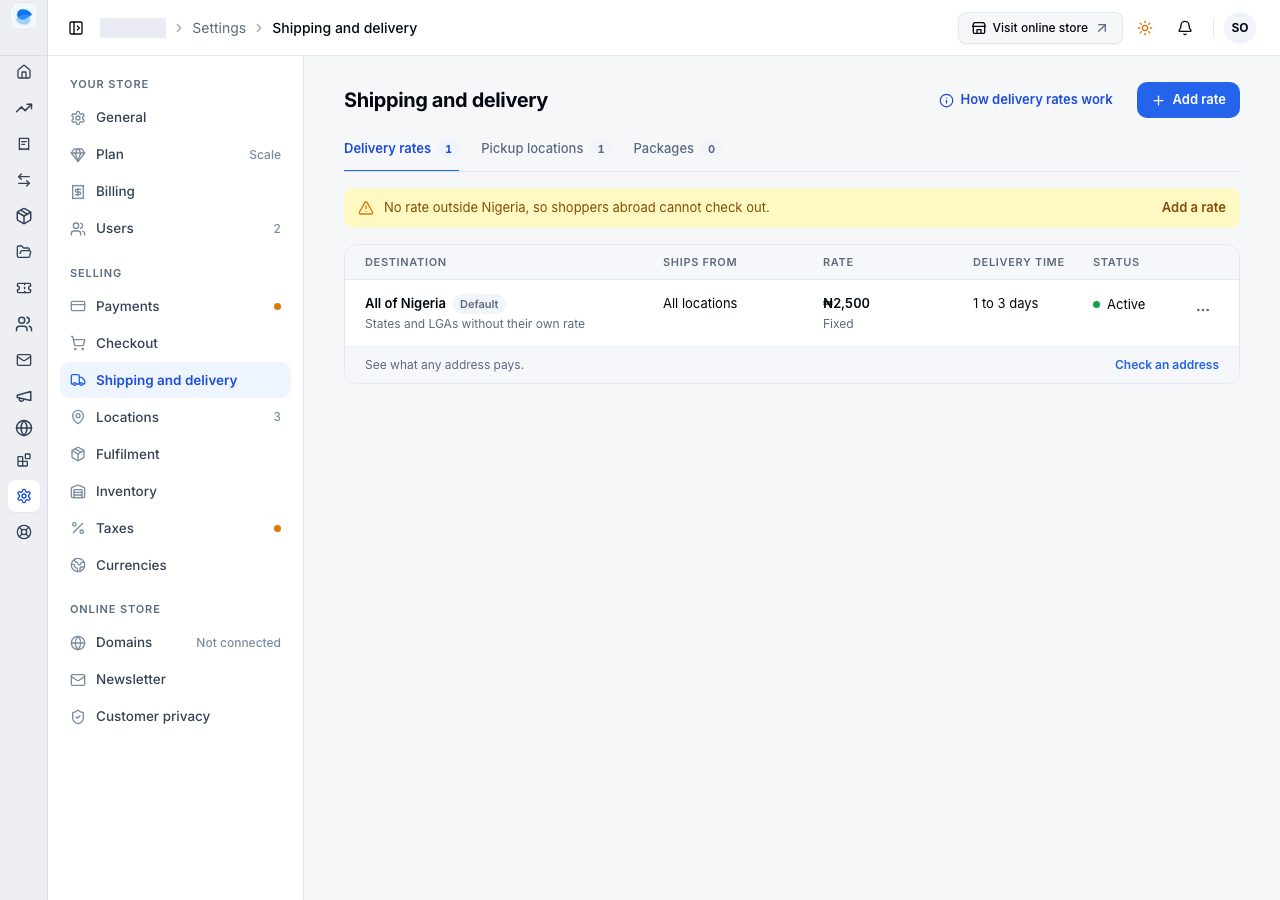
2. Add a rate for the whole country
Choose Add rate. The page asks for:
- Ships from: All locations, which is right for a first rate. (A store with one location does not see this.)
- Country: Nigeria, and Rate for: Whole country. That is the rate every address in Nigeria pays unless a more specific one exists.
- Pricing: Fixed cost, and the Delivery fee. A fee of zero means the shopper pays nothing for delivery there.
- Delivery time: the fewest and most business days you expect. Shoppers see it at checkout.
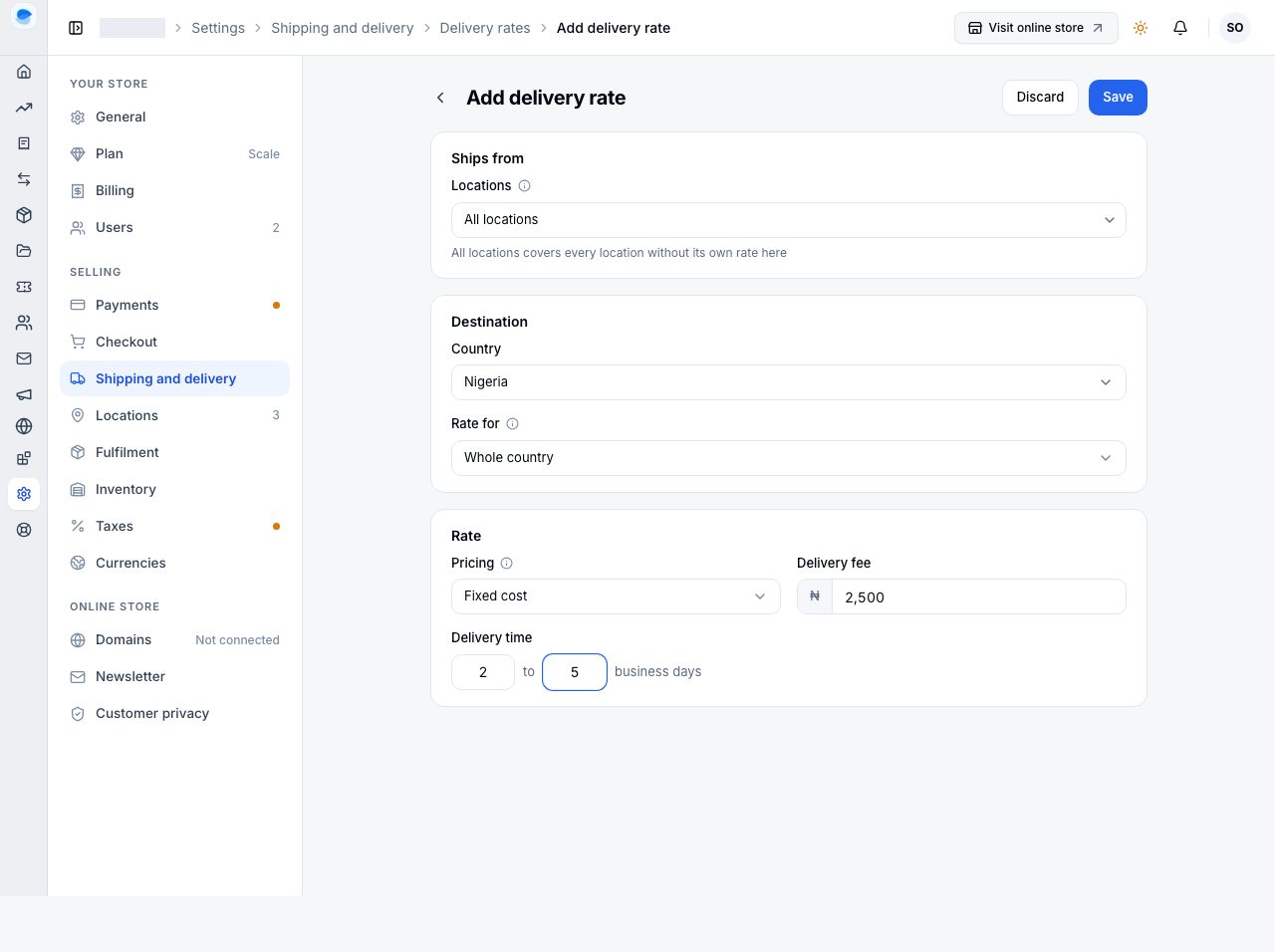
Choose Save, and the rate is listed under Delivery rates. Use Check an address under the list to see what any address now pays.
3. Back on Home
The row is ticked: it ticks once a delivery rate or a pickup location exists.
What to do next, when you are ready
- Different fees for different places: add a rate for a state, some LGAs, or the areas of one LGA. An address pays the most specific rate that exists. See Delivery rates by state and area.
- Other countries: add a rate for each country you ship to; see Rates for other countries.
- Collection: add a pickup location, and shoppers can collect instead of paying for delivery. See Pickup locations.
- Free delivery over an amount: that is a discount, not a rate. Create a free-shipping discount.
If it does not work
- Save is refused: a field says what is missing, such as the fee. Type a number, zero included.
- A shopper says you do not deliver to them: no rate reaches their address. Check it with Check an address, and add a rate for their country if they are abroad.
Email support@shoponent.com with your store name if anything here does not match what you see. We read and answer every message.