Available on every plan · Updated 22 October 2026
Also asked as: “different delivery fee per state” · “charge more for lagos” · “lga delivery rate” · “delivery fee for an area” · “delivery not available at checkout” · “customer pays the rider” · “free delivery to one area”
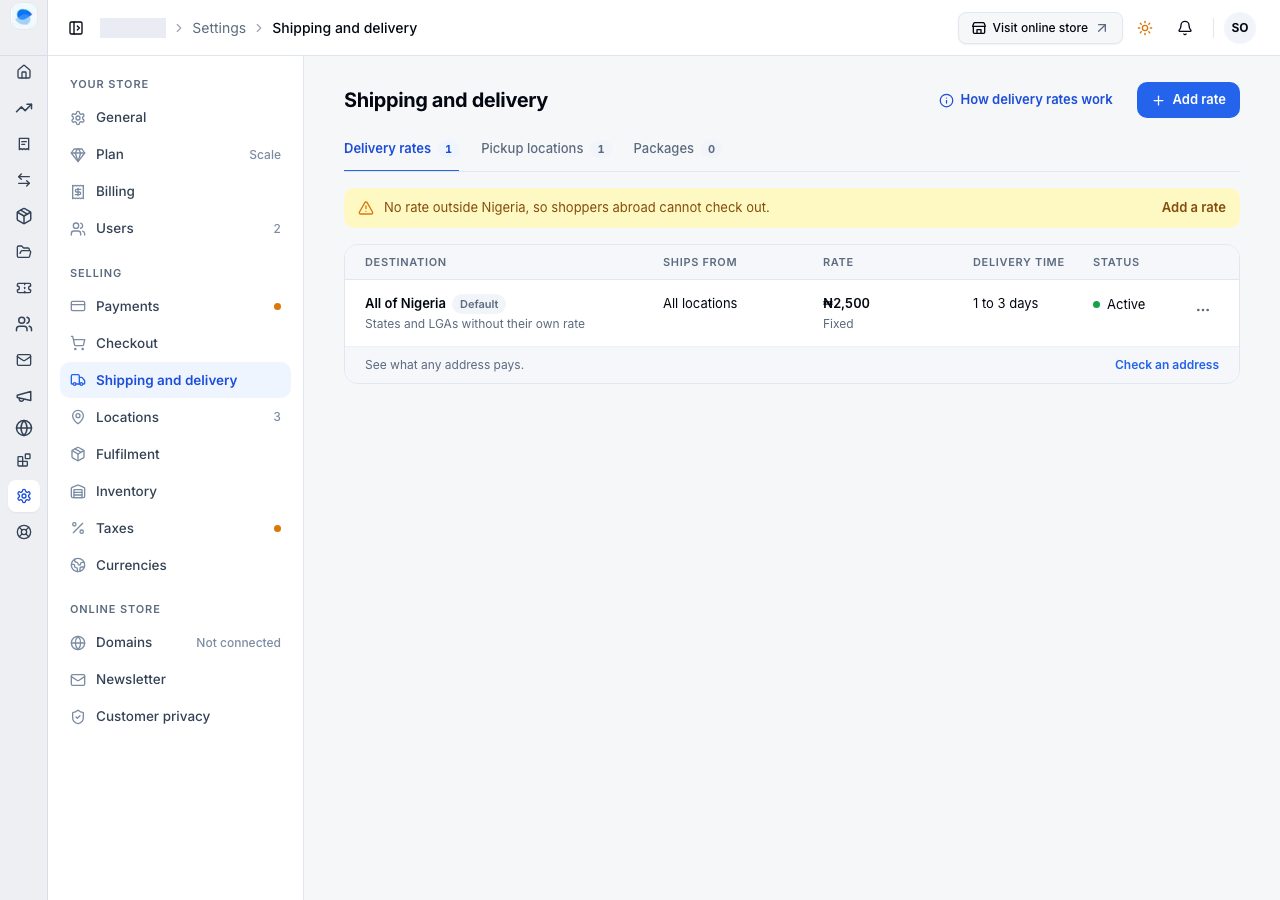
Settings → Shipping and delivery opens on Delivery rates: one row per rate, with where it applies, which locations it ships from, the fee, the delivery time and whether it is active. Pickup locations and Packages are the tabs beside it.
How an address finds its rate
How delivery rates work, beside Add rate, explains the five ideas behind every rate. In short:
- Where a rate applies: the whole country, a state, chosen LGAs, or areas in one LGA. An address pays its most specific rate: an area, then its LGA, then its state, then the whole country.
- Which locations it ships from: all locations, or the ones you choose. A location delivers only where one of its rates applies; one with no rate offers pickup only.
- Which location sends an order: one that sells online, delivers to the address and has everything in it; see Which location fulfils an order.
- What the customer pays: the rate of the location that sends the order. An order sent in parcels from several locations pays one fee, the highest of theirs.
- Paid to the courier: checkout says delivery is not included, and the customer pays the rider on arrival.
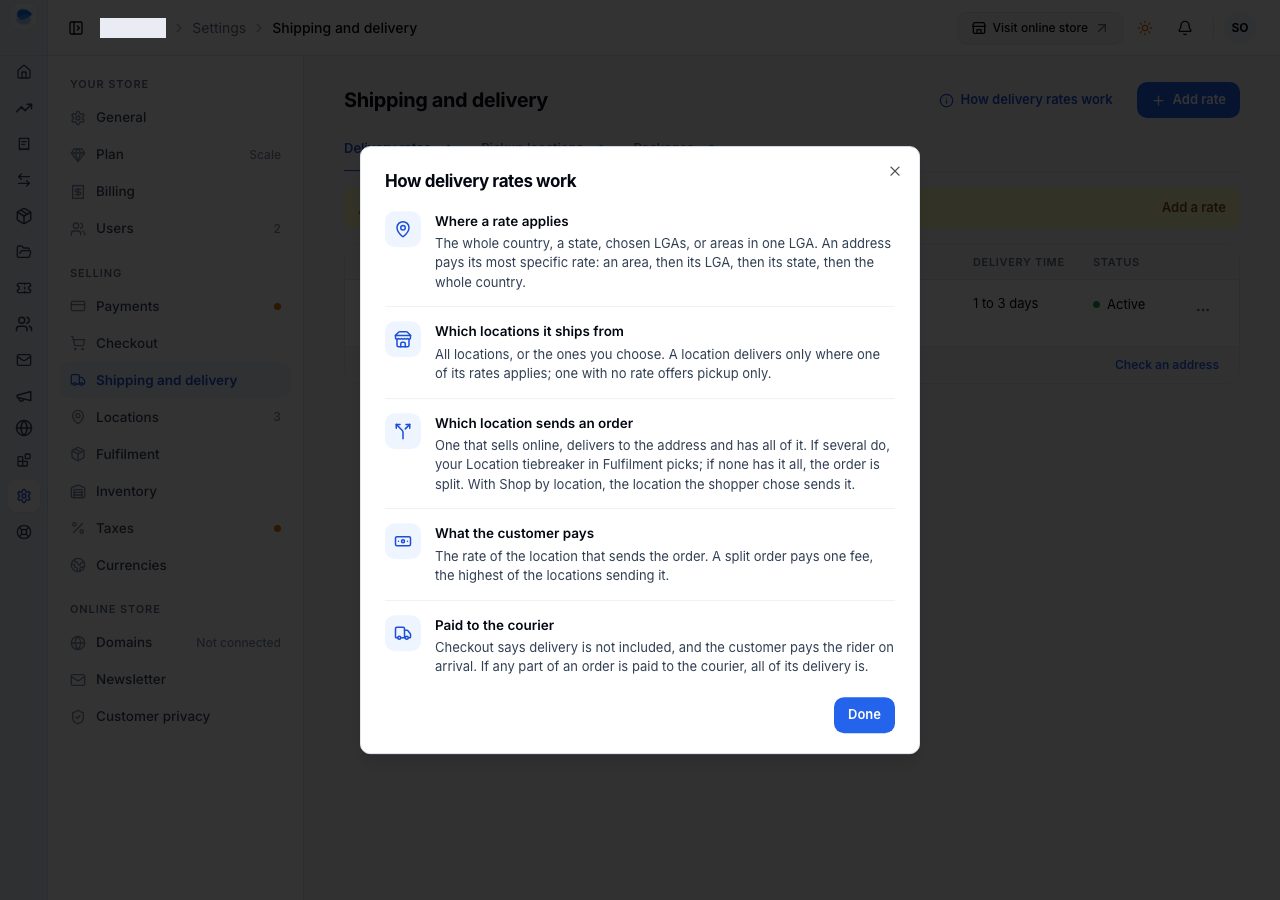
Check an address, under the list, shows what any address pays for delivery from each of your locations, and which rate it comes from. Use it to test a rate as soon as you save it.
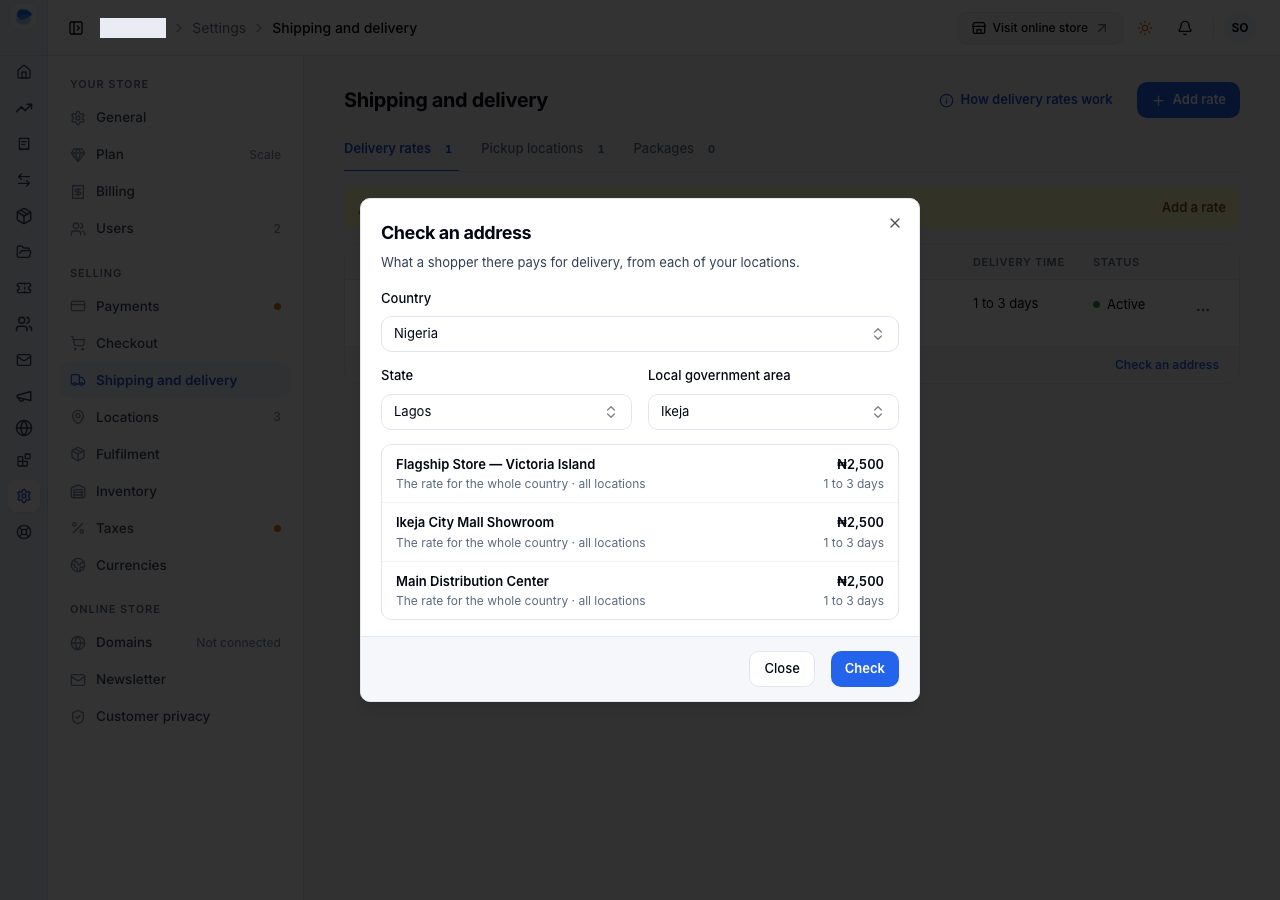
Add a rate
Choose Add rate. Each rate is its own page.
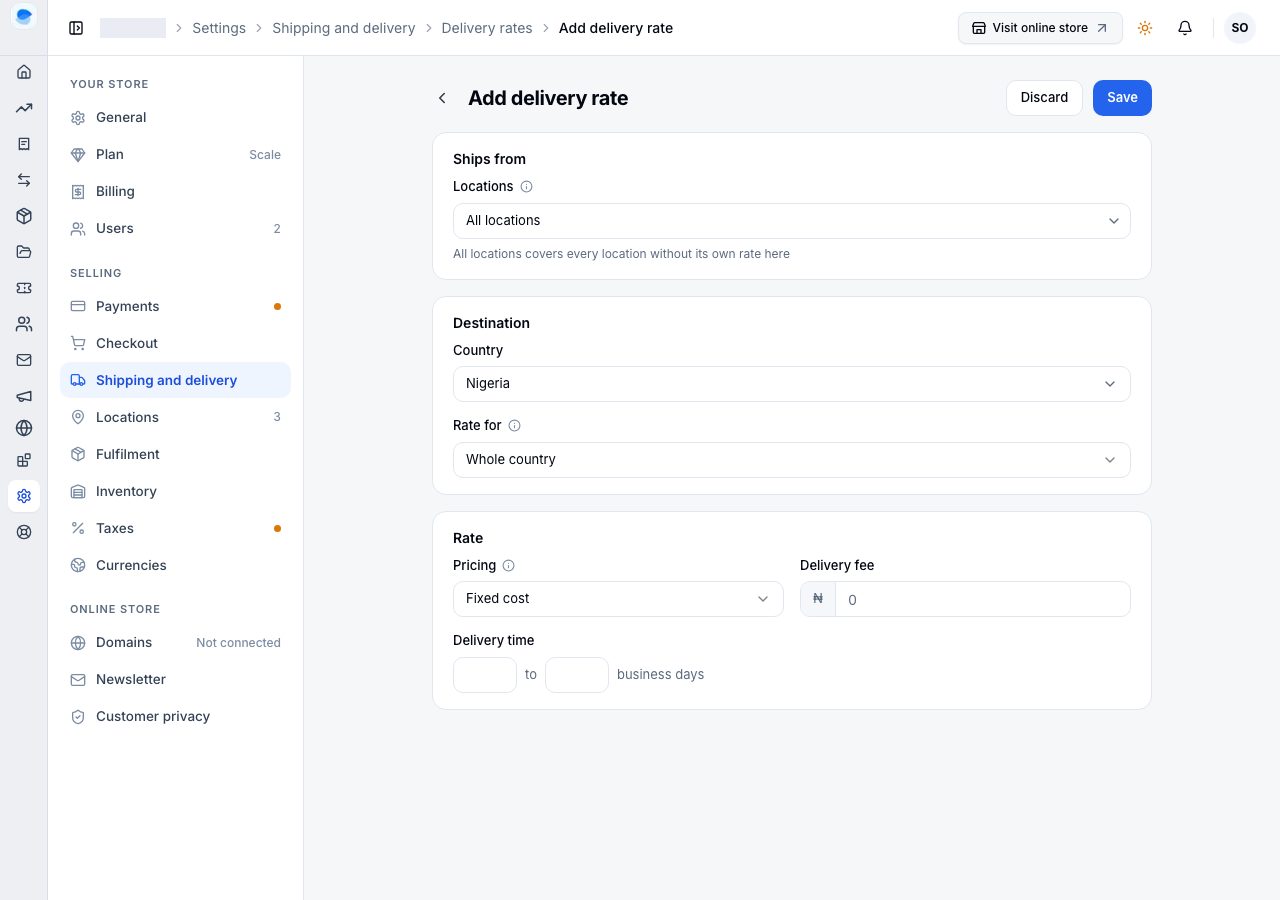
Ships from: All locations, or the locations you choose. All locations covers every location that has no rate of its own for the same place; a location's own rate there takes its place. A store with one location does not see this.
Destination: the country, then Rate for:
Whole country: everywhere in it without a more specific rate.
A state: choose the state.
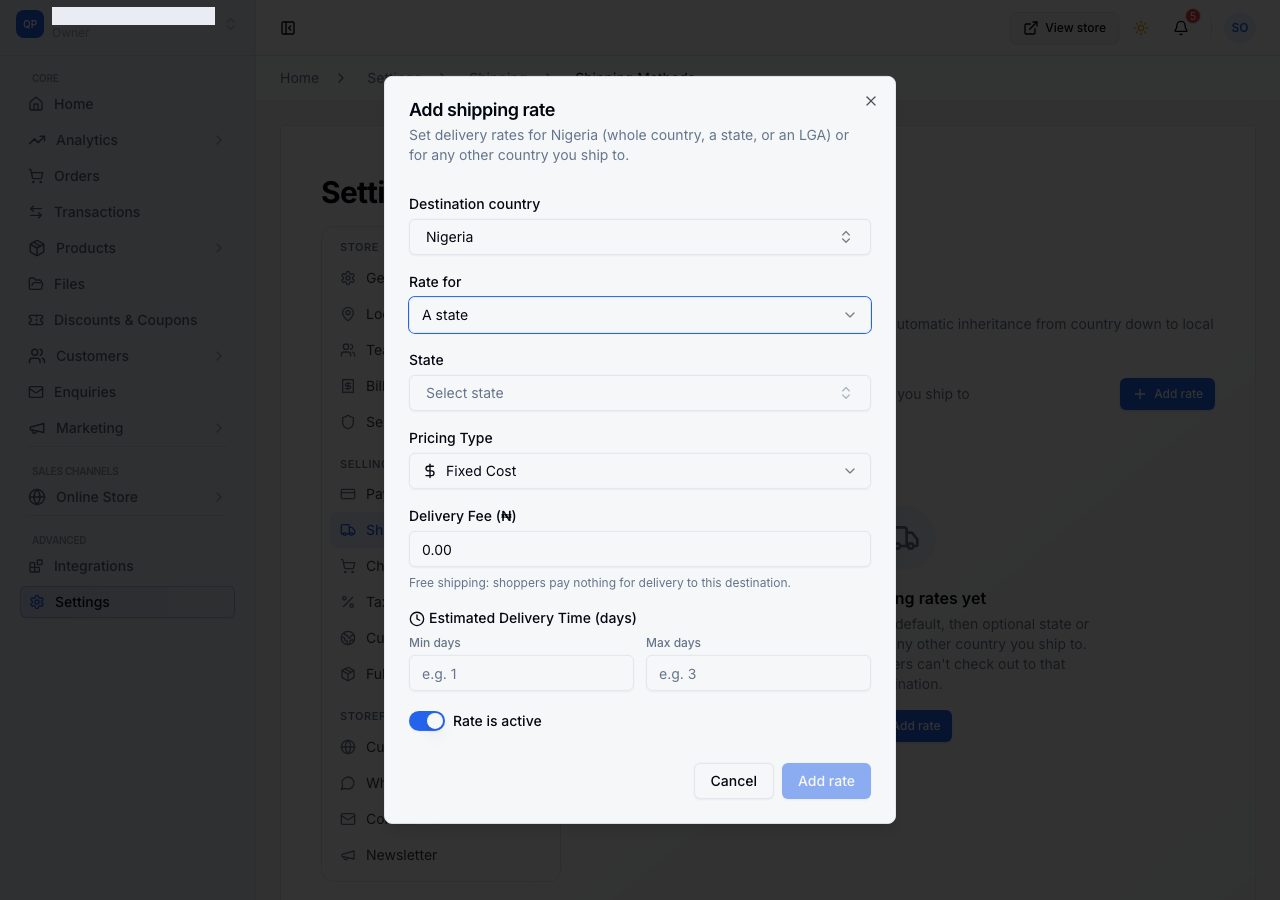
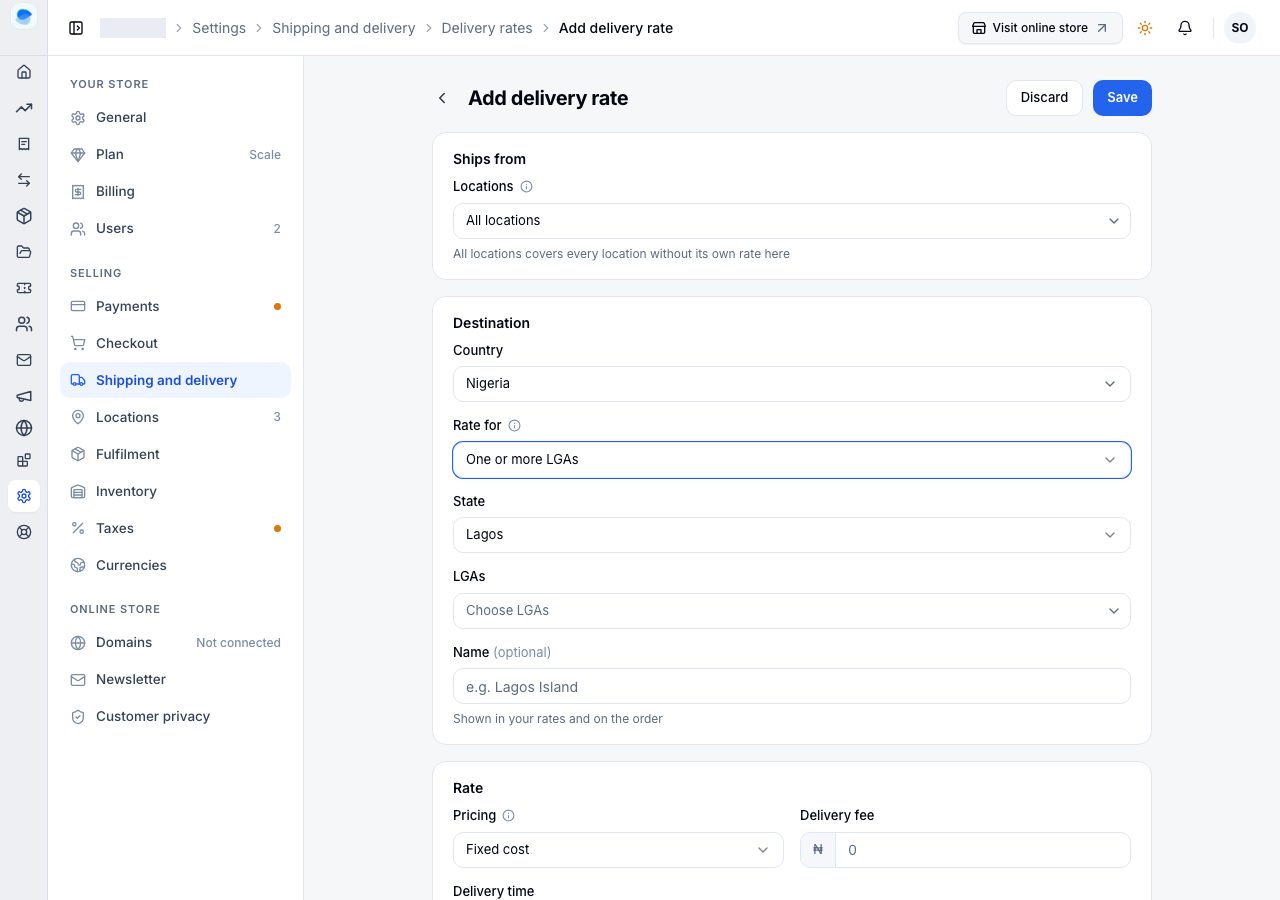
One or more LGAs: choose the state and its LGAs, and give the group a name if you like, such as "Lagos Island", shown in your rates and on the order.
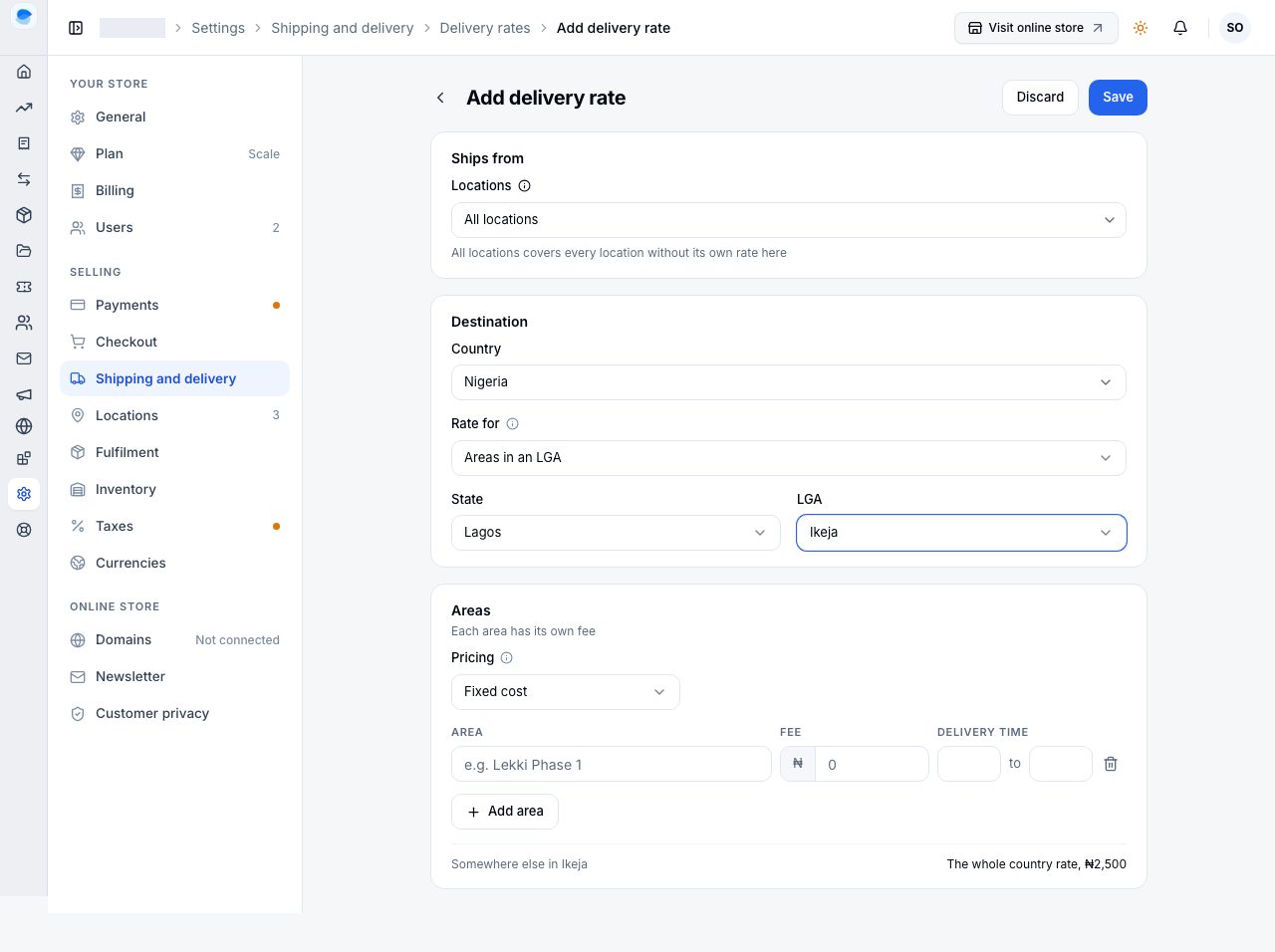
Areas in an LGA: choose the state and the LGA, then add a row per area with its own fee and delivery time. The last line says what the rest of the LGA pays ("Somewhere else in Ikeja"). At checkout a shopper in that LGA picks their area, and it goes on the order for the rider.
Rate: Fixed cost (one fee), Weight-based (a base fee for a base weight, plus a fee for each extra kg, with an optional maximum weight), or Paid to the courier (nothing is charged at checkout; you can give the typical fee as a guide for shoppers, and it is never charged).
Delivery time: the fastest and slowest, in business days.
Choose Save.
Two rates cannot cover the same place from the same location; the second is refused under its field, with a link to edit the first. A location's own rate beside a rate for all locations is not a duplicate: it is how one location charges differently.
Change, turn off or delete a rate
Open the rate from the list. Turn off this rate stops it applying: shoppers it covered fall back to the next rate, or cannot check out if there is none, and Turn on this rate brings it back. Delete this rate removes it for good; orders keep what they were charged.
If it does not work
- A shopper cannot check out: no rate reaches their address from a location that has their items. Check their address with Check an address, and add a rate for the whole country if you do not have one.
- The wrong fee is charged: a more specific rate applies to that address, or a location's own rate. Check an address says which rate it used.
- Free delivery over an amount: that is a discount, not a delivery rate. Create a free-shipping discount instead.
Email support@shoponent.com with your store name if anything here does not match what you see. We read and answer every message.