Available on every plan · Updated 29 October 2026
Also asked as: “stock came off the wrong location” · “which location fulfils” · “fulfilment location” · “split across locations” · “change the location on an order” · “move an order to another location” · “nearest to customer” · “shop by location” · “sold out at one location”
If you keep stock in one place, this page has nothing for you: every order comes from that place. It matters the moment you have two.
Settings → Fulfilment answers one question, Which location fulfils an online order, in one of two ways.
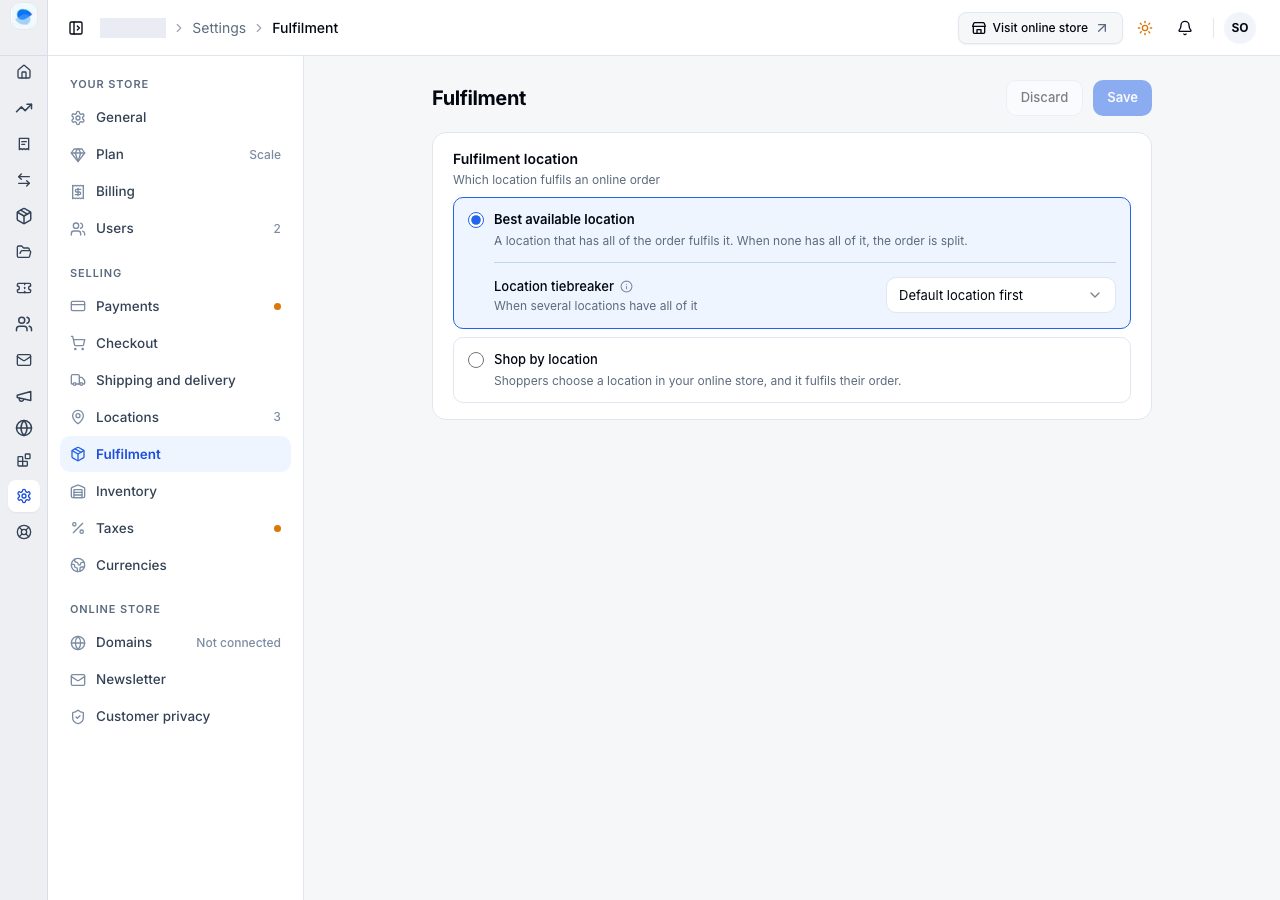
Best available location
A location that has all of the order fulfils it. When none has all of it, the order is split into parcels from the locations that do, fewest parcels first. When the locations together cannot send it, checkout says which item cannot be delivered to that address, and the shopper can remove it or use another address.
Only locations that sell online take part (see Locations), and a location delivers to an address only where one of its delivery rates applies.
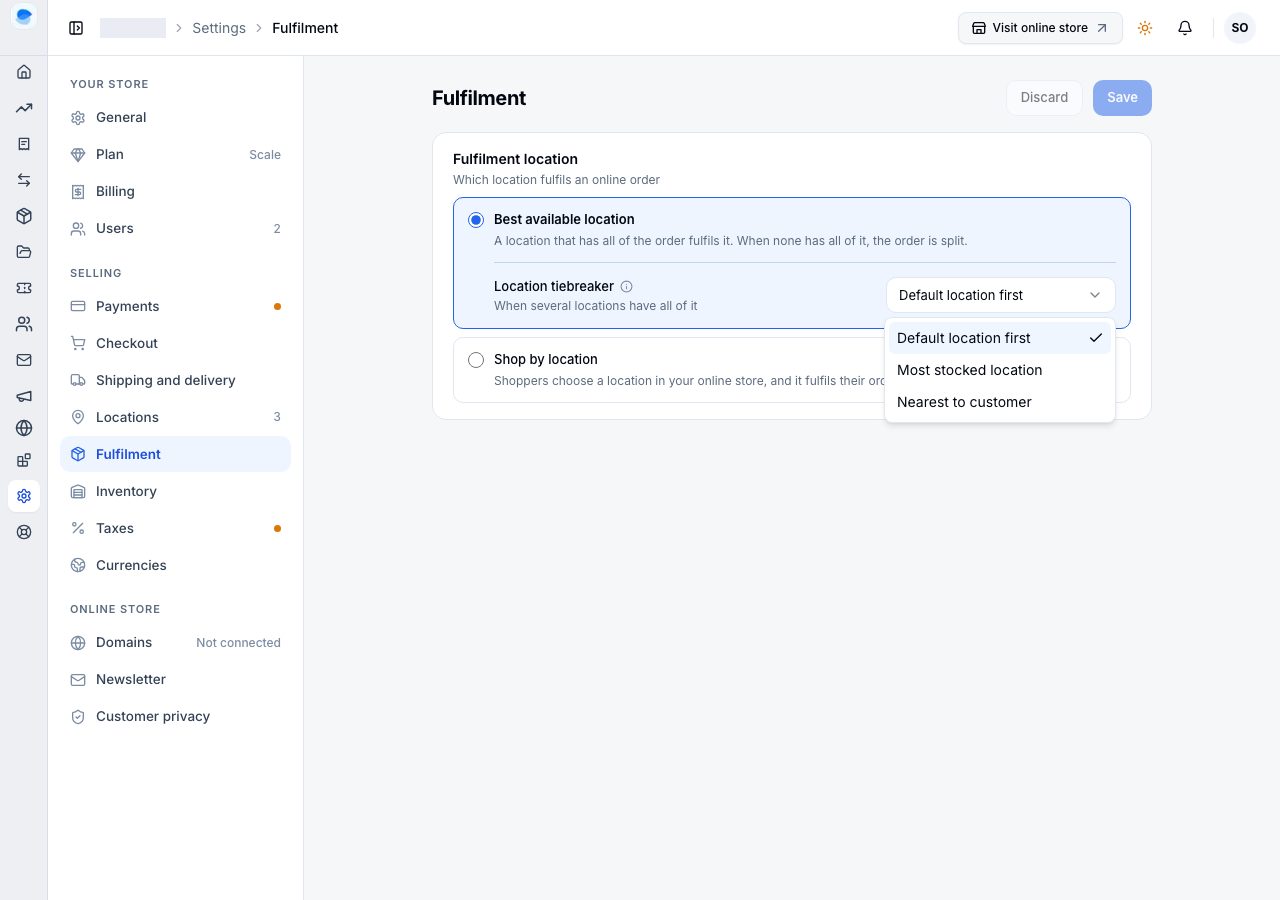
When several locations have all of the order, the Location tiebreaker picks:
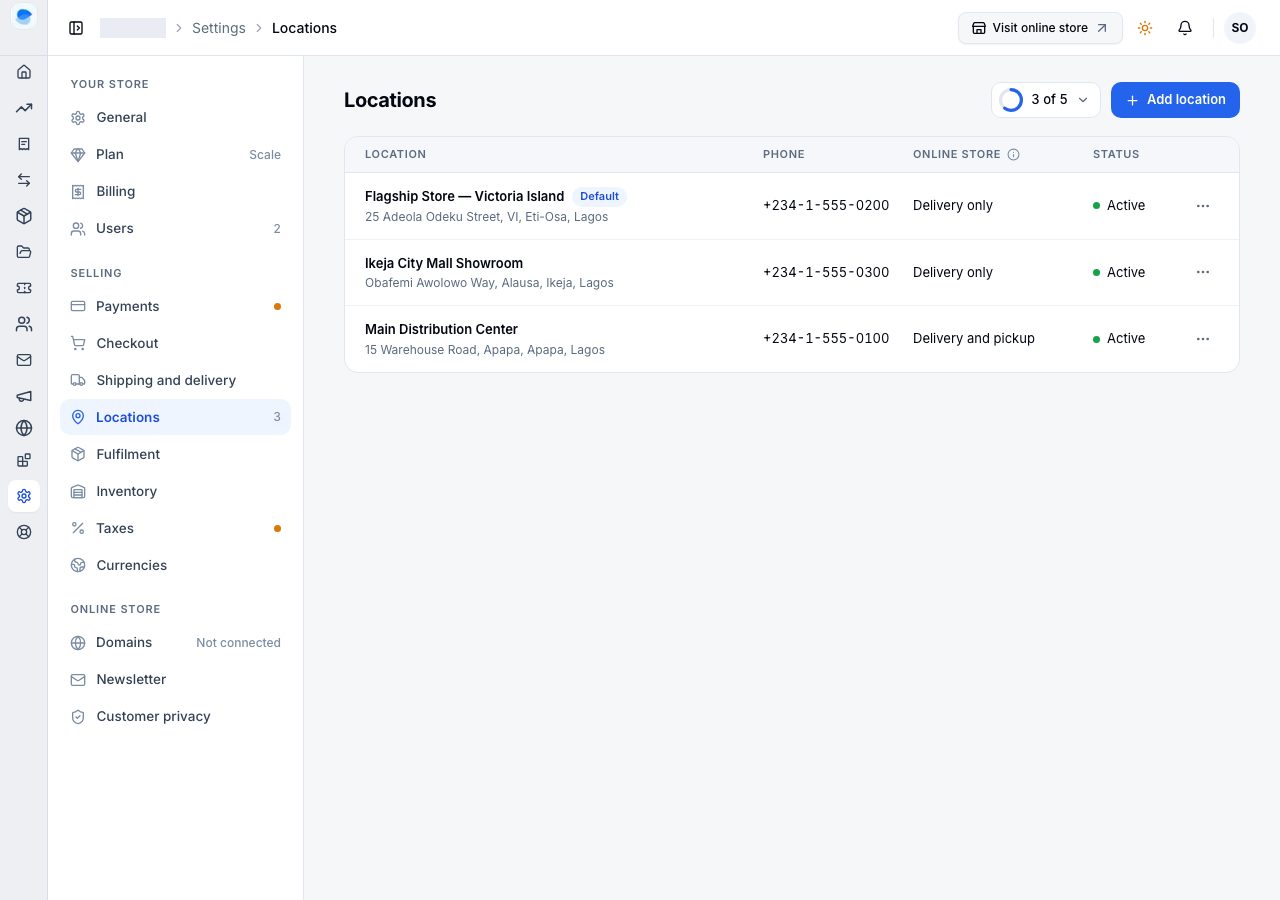
- Default location first: your default location, marked Default under Settings → Locations.
- Most stocked location: whichever has the most available.
- Nearest to customer: the location closest to the delivery address.
What the shopper pays: the delivery rate of the location sending the order. A split order pays one fee, the highest of its parcels', and checkout says how many parcels it is in.
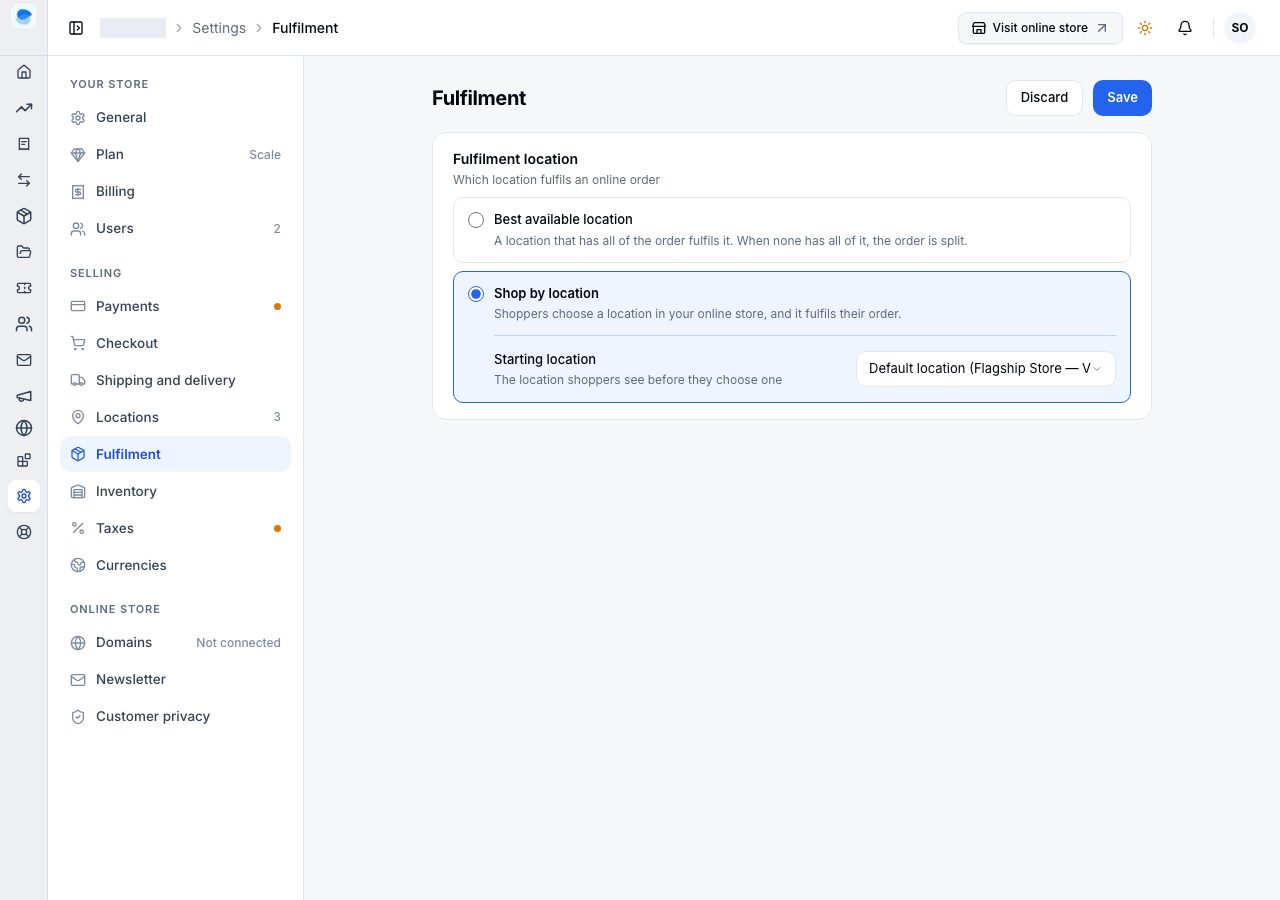
Shop by location
Shoppers choose a location in your online store, and that location alone fulfils their order: its stock, its delivery rates and its own pickup locations, never a split. The locations they can choose are the ones that sell online. The Starting location is the one they see before they choose: your default location, or any other that sells online.
Everything a shopper sees counts their location's stock: a product that location does not have shows as Sold out, even when another location has it.
A shopper who switches location keeps their bag. Each item is checked against the new location's stock, and an item it cannot supply is marked and holds checkout until it is changed or removed. A location with no delivery rate for the shopper's address says so, and offers pickup if it has any.
Where each location sells
Settings → Locations says in its Online store column what each location does in your online store: Delivery and pickup, Delivery only, Pickup only, or Not online.
What "available" means here
Available is what is on hand, minus what is already committed to orders you have not fulfilled, minus anything marked unavailable. Stock is committed when an order is placed, not when you pack it, which is what stops two shoppers buying the last unit.
Changing it afterwards
The rules above decide where an order is reserved. They are not the last word: open the order, and each To fulfil card names its location with Change beside it. Pick where the items go and how many of each: part of a line can move, and the stock held for a tracked product moves with it. Each product shows what the new location holds of it.
That is the answer to a shopper who turns out to be nearer another shop, a pickup location chosen by mistake, or a shelf that disagrees with the system. It is also the answer to a split order you would rather send in one box: move one location's share onto the other, then pack once.
A destination short of stock is not refused. The shortfall becomes a backorder there, which is the record of what you owe, and you can still pack and send it. The move is kept on the order's timeline with who did it, when, from where, to where and any note you left, and on the product's stock history as well.
There is more about packing in Open and fulfil an order.
If it does not work
- Stock came off the wrong location: check which locations sell online, and the tiebreaker. For a collected order, check the pickup location's Stock from.
- The default location keeps being chosen: that is Default location first doing what it says, when it has all of the order. Choose Most stocked location if you want the stock to decide.
- An order is split across two locations: no single location had all of it. You can move one location's share onto the other, on the order itself.
- A shopper says an item cannot be delivered: the locations that have it do not deliver to their address. Check it with Check an address under Delivery rates.
Email support@shoponent.com with your store name and an order number if anything here does not match what you see. We read and answer every message.