Rates for other countries

Every country you ship to gets one rate of its own. A country with no rate cannot be checked out to, and no country ever borrows another country's rate.

Available on every plan · Updated 12 September 2026

Also asked as: ship abroad · international delivery rate · customer abroad cannot check out · delivery to ghana · one rate for the rest of the world

Shipping outside Nigeria works on one rule: one rate per country, and no country ever falls back to another country's rate. There is no rest of the world rate, no continent, no zone. A country either has a rate you set, or a customer there cannot place an order.

That sounds strict, and it is the safe way round. A guessed rate is you paying the difference on every parcel.

Add a rate for a country

Go to Settings → Shipping → Shipping Methods and choose Add rate.

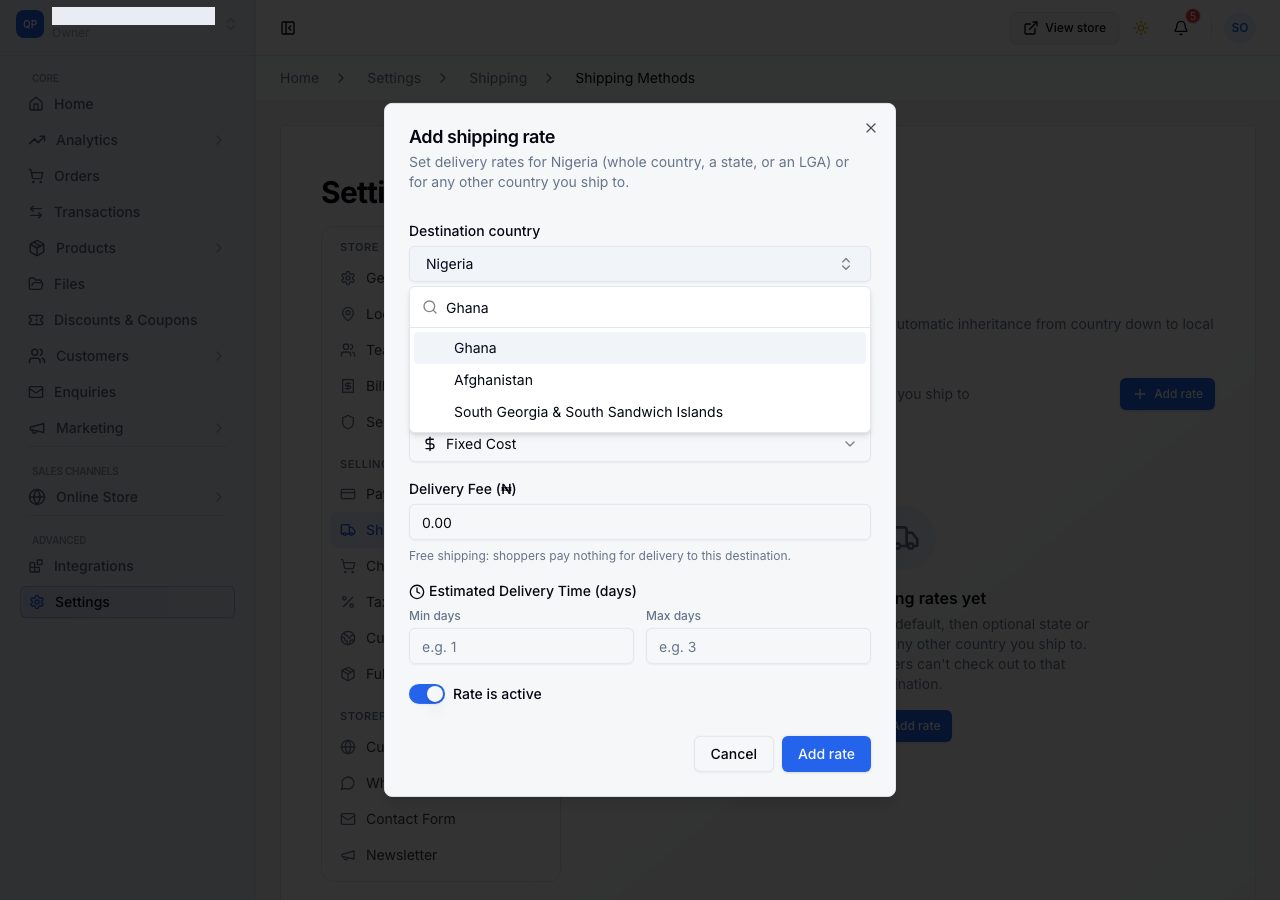
Open Destination country and type the first few letters. Nigeria sits at the top; everything else is in the list, and a country that already has a rate is marked so you do not set it twice.

The destination country list, searched

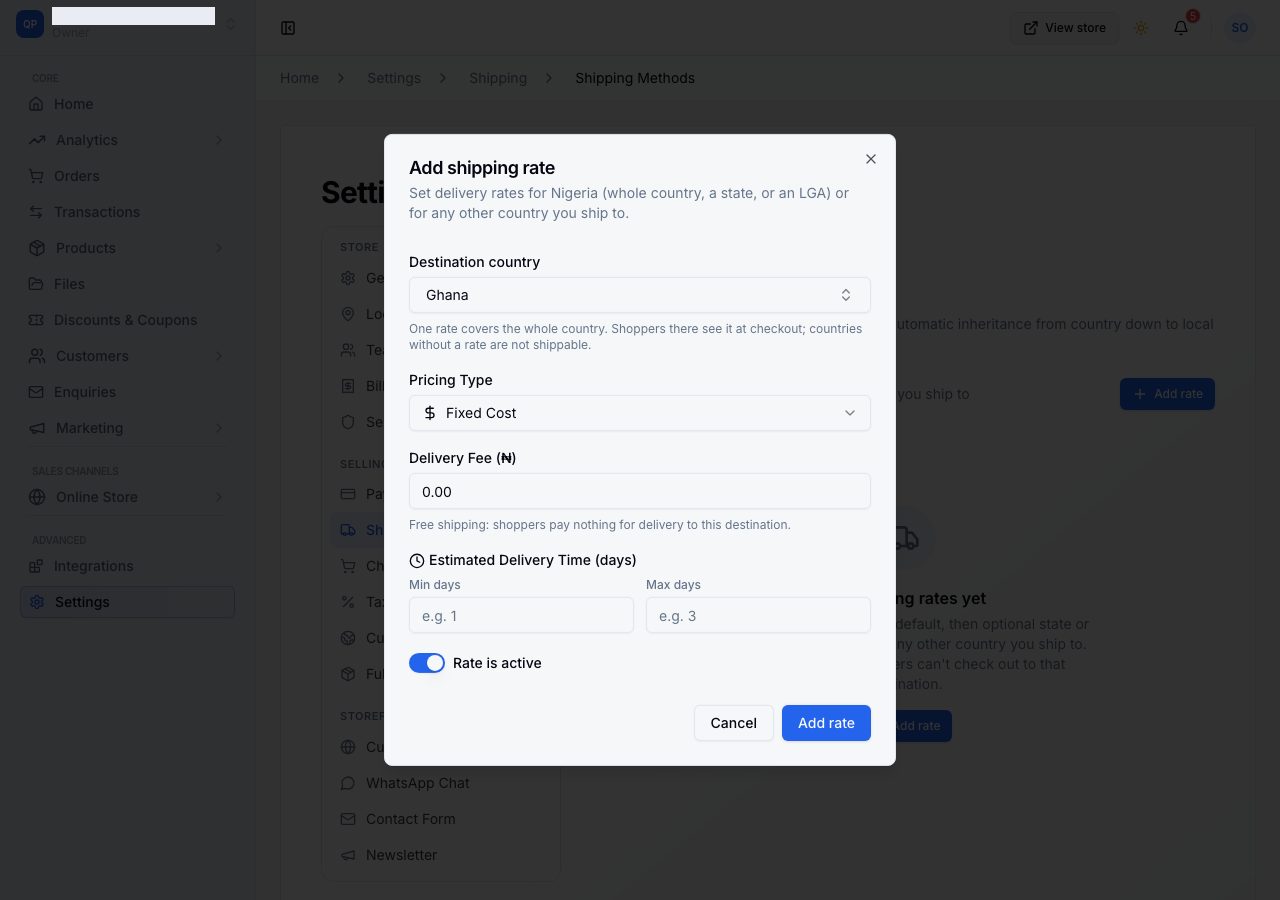
Choose the country, and the Rate for selector disappears. That is not a bug: other countries have no states or LGAs here, so there is nothing to choose between. The page says it in place.

A rate for another country: one rate covers the whole country

Fill in the rest exactly as for a Nigerian rate: Fixed Cost or Weight-Based, the fee, and a delivery estimate in days that is honest about customs and distance. Leave Rate is active on and choose Add rate.

What the customer sees

A customer outside Nigeria is asked for a city rather than a state and a local government area, because only Nigeria is broken down that way here. Their country decides the fee, and your delivery estimate is shown beside it.

A customer in a country with no rate is told delivery is not available and cannot place the order. Nothing is charged, nothing half happens.

Selling abroad is three separate things

Adding a rate is one of them. The other two are worth knowing about before you tell anyone you ship internationally:

  • Browsing in their currency is Settings → Currencies, where you enable a currency and set your own rate for it.
  • Paying in their currency needs Stripe connected. Without it the charge is still in naira, and the customer is told so at checkout. See Charge foreign cards with Stripe.

Tax follows the destination, not you: an order delivered outside your own country is zero rated, and no tax is recorded on it.

Removing a country rate

The confirmation is blunt about it, and correctly: removing a country's rate means customers there cannot check out, because there is nothing to fall back to. Switching the rate off rather than deleting it has the same effect on customers and keeps the figures you set.

If it does not work

  • A customer abroad sees "delivery not available": their country has no rate. Add one.
  • They see a fee you did not intend: check you set the rate against the right country. The list marks countries that already have one.
  • Rate for has vanished from the dialog: you have chosen a country other than your own. One rate covers it.
  • You want to stop shipping somewhere: switch that country's rate off, or remove it.
  • The customer is asked for a city instead of a state: that is correct outside Nigeria.

Email support@shoponent.com with your store name and the country if anything here does not match what you see. We read and answer every message.

Still stuck?

Email support@shoponent.com with your store name. We read and answer every message.