Available on every plan · Updated 22 October 2026
Also asked as: “cash on delivery” · “pay on delivery” · “customers pay when the order arrives” · “pay when you pick up” · “enable pay on delivery” · “customer wants to pay before delivery”
Pay on delivery is the one method that needs nothing from you: no bank account, no provider, no keys. The customer orders, you deliver, and they pay the person who hands over the goods. It is on every plan.
It suits a store that delivers locally with its own rider or driver. It does not suit one shipping across the country to strangers, because an order nobody pays for is an order you have already dispatched.
Switch it on
Go to Settings → Payments. Pay on delivery is the second row under Direct payments; choose Manage to open its own page. How it works says what happens: shoppers pay when the order arrives, the order ships unpaid, and you mark it paid once the money is in. Unpaid pay on delivery orders are in your to fulfil list.

The last card is the method's only switch: Activate pay on delivery, or Deactivate when it is on. Activated, it reads Active and customers can choose it at their next checkout. Nothing else is configured: there is no minimum, no per-area rule and no deposit.
What the customer sees
The method changes its name to match how the order reaches them, because a collection is not a delivery:
- Delivery: Pay on Delivery, described as paying cash when the order arrives.
- Collection: Pay when you pick up, described as paying at the counter.
That switch happens on its own when the customer changes between delivery and pickup at checkout, so a customer collecting from your shop is never promised a delivery you did not agree to make.
Getting paid
The order arrives unpaid and stays that way until you say otherwise. Its Payment card says the customer pays at the door, or at the counter for a collection, and its next step is to fulfil it. When the cash is in your hand, open the order and choose Mark as paid on the Payment card; it shows the amount received, lets you attach a proof, and takes an optional note for your team, and Email the customer sends them their receipt (untick it for a customer at your counter). The timeline records that you did it. See Open and fulfil an order.
If you have Paystack or Monnify, the customer can also pay online before handover: send or share the order's invoice with them, or with whoever delivers, and the page takes the payment and then shows it paid. See Send an invoice and get paid.
Stock is committed the moment the order is placed, exactly as it is for a paid order, so a pay on delivery order does hold goods back from other customers while it is open. Cancelling the order releases them again.
The unpaid-order settings under Settings → Checkout do not apply here. They cancel card payments never finished and bank transfers with no receipt, and deliberately never touch a pay on delivery order, because such an order is unpaid until handover by design.
Turning it off
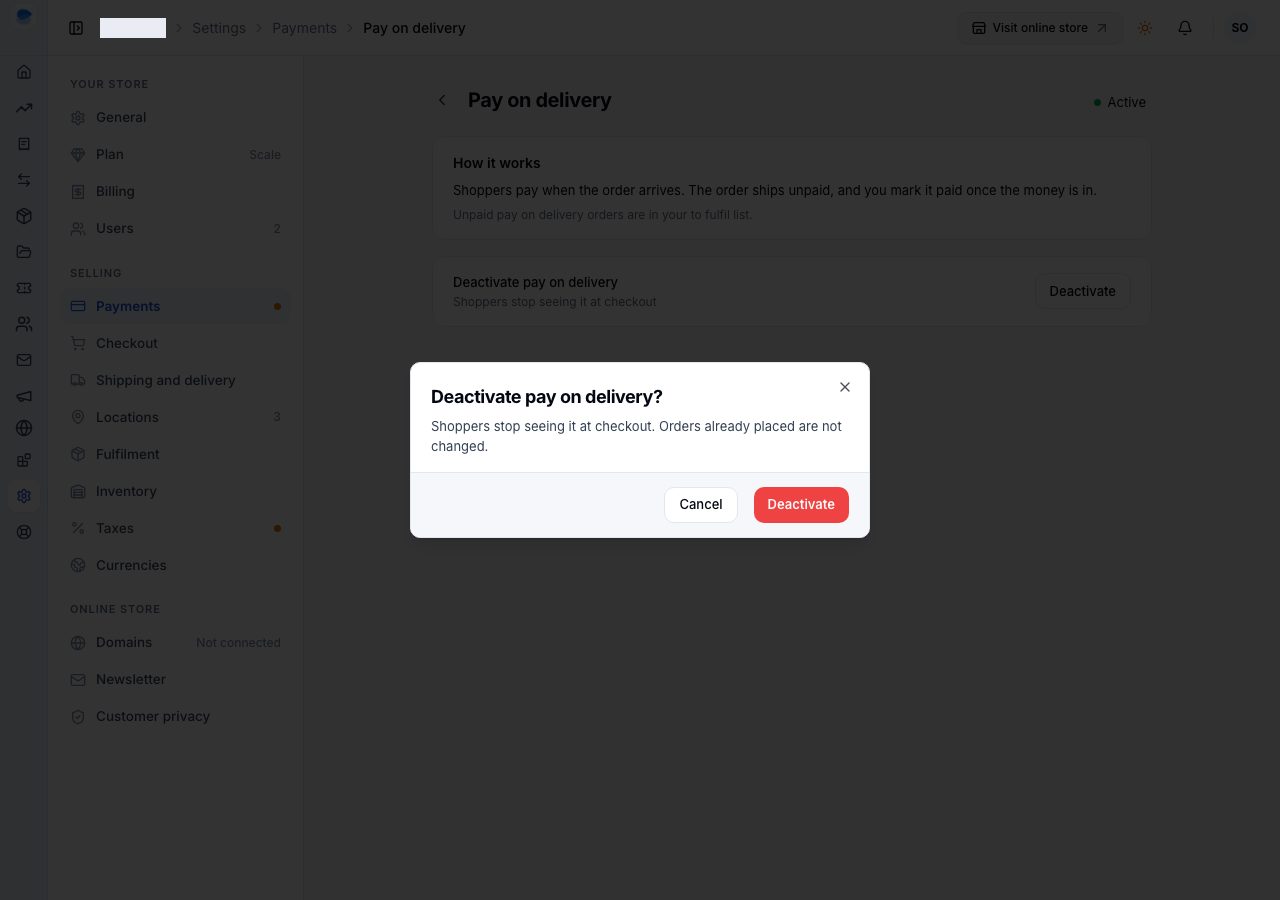
Choose Deactivate on its page. The confirmation says shoppers stop seeing it at checkout and orders already placed are not changed, and warns you if it is your only active payment method, because then shoppers cannot check out at all.
If it does not work
- Customers cannot choose it: it is not active. Check its row under Settings → Payments reads Active.
- It says Pay when you pick up and you do not offer collection: that wording only appears once the customer has chosen a pickup location, which means you have at least one under Settings → Shipping and delivery → Pickup locations.
- The order still reads unpaid after you took the cash: Mark as paid lives on the order's Payment card.
- You want a deposit instead of full payment on delivery: there is no part payment. Take the deposit another way, or use a gateway for the full amount.
Email support@shoponent.com with your store name if anything here does not match what you see. We read and answer every message.