Available on every plan · Updated 26 September 2026
Also asked as: “what does awaiting confirmation mean” · “transaction status” · “net collected” · “what did i take this month” · “export transactions” · “i cannot see transactions”
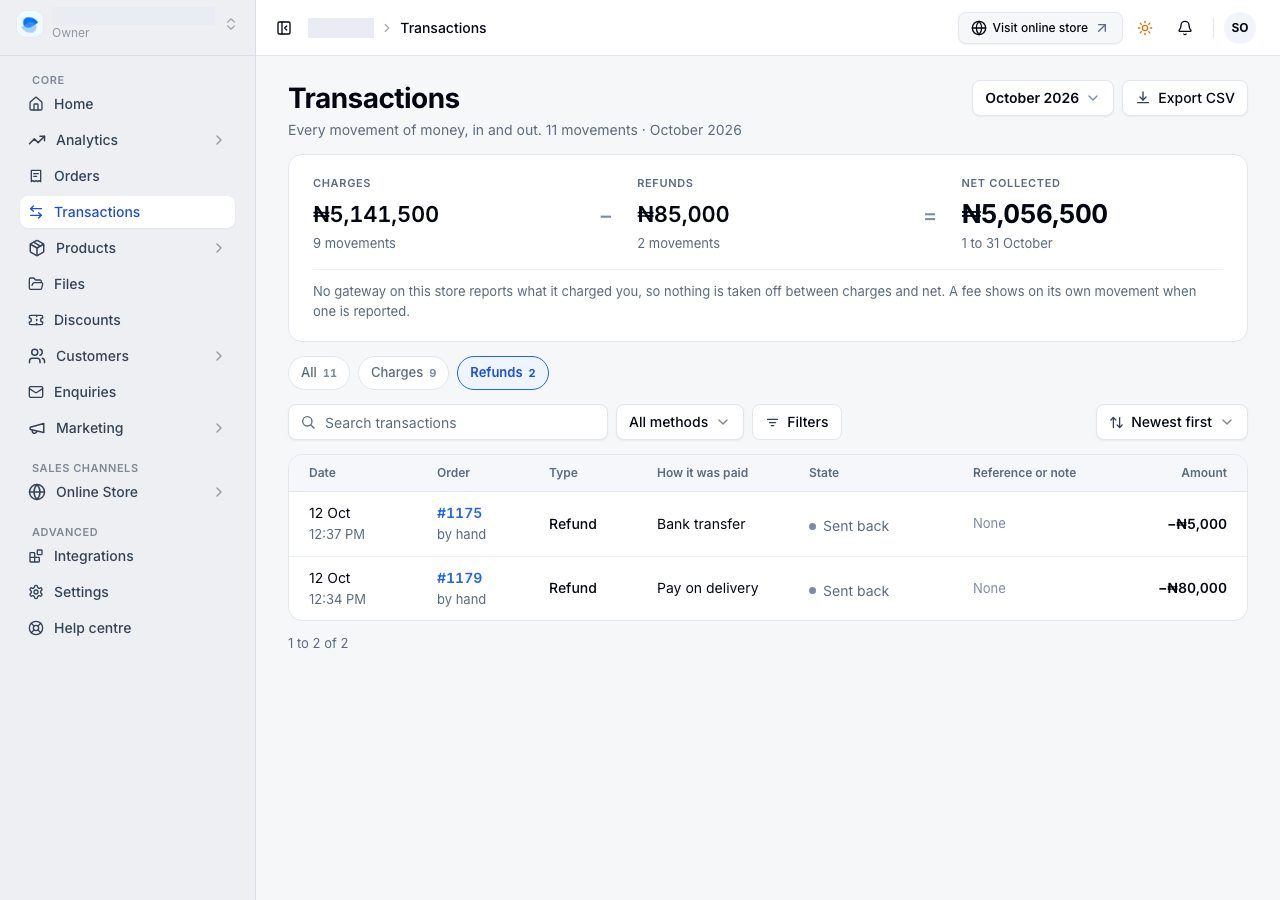
Transactions in the sidebar is your money ledger. Orders answer "what did I sell"; this page answers "what money moved, and what did I keep", over a period you choose.
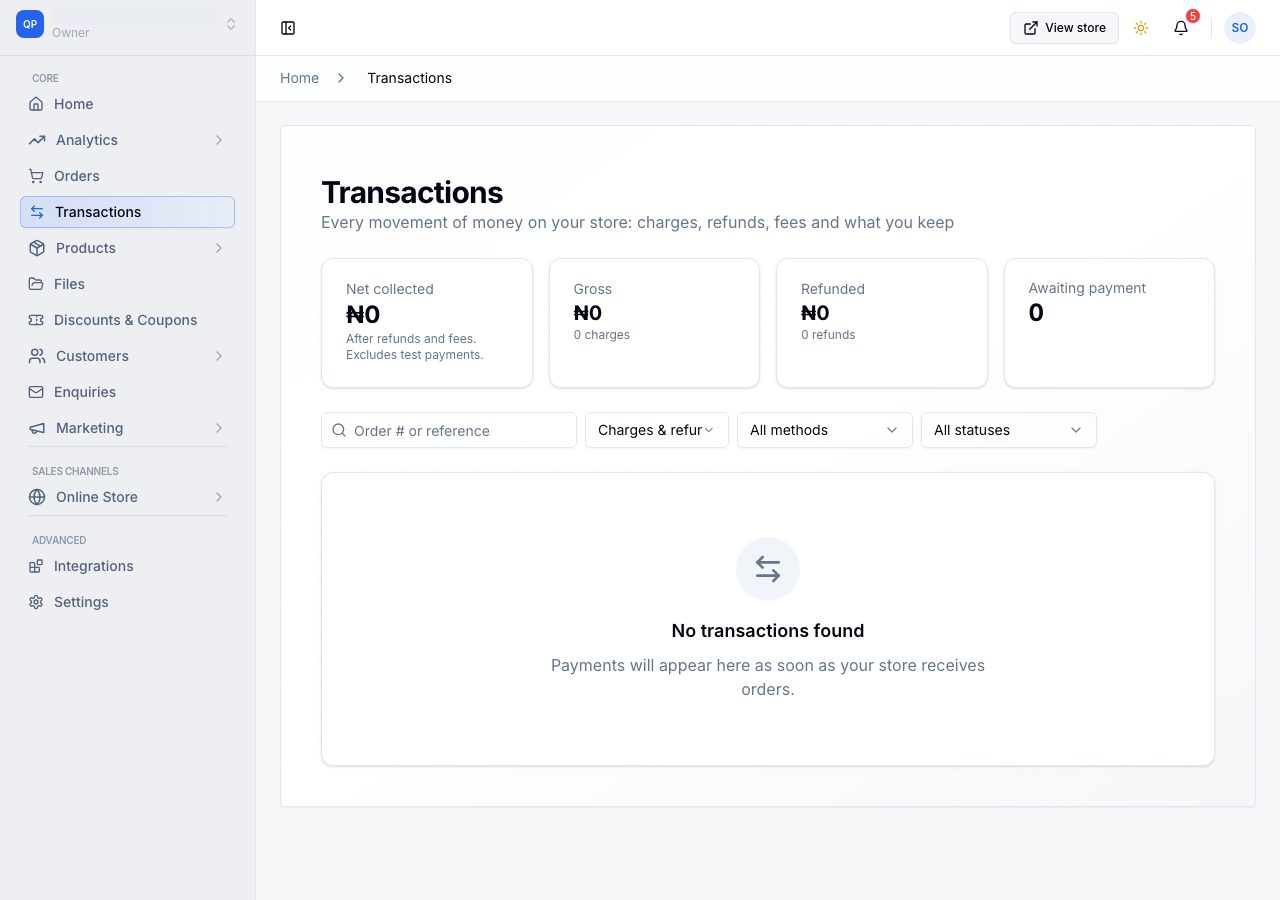
One row is one movement, not one order
An order is a position; a payment is a movement. So a card that was declined and then retried is two rows, and a refund is a row of its own rather than a change to the original. That is why the list can be longer than your orders list, and why it is the honest answer to what actually happened to the money.
The ledger
Three figures, and the arithmetic between them: Charges minus Refunds equals Net collected. Charges is every payment that was received in the period, whatever happened to its order afterwards; Refunds is everything that went back; Net is the difference. The number of movements sits under each figure, and the period under Net.
Nothing is taken off for fees. No gateway on the platform reports what it charged you, so the ledger does not pretend to know; when one does, the fee will show on its own movement.
The figures describe the period, and never change when you filter or search the list. A filtered view must not change what your store took.
Which period
Every figure, every count on the views and the export read one period. It opens on this month. The control at the top (in the ledger's corner on a phone) offers this month, last month, the last 30 days, this year, all time, or a pair of dates of your own.
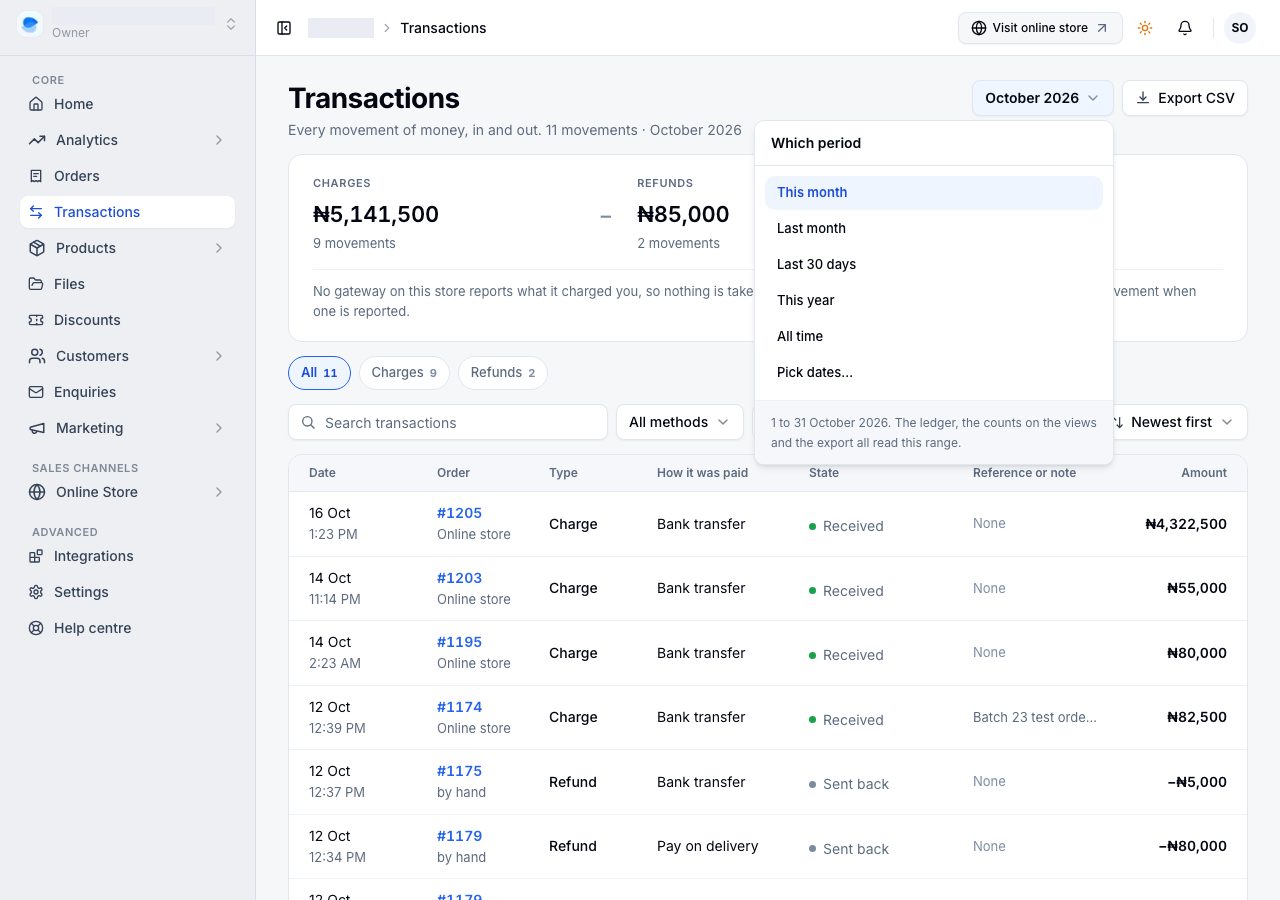
All, Charges, Refunds
Three views, each a saved filter, with the number of movements in the period beside it. A view narrows the list and leaves the ledger and the other filters alone.
What each state means
A movement says what happened to the money in four words:
| The row says | What it means |
|---|---|
| Received | The money arrived. |
| Awaiting confirmation | Started and not finished: a card page the customer opened and has not completed, or a gateway that has not yet said. The one state drawn with a tint, because it may want you. |
| Failed | It did not complete. Nothing was taken, and the customer can try again. |
| Sent back | A refund. Money went out; the original charge stays where it is. |
Your provider's own word (success, pending, paid) is kept and shown on the movement, labelled as theirs. It is a fact about the provider, not the state of your money, so it is never the word on the list.
The columns
- Date, the day and time the money moved.
- Order, the order it belongs to. The line under it is where the sale came from on a charge, and where the money went on a refund ("to the original payment").
- Type, Charge or Refund, in its own column so you can run an eye down it for what went back.
- How it was paid, the way the customer paid on your store: Paystack, Monnify, bank transfer, cash. Where the provider also told us the instrument, it sits quietly beside it, as in "Paystack (card)".
- State, the four words above.
- Reference or note, something you could look up: the provider's reference, or the note you wrote when you recorded a payment by hand. A movement with neither says None.
- Amount, signed. A refund carries a minus.
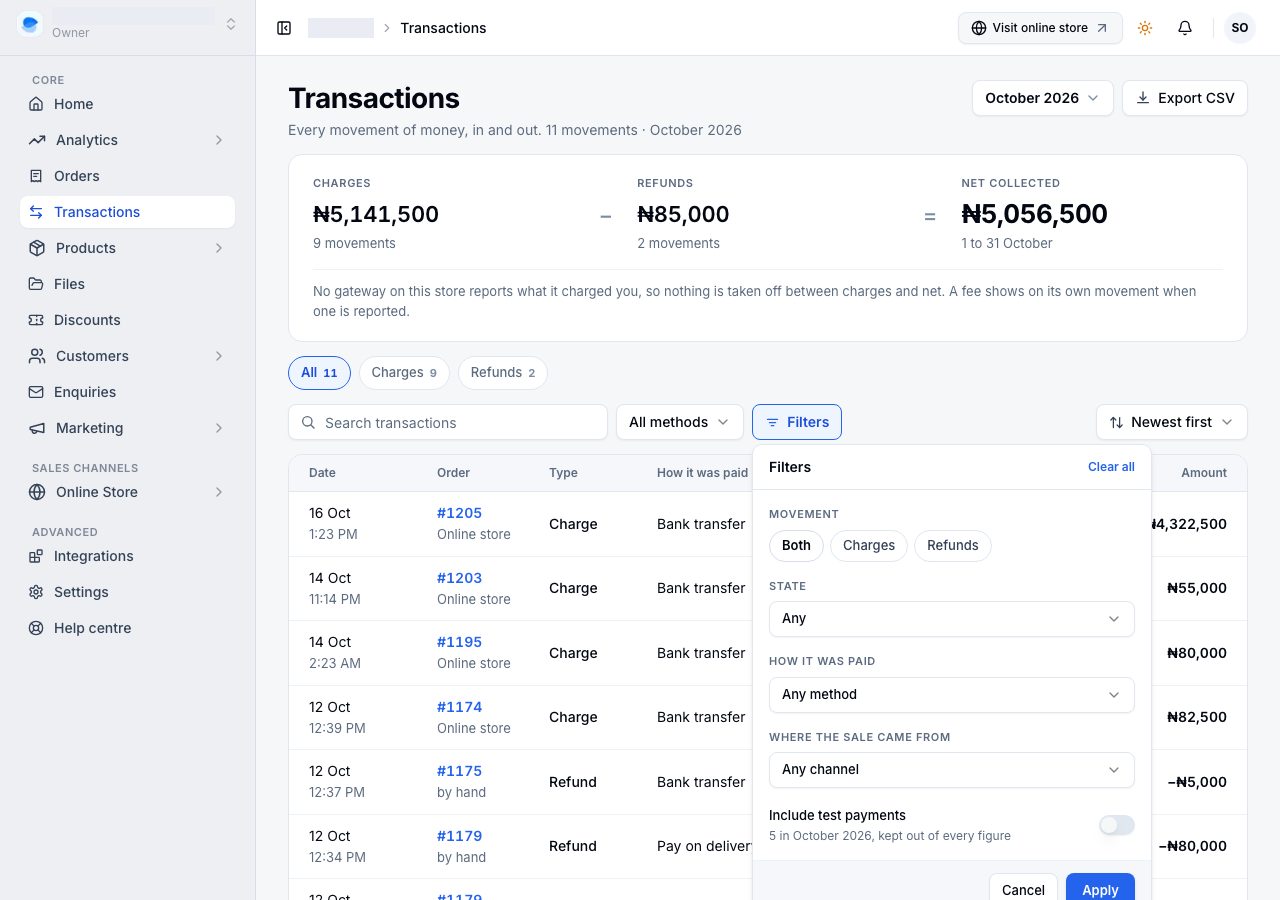
Test payments, taken on a gateway's test keys, are out of every figure and out of the list unless you ask for them in Filters, where the switch says how many the period holds. They are marked Test when shown.
Narrowing the list
Search takes an order number or a reference. Filters stages your choices and applies them together: the movement, its state, how it was paid, where the sale came from, and the test-payment switch. Each applied filter is a chip you can remove, and Clear filters clears them all without touching the period.
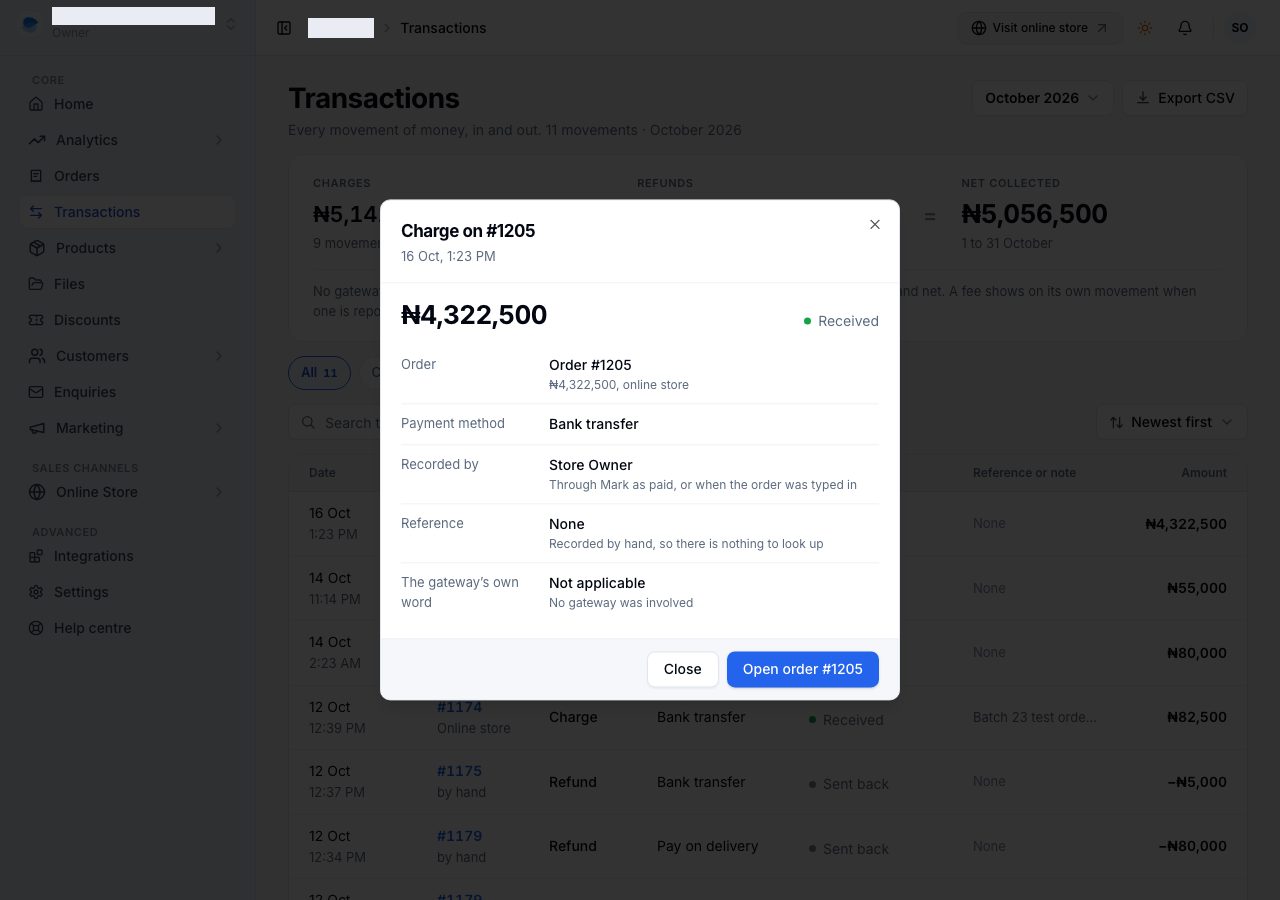
What a row opens
A row opens the movement, not the order. The sheet shows what a refund covered (the items, delivery, anything kept as a fee), how the money went out or came in, who recorded it when someone did, the reference, and the provider's own word. When an order was charged more than once (a card retried), the other attempt is named, because both happened. Open order is one button away.
Export
Export CSV writes the period and the filters on screen to a file, every matching row, amounts signed so a spreadsheet can sum them. It is available on Professional and Scale, as the other exports are.
Who can open it
Owners and admins. It is the same line the settings area draws, because both answer "how is this store run" rather than "what is there to pack today". Staff and other roles do not see the page, and cannot read it through the API either.
If it does not work
- The page says no money has moved yet: no payment has been taken. Rows appear as soon as your store receives one.
- The month is empty but you did take money: check the period. Look at all time shows everything ever taken.
- You cannot see Transactions in the sidebar: your role does not include it.
- A payment your customer says they made is not here: check the order. A payment that never reached your provider leaves no row anywhere.
- The figures do not match your bank: your provider settles on its own schedule, and Net collected is what was charged less what went back, not what has landed. Your provider's dashboard is the authority on settlement dates.
- A test payment is inflating your order count: it is out of the money on this page, and marked Test when you list it.
Email support@shoponent.com with your store name and a reference if anything here does not match what you see. We read and answer every message.