Available on Professional and Scale · Updated 30 October 2026
Also asked as: “put products on sale” · “sale price” · “weekend sale” · “discount a product” · “sale ended but price is still low” · “price in basket changed” · “copy a sale” · “same product in two sales” · “flash sale section not showing” · “countdown not showing”
A flash sale changes what products sell for, for a window of time, and gives the whole thing a name and a page you can put in an advert or a broadcast. It is different from a discount, which takes an amount off an order.
Flash sales are on Professional and Scale; see the pricing page.
Marketing → Flash sales lists yours. All, Live, Scheduled and Ended each show their count, and you can search by name and sort by newest, start, end or name. A row gives the sale's percent off and address, where it stands (how long a live sale has left, or when a scheduled one starts), its dates and how many products are in it, with Copy link beside it.
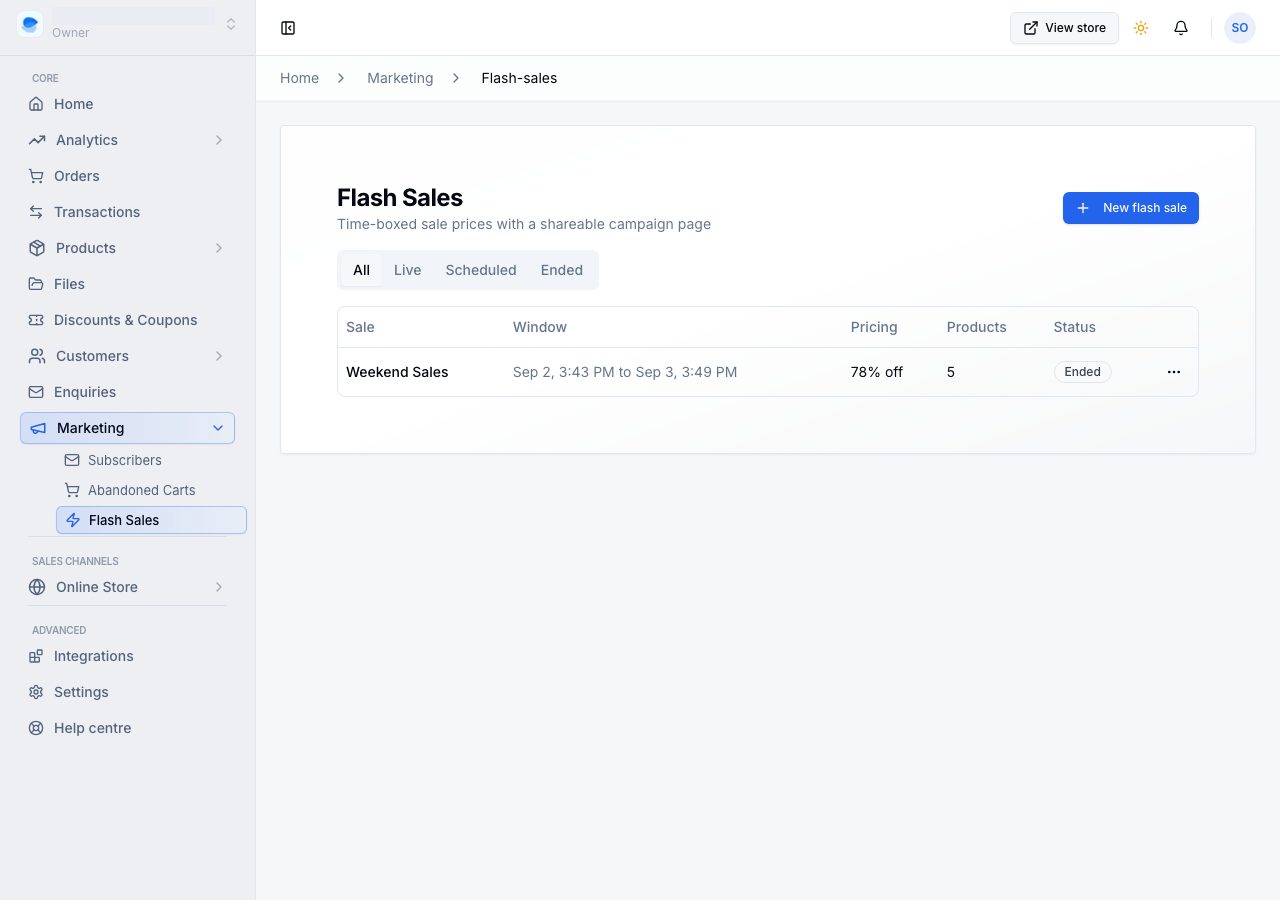
The ⋯ on a row has Copy link, Duplicate, End now while the sale has not ended, and Delete.
Create one
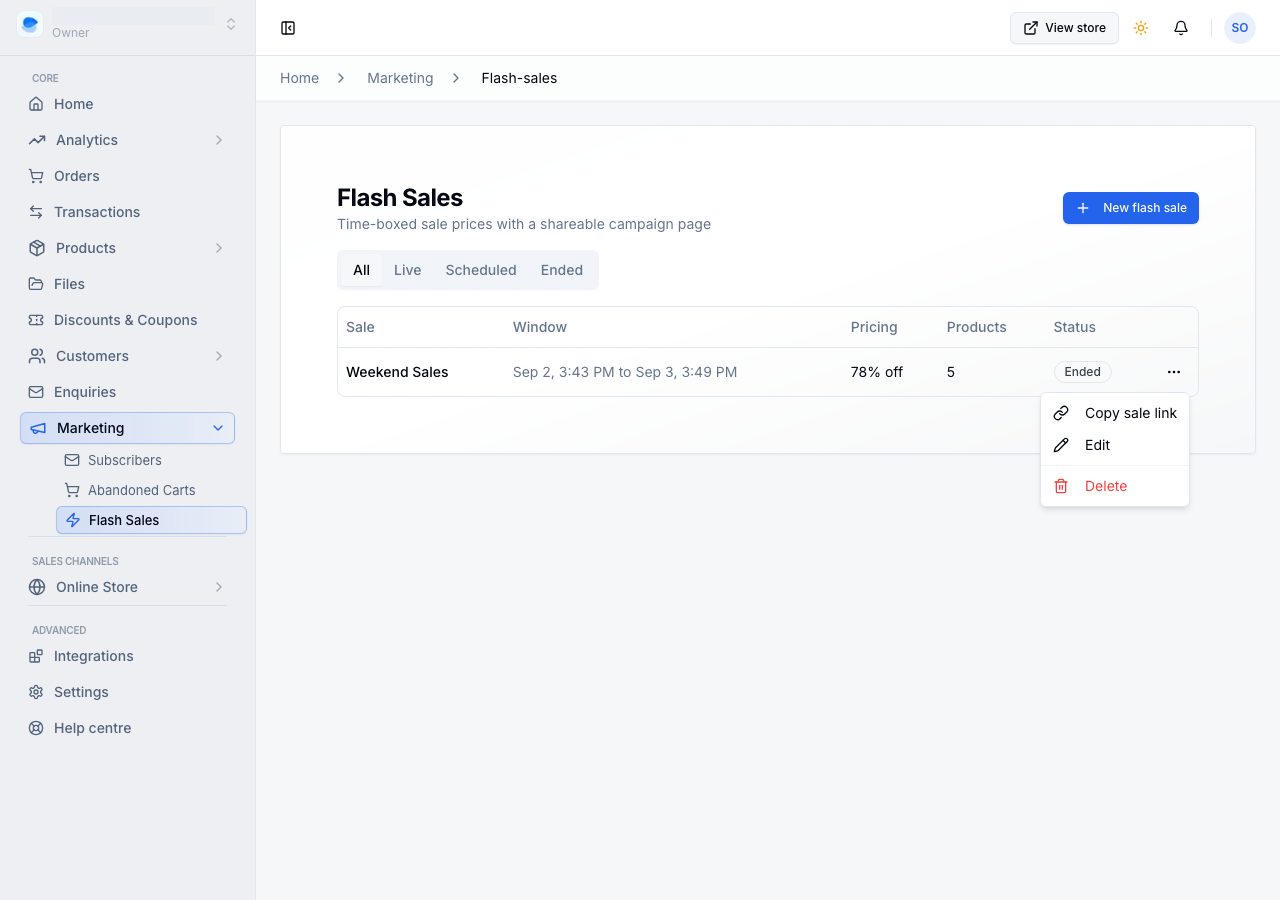
Create flash sale opens the sale's screen:
- Name: it appears on the sale's own page and beside its prices, so write it for shoppers. The sale's address is made from it when you save, and stays the same if you rename it.
- Percent off, under Value: applies to every product in the sale that has no sale price of its own, across all its variants.
- Products: what is in the sale. See below.
- Allow discounts on sale items, under Combinations: off by default, so neither a discount code nor an automatic discount comes off a price you have already cut. A basket's other items still take them.
- Active from and Active until, under Active dates: a day picked from a calendar and a time, in your store's time. Before the window the sale is Scheduled and nothing changes; after it, prices go back by themselves.
Beside them, the Summary says what the sale does in a few lines, and Sale page holds a Picture and a Description for the sale's own page. On a phone the summary folds above the form.
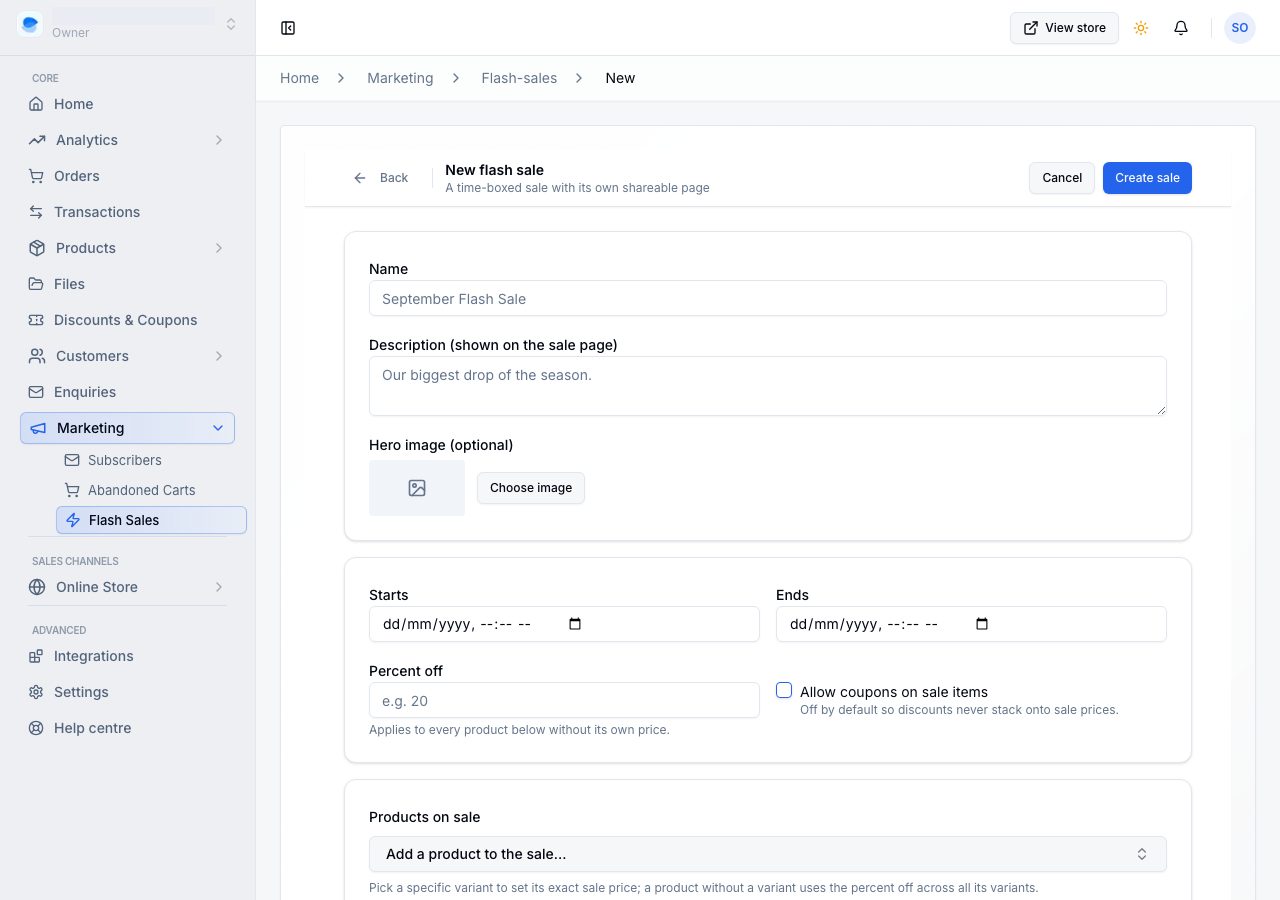
Duplicate on a sale opens a new one called "Copy of" the sale, with its products, prices, picture and words already in and the dates empty, ready for next time. Nothing is saved until you choose Save flash sale.
Choose what is in it
Search for a product under Products, or choose Browse to look through them all.
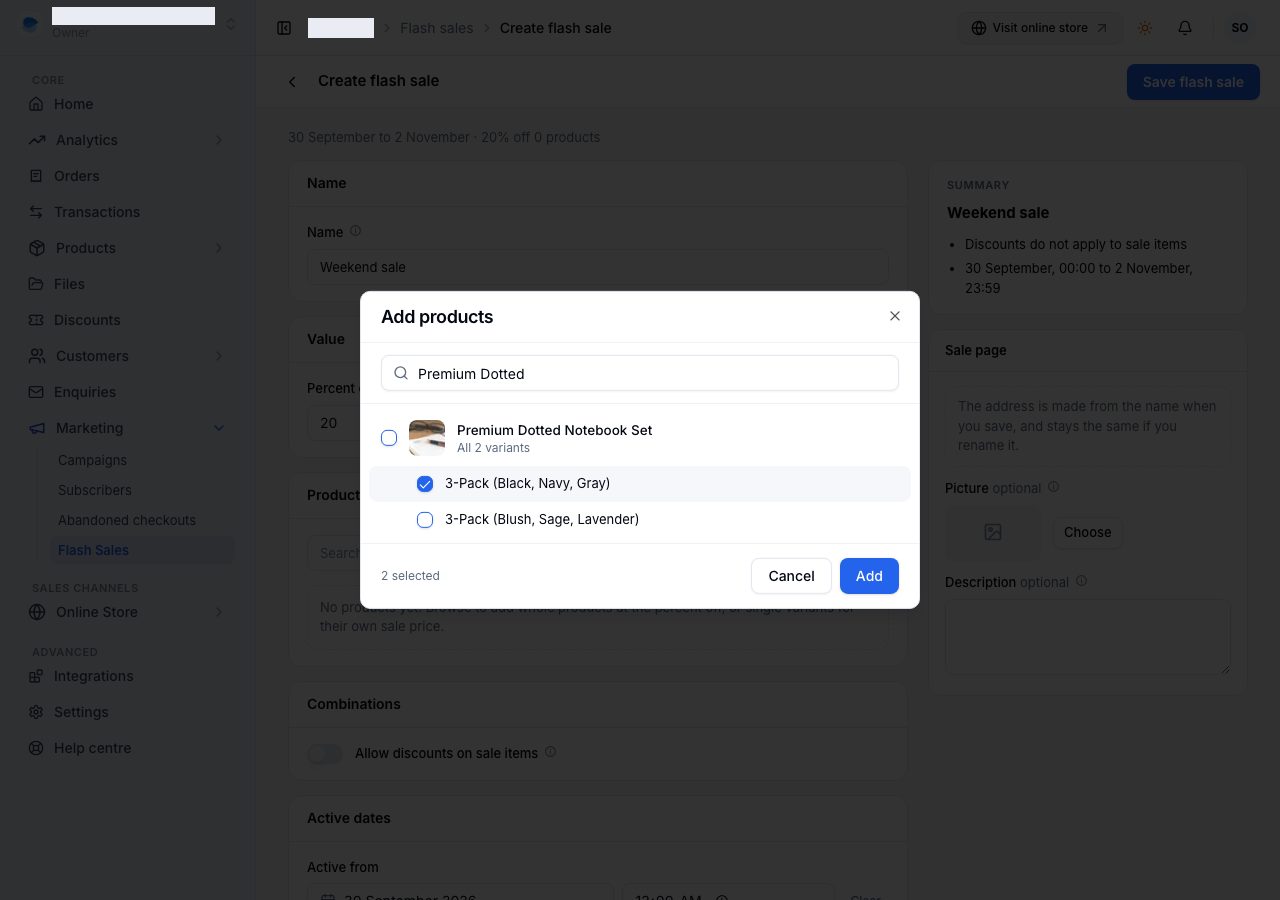
- Tick a product to put it in at the percent off, across all its variants.
- Tick a single variant to give it a sale price of its own.
That split is deliberate: one price typed across variants that do not cost the same would be wrong for most of them, so an exact price belongs to a variant and the percentage is the tool that spans them. A product with only one variant can take its own price either way. Bundles never join a sale.
Each product in the list shows its price before the sale, struck through, and what it sells for during it: the price at the percent off, or the price you type in Own price. A price that is not below the product's own is flagged, since it would not show as a sale.
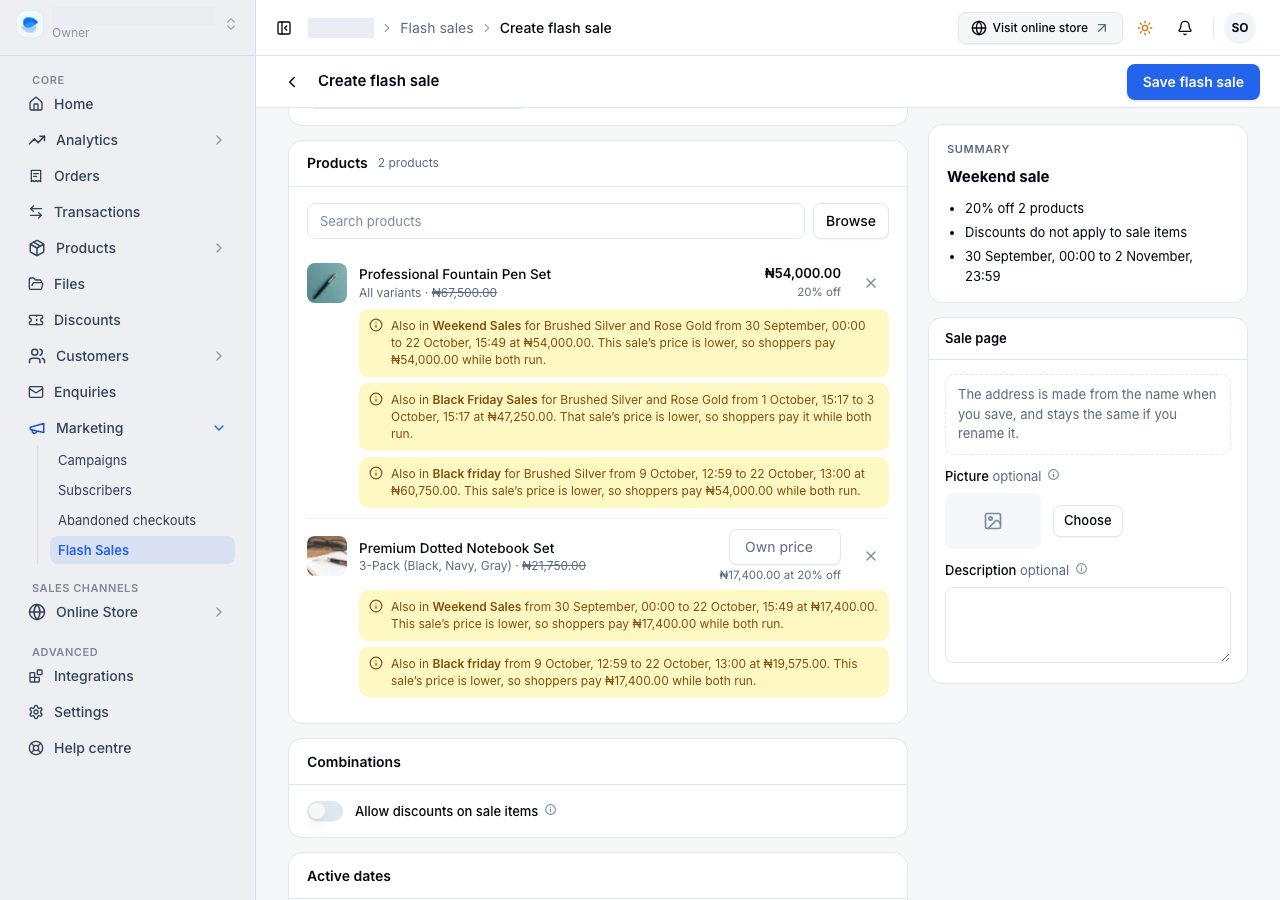
If another sale prices the same product on any of the same days, its row says so: which sale (and which variants, when that sale prices only some of them), its dates and its price, and which of the two prices shoppers pay. The lower price always wins while both run, whichever sale you made first, so two sales never stack or fight.
Choose Save flash sale. Nothing is charged differently until the window opens. Once a sale is live, its screen says so, and a change to its prices, products or dates reaches your online store when you save.
What shoppers see
- On the product, the sale price with the old one struck through, and a note naming the sale and when it ends.
- On product cards and in search results, the sale price, with the price before the sale beside it, for the same variant.
- On the sale's page, the sale's picture, name and dates, a countdown, and every product in the sale, sorted by the biggest saving first. See below.
- Wherever your online store has a Flash sale or Countdown section, the sale that section chooses. See Show sales on your online store.
- The price in a basket is always today's price. If a sale ends, or starts, while somebody is shopping, their basket moves to the new price, and the basket and checkout say which item changed and why before they pay. Once they place the order, its prices are fixed.
- On the order, its emails and the receipt, a sale item says what it cost before the sale.
The sale's page and its link
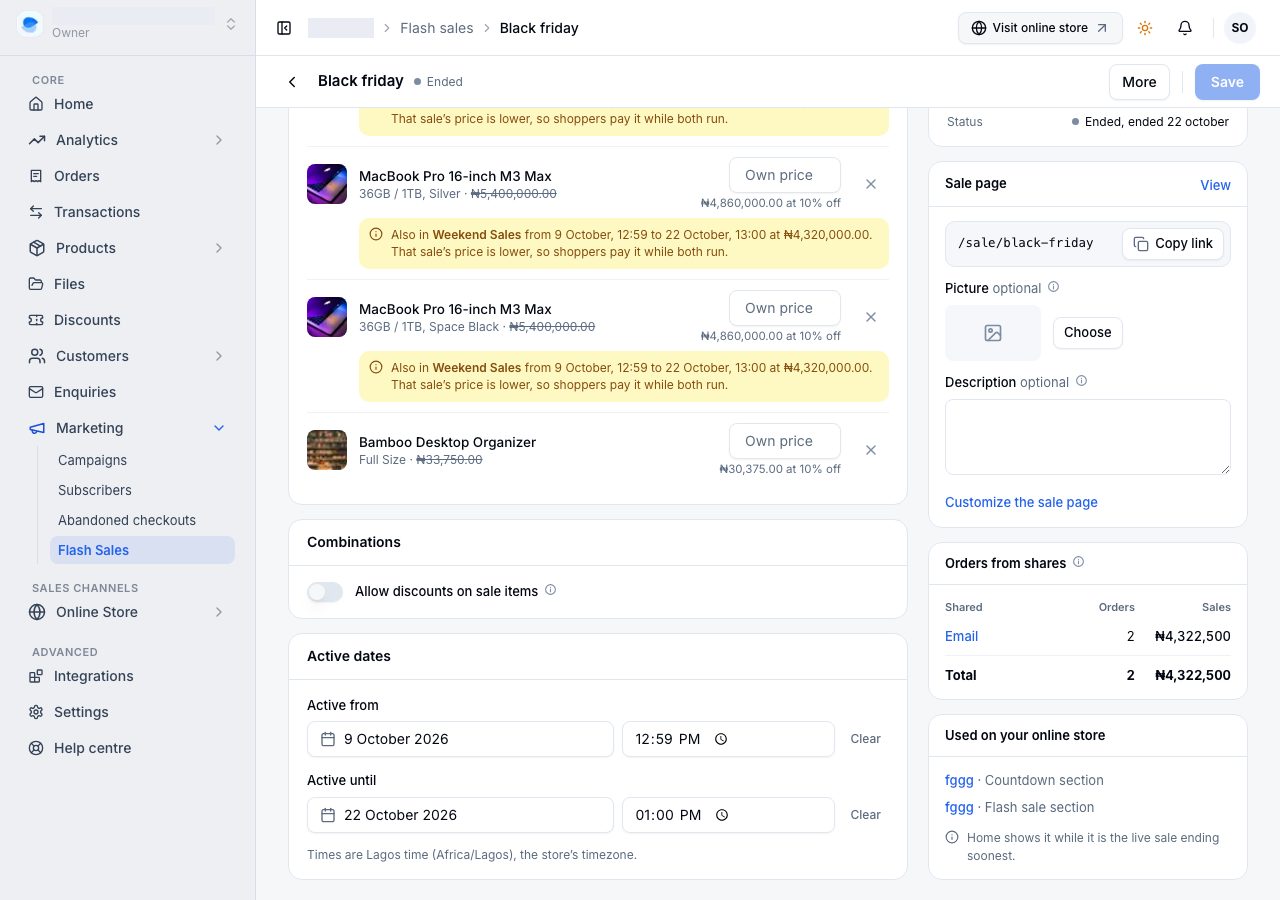
Every sale has its own page, at /sale/ and an address made from its name. Open a sale to see its Sale page card: the address, Copy link to put it in an advert, a post or a broadcast, View to open it, the page's Picture and Description, and Customize the sale page.
How that page looks is set once for every sale, in the storefront editor's Flash sale page, the way the product page is laid out once for every product; each sale brings its own picture, name, words, dates and products. See The storefront editor.
Used on your online store lists the sections that show this sale by name, and the pages they are on. Under them it names the pages whose sections are set to Ending soonest, which show this sale whenever it is the live sale that ends first.
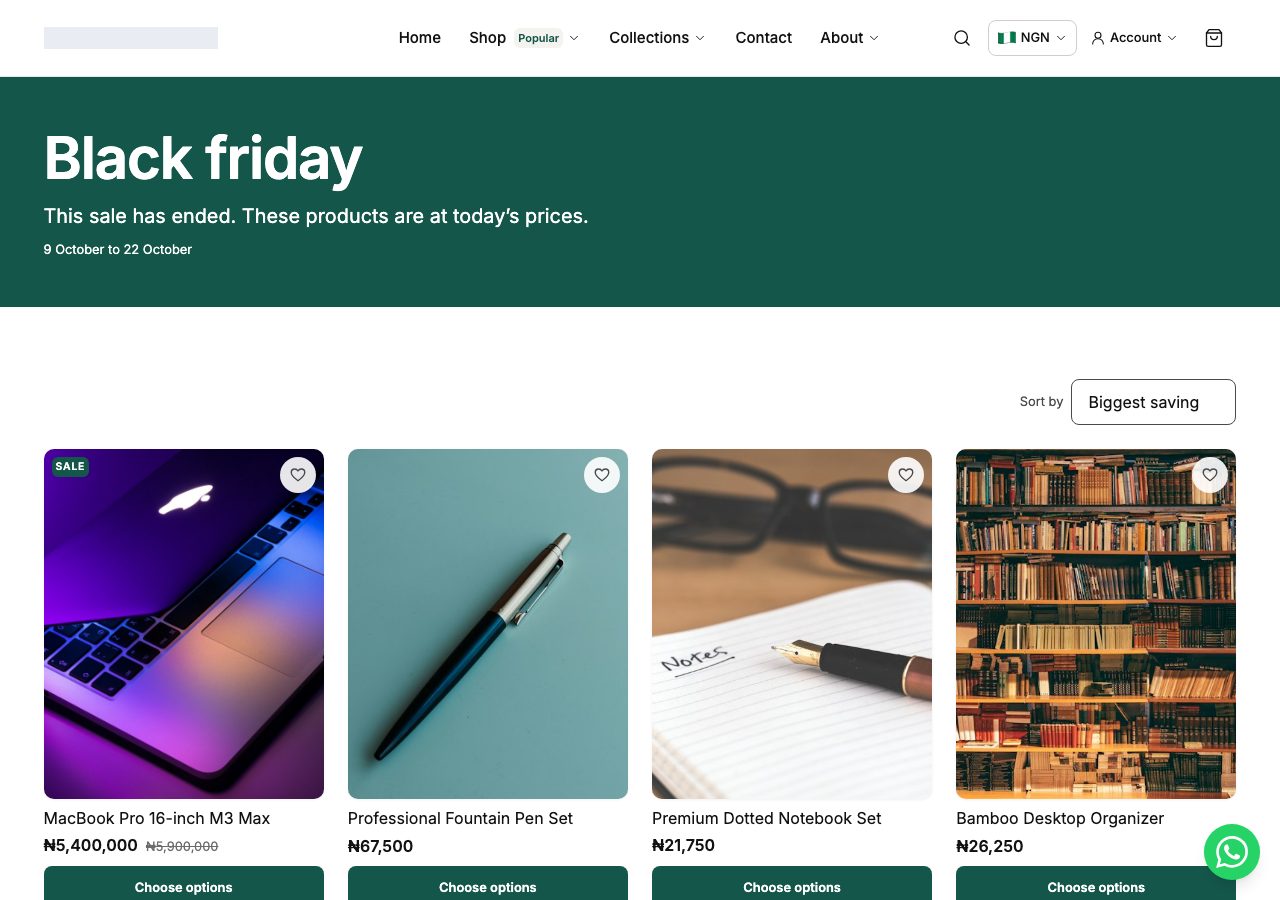
The page has three states, from the sale's own dates. Before the sale it counts down to the start and shows today's prices. While it runs it counts down to the end. After it ends, the picture greys, the page says the sale has ended and shows today's prices, and search engines are asked to drop it; the address keeps answering, so an old advert still lands somewhere sensible.
Share it
A saved sale that has not ended has Share beside More. It opens a message written for you, with the sale's name, what it takes off, its dates and a link to its page. Change it however you like, then share it on WhatsApp, Instagram, Facebook or X, or Copy link; on a phone, Other apps opens your phone's own list for anywhere else. WhatsApp and X open with your whole message; Facebook and Instagram cannot start a post with your words, so they copy the whole message, its link included, for you to paste (Facebook then opens with the link).
Shoppers can pass it on too. On the sale's page, and on a product that is in a live sale, Share this deal opens their phone's own options or copies the link on a laptop. (Your online store's own theme draws it; the default theme does.)
Each share sends its own link, so an order it brings is credited to the sale. Orders from shares, under the Sale page card, counts them: orders and sales by where they were shared, every shopper's share in one row, and a total. An order counts when it is placed within 7 days of a visit through one of your shared links; a later visit through another link takes over, and a visit typed in does not. Sales are what those orders were paid, less refunds, as in Reports, so an unpaid order counts once it is paid.
Show sales on your online store
In the storefront editor, the Flash sale section (a sale's products, with its name and a countdown) and the Countdown section each choose their sale under Flash sale:
- Ending soonest: whichever sale is live and ends first. A section shows nothing while no sale is live, and appears by itself when one starts. This is what a section chooses unless you change it.
- A sale by name: that sale, and only that one.
A page can hold several of these sections, each choosing its own sale, such as this weekend's sale above next week's.
A Countdown counts to what you choose under Timer: a Flash sale, or a Date you set under Ends.
To build a page around a sale, add a page in Pages and give it a Flash sale section in the storefront editor, or link straight to the sale's own page, which ends by itself. See Pages on your online store.
Shoppers never see a sale section with nothing to show: before its sale starts, after it ends, once it has been ended with End now, or when none of its products can be bought. In the editor the section stays, and says which of these it is and what to do.
Ending one
A sale ends itself at the time you set. To stop one early, use End now, on its row or in More on its screen, and confirm. Prices go back immediately, every section showing the sale hides, and its page stays up saying the sale has ended, so an advert somebody clicks tomorrow still lands somewhere sensible. Its dates stay as they were, and the list says it ended early, and on which day.
Delete removes the sale and its page entirely, and a link already out in the world opens Page not found. Orders it priced keep their prices. Ending is almost always what you want.
If it does not work
- The sale price is not showing: check the window has started and the products are actually in the sale. A Scheduled sale changes nothing yet.
- A shopper says the price in their basket went up: the sale ended while the item was in their basket. Baskets always show today's price, and the basket and checkout told them before they paid. An order already placed keeps the price it was placed at.
- A discount will not apply to a sale item: that is the default. Turn on Allow discounts on sale items on the sale if you want both to work together. An add-on riding a sale item decides for itself: at your add-on price it takes discounts even when the item it rides does not.
- Two sales include the same product: the shopper pays the lower price while both run, and the product's row on each sale says which.
- A Flash sale or Countdown section is not on your online store: its sale has not started, has ended or was ended early, or no sale is live for Ending soonest to show. Open the page in the storefront editor: the section says which.
- Your plan changed: a sale already running keeps running and keeps its prices; creating and editing sales needs Professional or Scale.
Email support@shoponent.com with your store name if anything here does not match what you see. We read and answer every message.