Available on every plan · Updated 30 October 2026
Also asked as: “contact form messages” · “customer enquiry” · “who contacted me” · “contact form not working” · “where do contact messages go” · “contact form switched off”
When somebody fills in the contact form on your online store, the message is kept here and, if you want, emailed to you. Enquiries is the inbox.
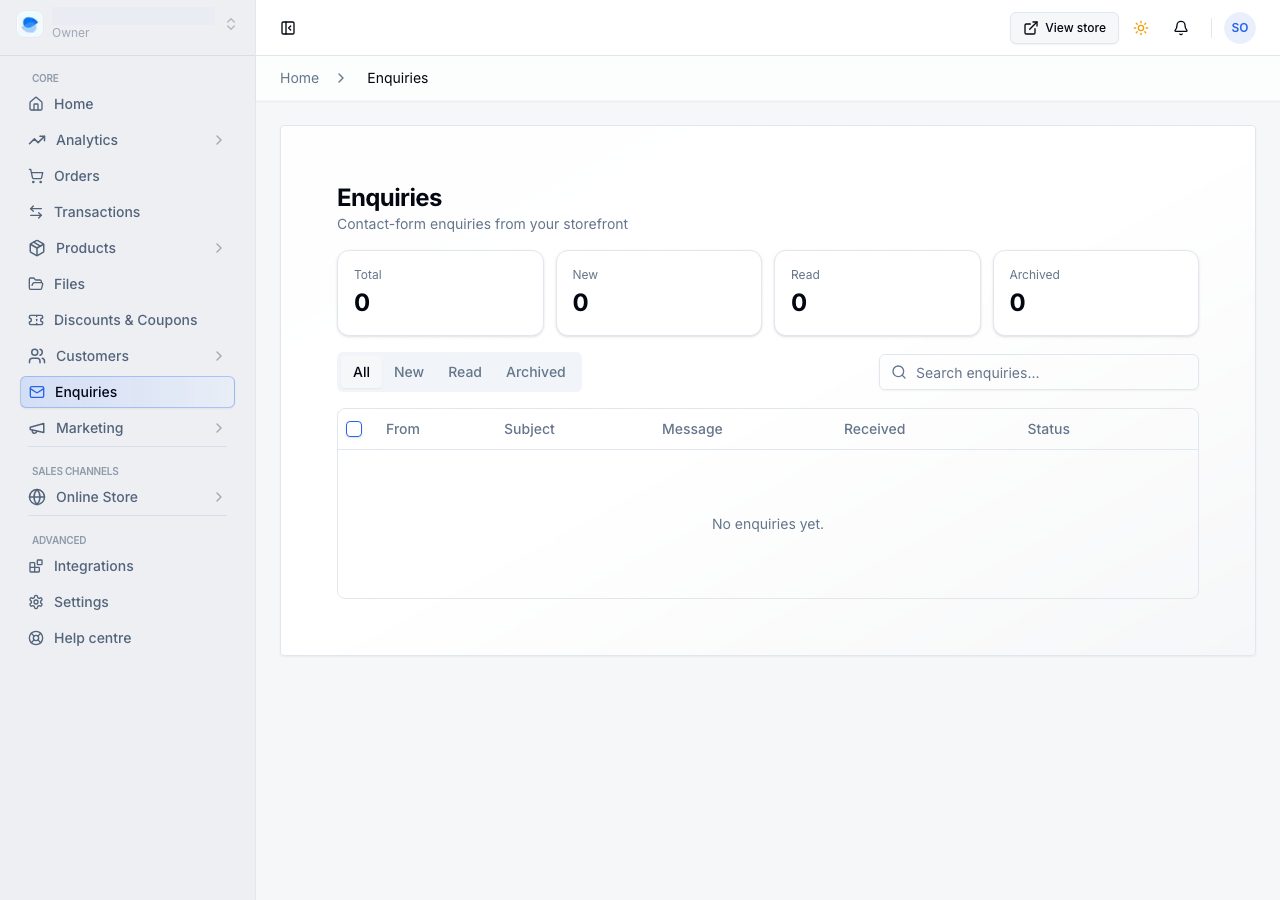
It is on every plan.
The list
The views are All, New, Read and Archived, each with its count. A row reads without opening it: who wrote and their email, the subject over the opening words of the message, and when it came in. A new one has a dot beside it and reads in bold.
Search by name, email or anything they wrote, and narrow with Filters by when it came in.
Each row's ⋯ menu has Reply by email, Mark as read (or Mark as new), Archive and Delete.
Reading one
Opening an enquiry shows the whole message, and marks it Read if it was new, so the New count is what is genuinely waiting for you.
- Reply by email opens your own email app with a reply already addressed, and "Re:" their subject. Replies are not sent from here, so the conversation stays in your inbox where you can find it later.
- Archive moves it out of the way. Archived enquiries are kept, in their own view.
- Delete, in the ⋯ menu, removes it permanently. Archive is what you want for tidying; delete is for something you never want to see again.
When the inbox is empty
It says which empty it is:
- Your contact form is switched off: nothing can reach the inbox, so shoppers with a question have no way to ask one from your online store. Switch the contact form on fixes it in one tap. If older enquiries are still here, the same switch sits above them.
- Nobody has written yet: the form is on and simply has not been used. See the form on your online store opens it.
Setting up the form
Contact form settings on this page opens the Contact page's screen, under Online Store → Pages → Contact, and its Contact form card.
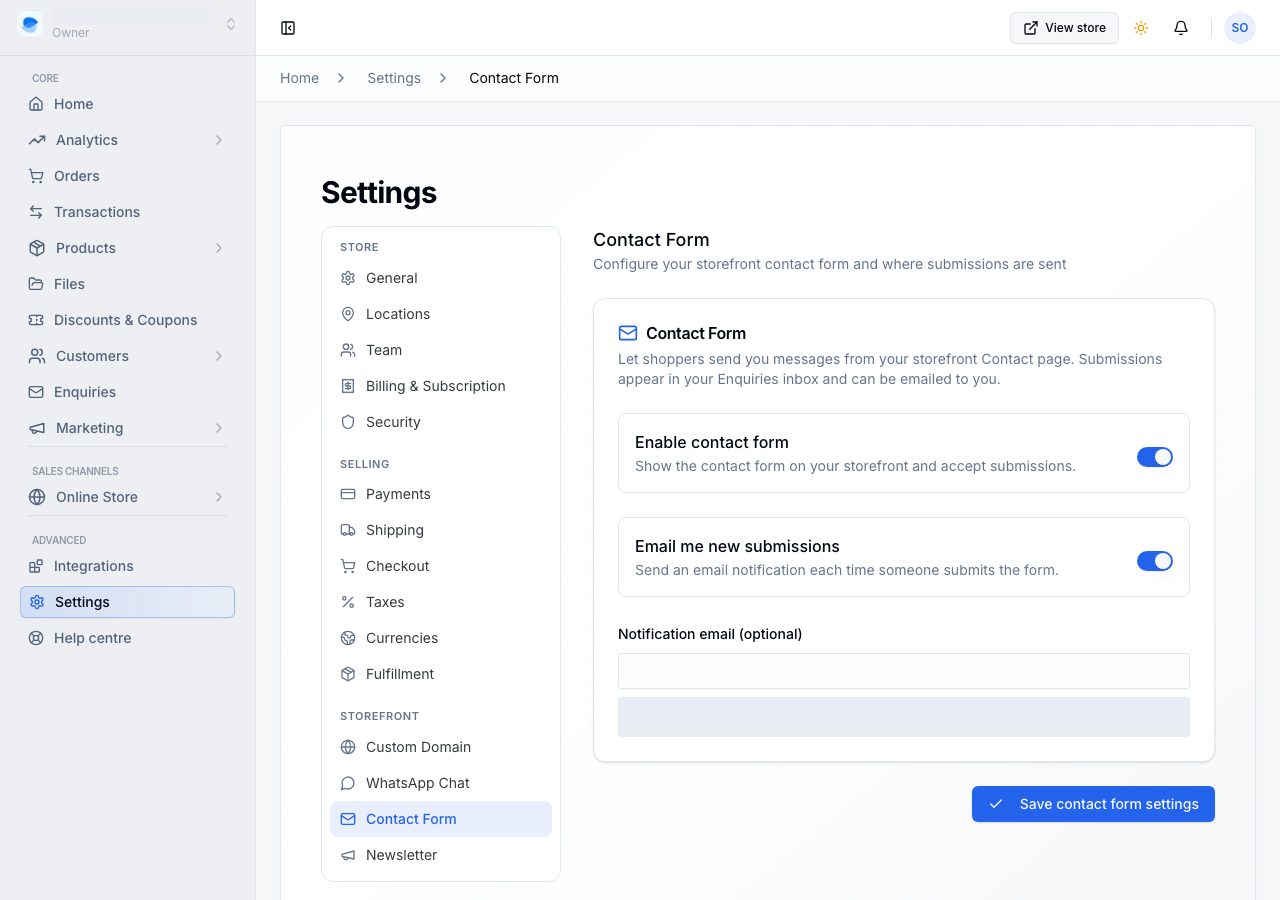
- Show the form shows the form on your online store and accepts messages. With it off, the form is not shown.
- Email me new messages sends you an email each time somebody writes. The email replies straight back to the sender, so you can answer without opening the dashboard.
- Send messages to is where those go. Leave it empty to use your store's contact email.
See Your contact form and where messages land.
What the contact page itself shows, the address, the phone number, the opening hours beside the form, belongs to the page rather than to this setting, and is edited on the same screen.
What stops spam
The form carries a hidden field that only an automated submission fills in, and there is a limit on how often one visitor can submit. Nothing asks a real shopper to prove they are human.
If it does not work
- Nothing arrives: if the inbox says the form is switched off, switch it on; otherwise check your online store actually has a contact page with the form on it.
- The message is here but you got no email: check Email me new messages, and the notification address. The email is best effort: an enquiry is never lost because an email failed.
- You cannot find a message you know you had: look in Archived, and check it was not deleted. Deleting is permanent.
- A shopper says the form would not submit: they may have hit the limit after repeated attempts. A minute or two apart is enough.
Email support@shoponent.com with your store name if anything here does not match what you see. We read and answer every message.