Available on every plan · Updated 22 October 2026
Also asked as: “staff limit reached” · “does the owner count as a team member” · “how many seats do I have” · “add one more staff member”
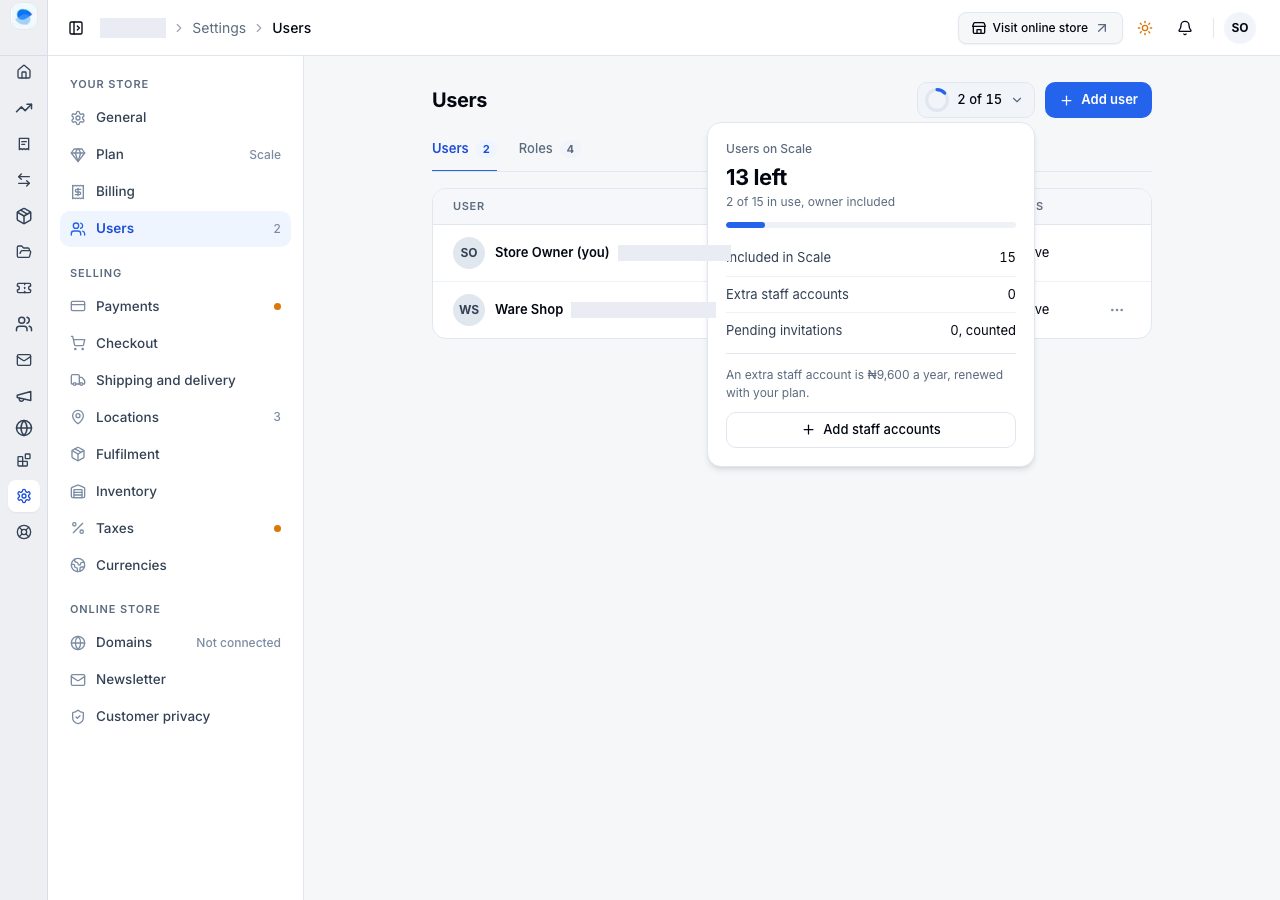
A plan's users count everyone who can open your store, you included, and a pending invitation holds a place too. The numbers for each plan are on the pricing page and in Settings → Plan → What you are using.
Where to see it
Settings → Users shows how many are in use beside Add user ("2 of 15"). Choose it to see what makes up the number: what your plan includes, any extra staff accounts you bought, and pending invitations, with Add staff accounts.
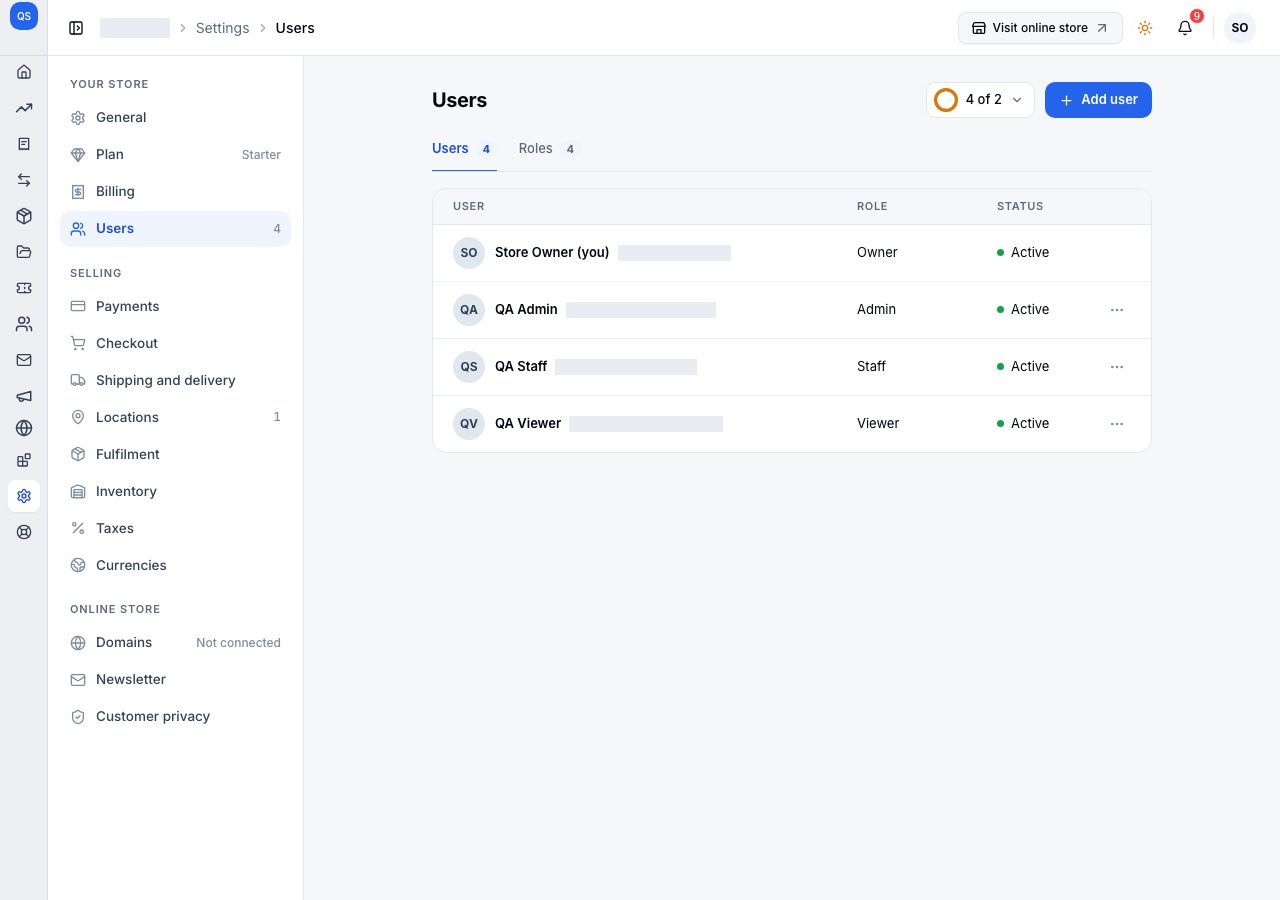
When they are all used
Two ways on:
- Buy extra staff accounts. Each one is an add-on, paid for the rest of your billing cycle and renewed with your plan. See Add-ons.
- Upgrade. A higher plan includes more users. See Change your plan.
Cancel invitations you no longer mean: each holds a place until it is accepted or cancelled.
Downgrading with more users than the new plan includes
Change plan asks what happens to the users over the new plan's number before the downgrade is saved: keep them as paid extra staff accounts from the renewal, or choose who is suspended. A suspended user cannot open the store and holds no place; Reactivate on the Users page brings them back once there is a free place.
If it does not work
- Add user is refused: every place is used. Buy an extra staff account, cancel an invitation, or remove a user.
- You bought a staff account and it is not counted: refresh the Users page. It counts the moment the payment completes.
Email support@shoponent.com with your store name if anything here does not match what you see. We read and answer every message.