Available on every plan · Updated 22 October 2026
Also asked as: “change my name” · “change my password” · “turn on two-step verification” · “authenticator app” · “recovery codes” · “lost my phone two-step” · “delete my account” · “change my email”
Your account is you, not a store: the same name, password and sign-in options apply in every store you own or work in. Open it from the account menu at the top right of Admin (Your account). It opens on Account overview, with Go to Admin at the top to go back.
Account overview
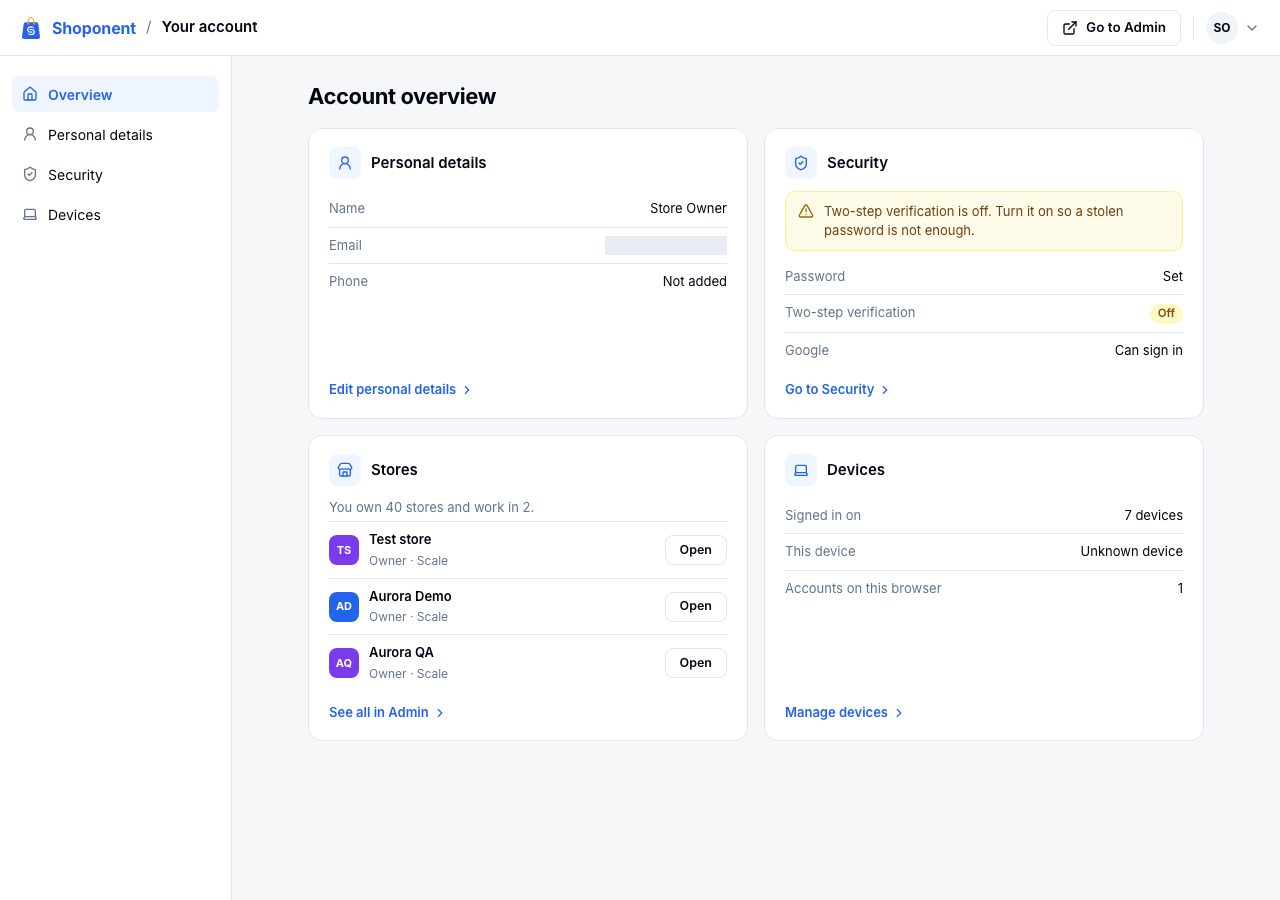
Four cards, each a summary with one way on: Personal details (your name, email and phone), Security (your password, two-step verification, and the other ways you can sign in), Stores (the stores you own or work in, each with Open, and See all in Admin) and Devices (how many devices you are signed in on). While two-step verification is off, the Security card says so.
Personal details
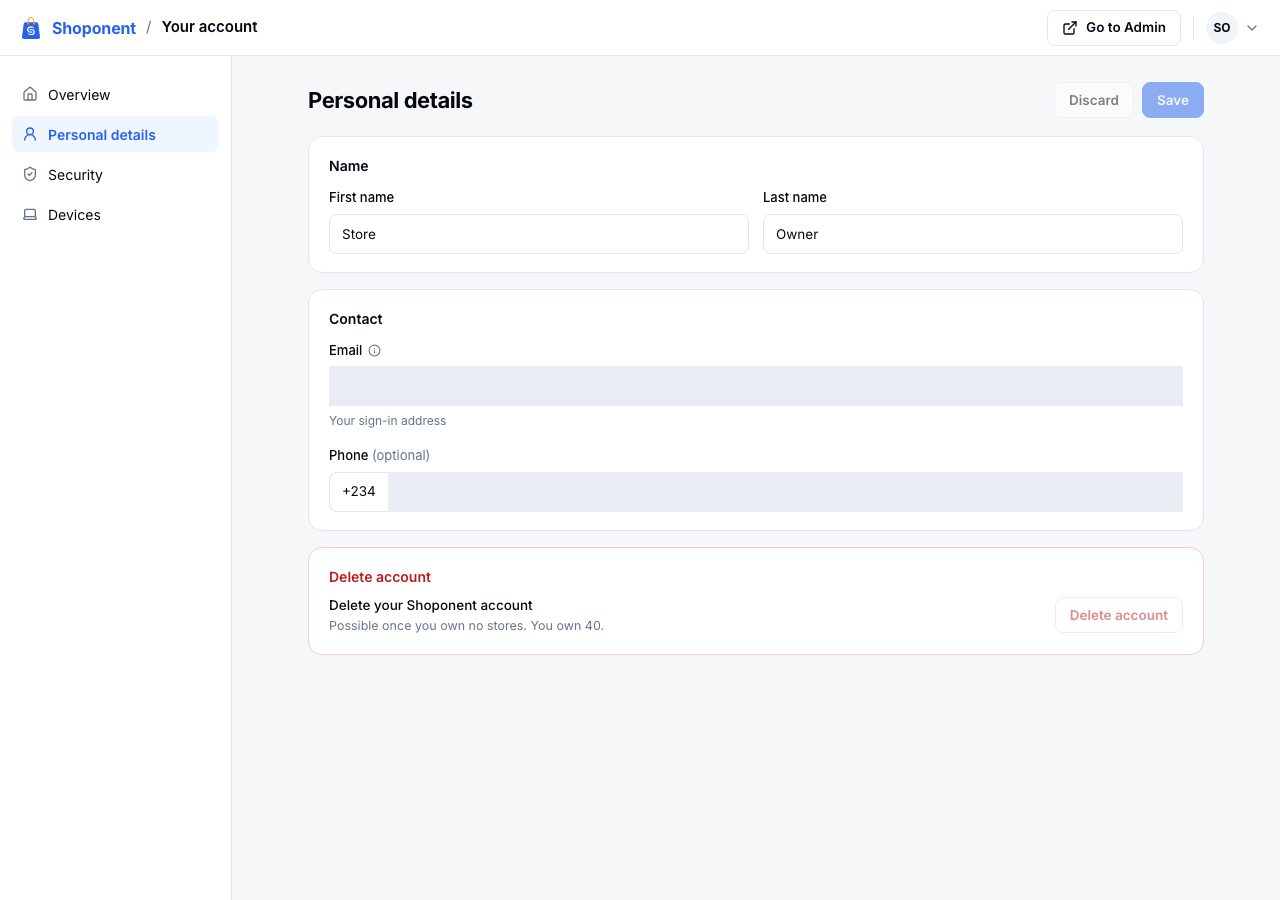
Change your first and last name, and add or change a phone number, then choose Save. Discard puts back what was saved.
Your email cannot be changed here, because it is what you sign in with. If you can no longer use your address, email us. Our team checks it is you before changing it, and the change happens only once the new address opens the link we send it; then every device is signed out and the old address is told.
Delete account works once you own no stores. It asks for your password and your sign-in email typed out.
Your password
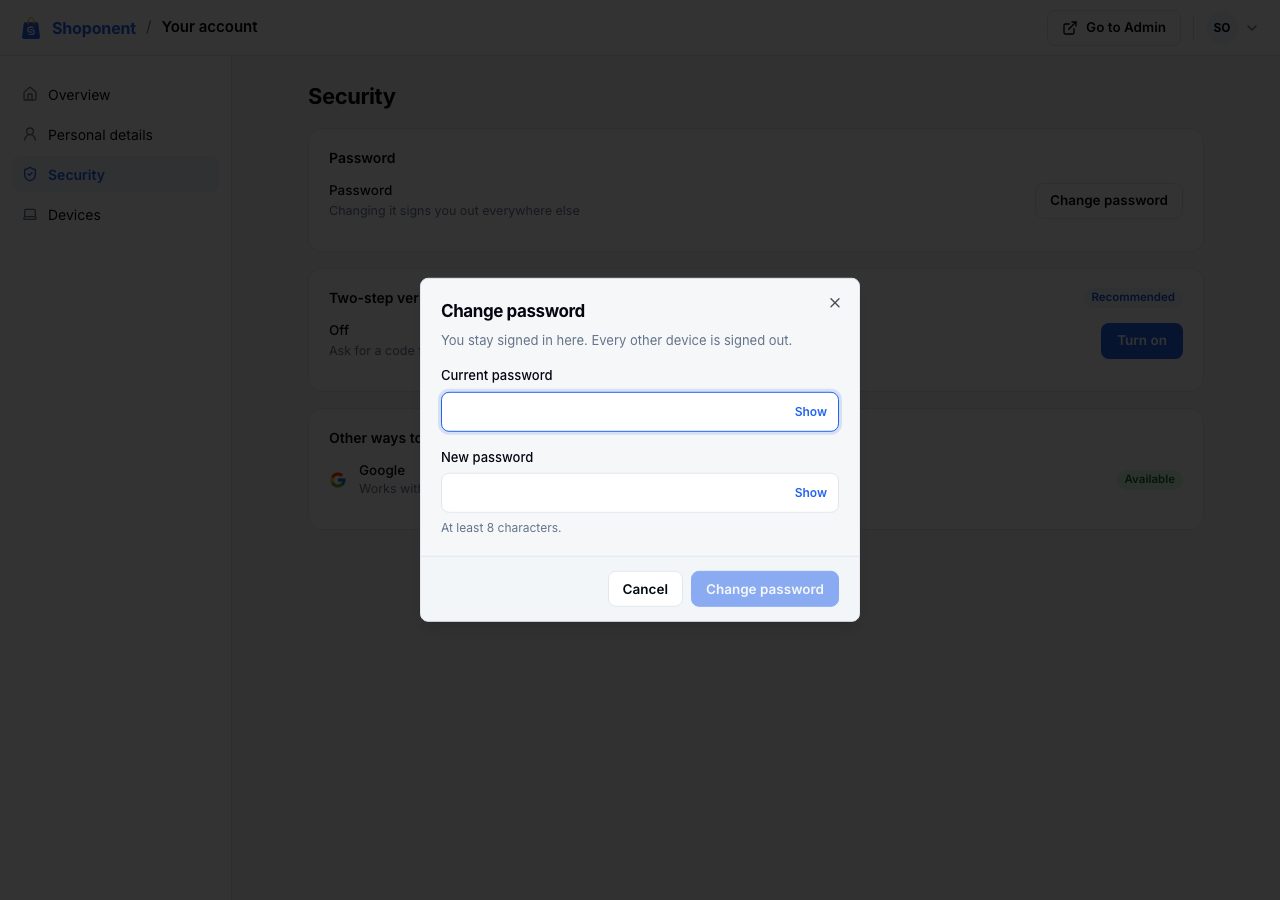
On Security, choose Change password, enter your current password and the new one, and save. Changing it signs you out everywhere else, so anyone else using your old password is signed out with it. An account made with Google has no password at first; Set a password gives it one.
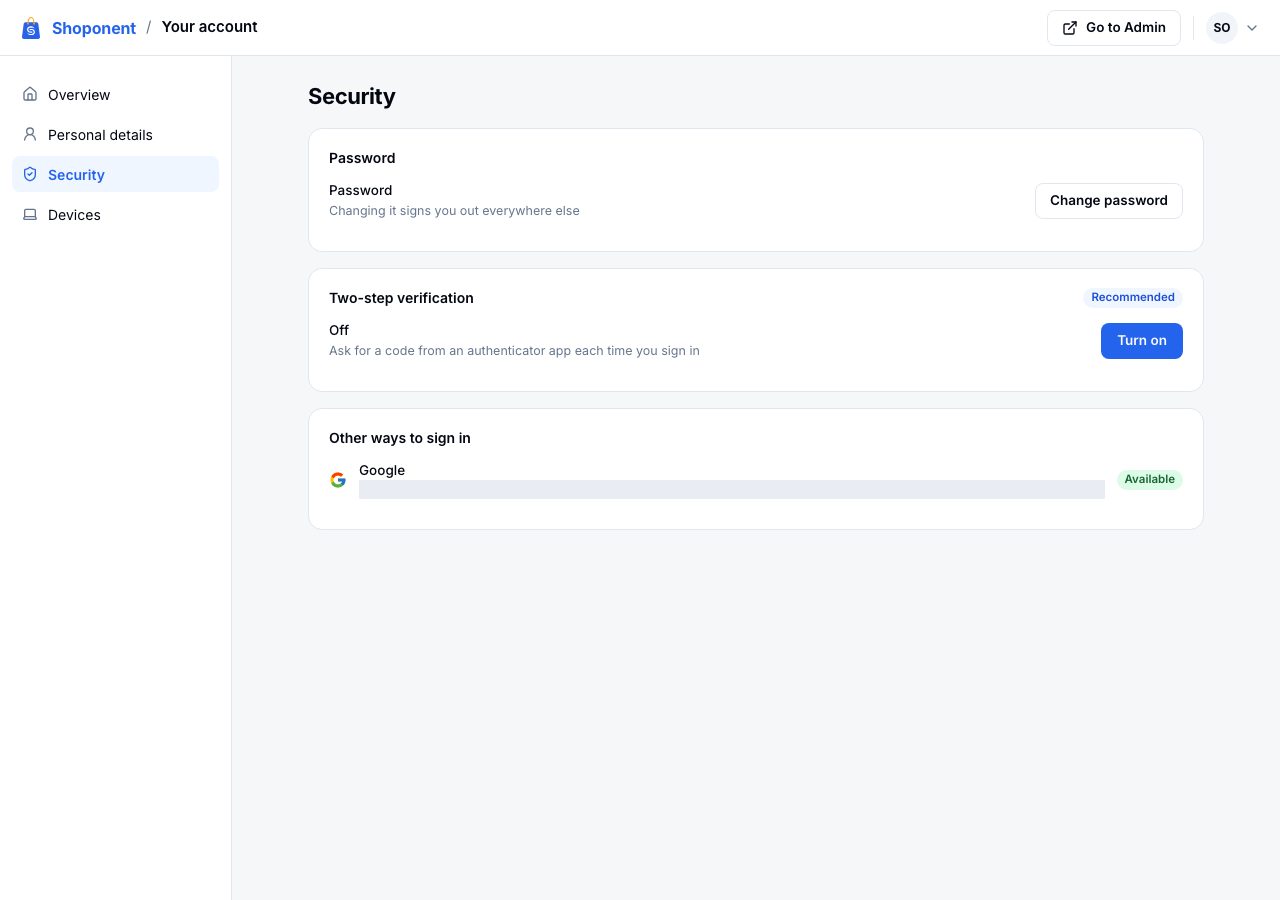
Other ways to sign in shows whether Google or Apple can sign you in too.
Turn on two-step verification
Two-step verification asks for a six-digit code from an authenticator app (such as Google Authenticator or Microsoft Authenticator) each time you sign in on a new device, so a stolen password is not enough on its own. We recommend it for every account, and above all for a store owner's.
- On Security, choose Turn on.
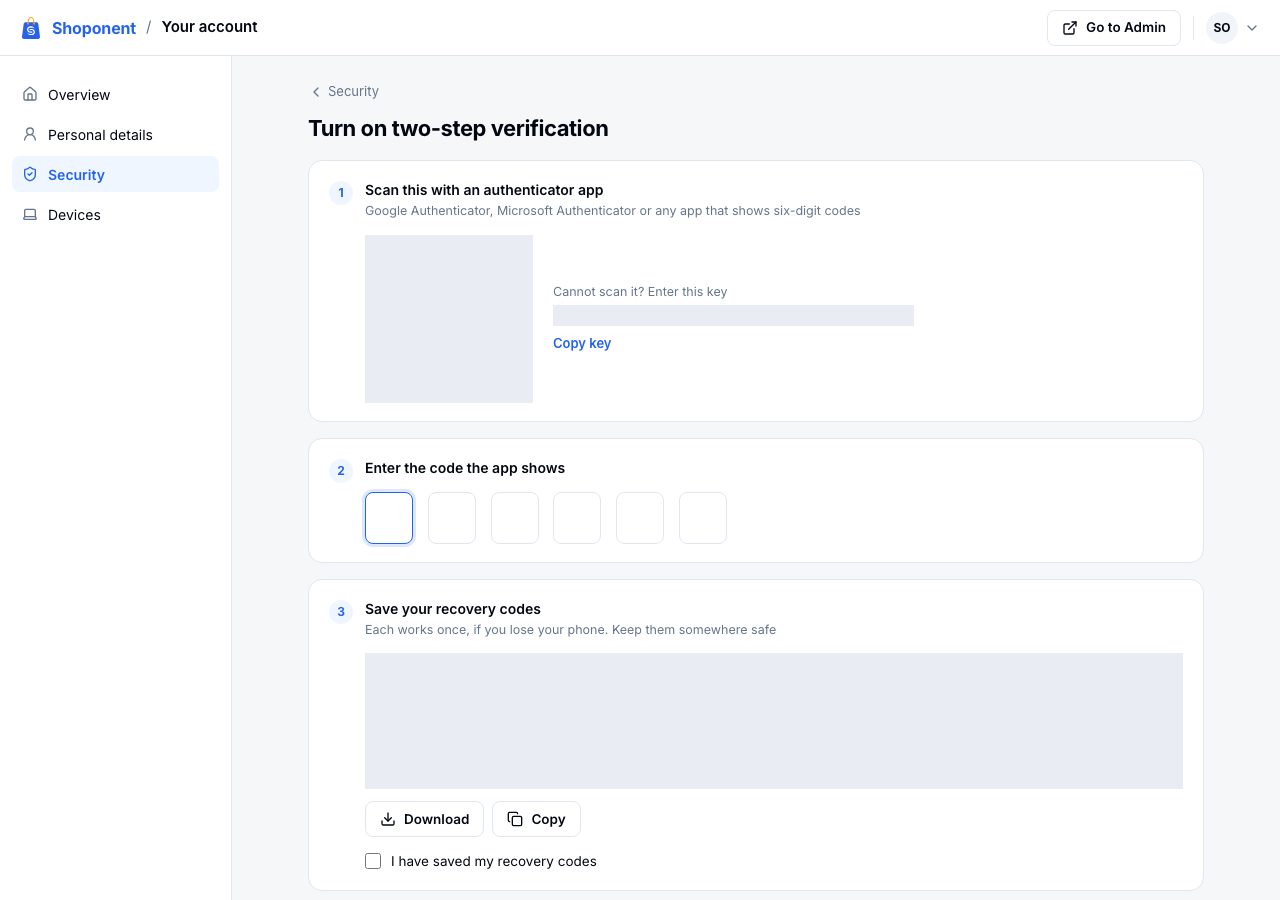
- Scan the code with your authenticator app. If you cannot scan it, choose Copy key and enter the key in the app instead.
- Enter the six-digit code the app shows.
- Save your recovery codes with Download or Copy, and tick I have saved my recovery codes. Each works once, in place of a code from the app, if you lose your phone.
- Choose Turn on two-step verification. Nothing is saved until the app's code proves it is set up.
From then on, signing in asks for a code after your password, with Trust this device for 30 days so a browser you use every day does not ask each time. Google and Apple sign-in ask for the code too.
If two-step verification is off, you are asked whether to turn it on after you sign in, with Set it up and Skip for now. Skipping takes you on to where you were going, and the question comes back later.
Once it is on
Security shows Recovery codes with how many are left, and Get new codes, which replaces them all. Turn off two-step verification asks for a code from your app or a recovery code; turning it off forgets your recovery codes and every trusted browser. You are emailed when a recovery code is used.
If it does not work
- The app's code is refused: check your phone's time is set automatically; the codes depend on it.
- You lost your phone: sign in with a recovery code, then turn two-step off and on again with your new phone.
- You lost your phone and your recovery codes: email us from your sign-in address. Our team checks it is you before removing two-step verification, and you are emailed when it is removed.
Email support@shoponent.com if anything here does not match what you see. We read and answer every message.