Available on every plan · Updated 22 October 2026
Also asked as: “staff cannot see settings” · “staff cannot create an order” · “why is delete missing for staff” · “what can an admin do” · “viewer role” · “which role to give”
Every store has four built-in roles, on every plan. Settings → Users → Roles lists them, with a line on what each is for and how many users hold it.
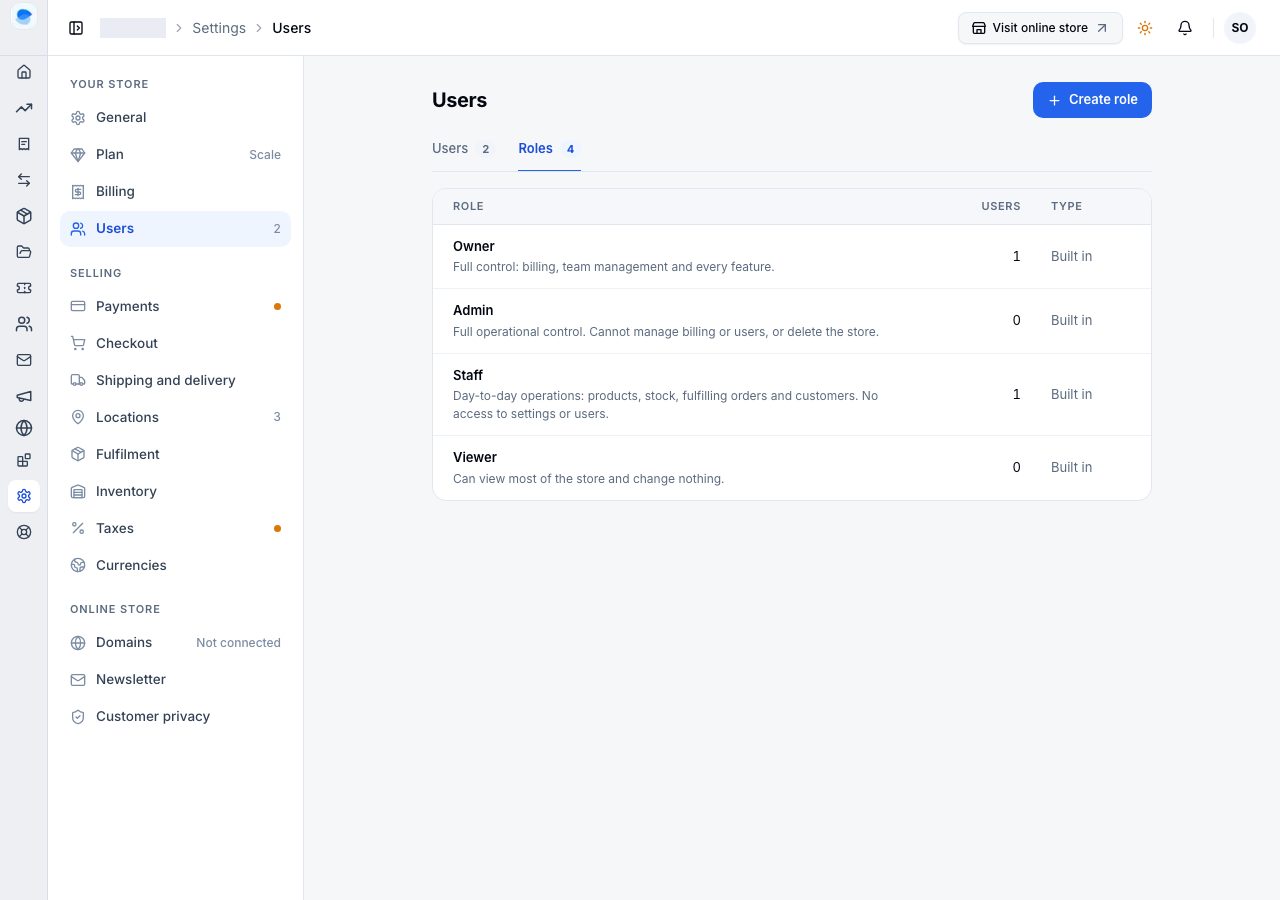
The four roles
| Role | Who it is for | What they can do |
|---|---|---|
| Owner | the person who created the store | everything, including billing, the team and deleting the store; not invitable |
| Admin | someone who runs the store with you | everything an owner can except billing, inviting or removing people, and deleting the store |
| Staff | day-to-day help | add and edit products including adding and removing their variants, adjust stock, fulfil orders, edit customers, manage bundles, reviews and media; read discounts, flash sales, analytics, pages and posts without changing them; cannot create, cancel or refund an order, delete a product, or open settings, transactions, themes or the team |
| Viewer | an accountant, a partner, an apprentice | see every section, change nothing |
Choose a role to open its page: Access lists every area with exactly what the role can do there. Staff's Orders row reads View, fulfil, for example, and Admin's View, edit, fulfil, refund, cancel. Built-in roles cannot be changed; to give different access, Create role (on Scale).
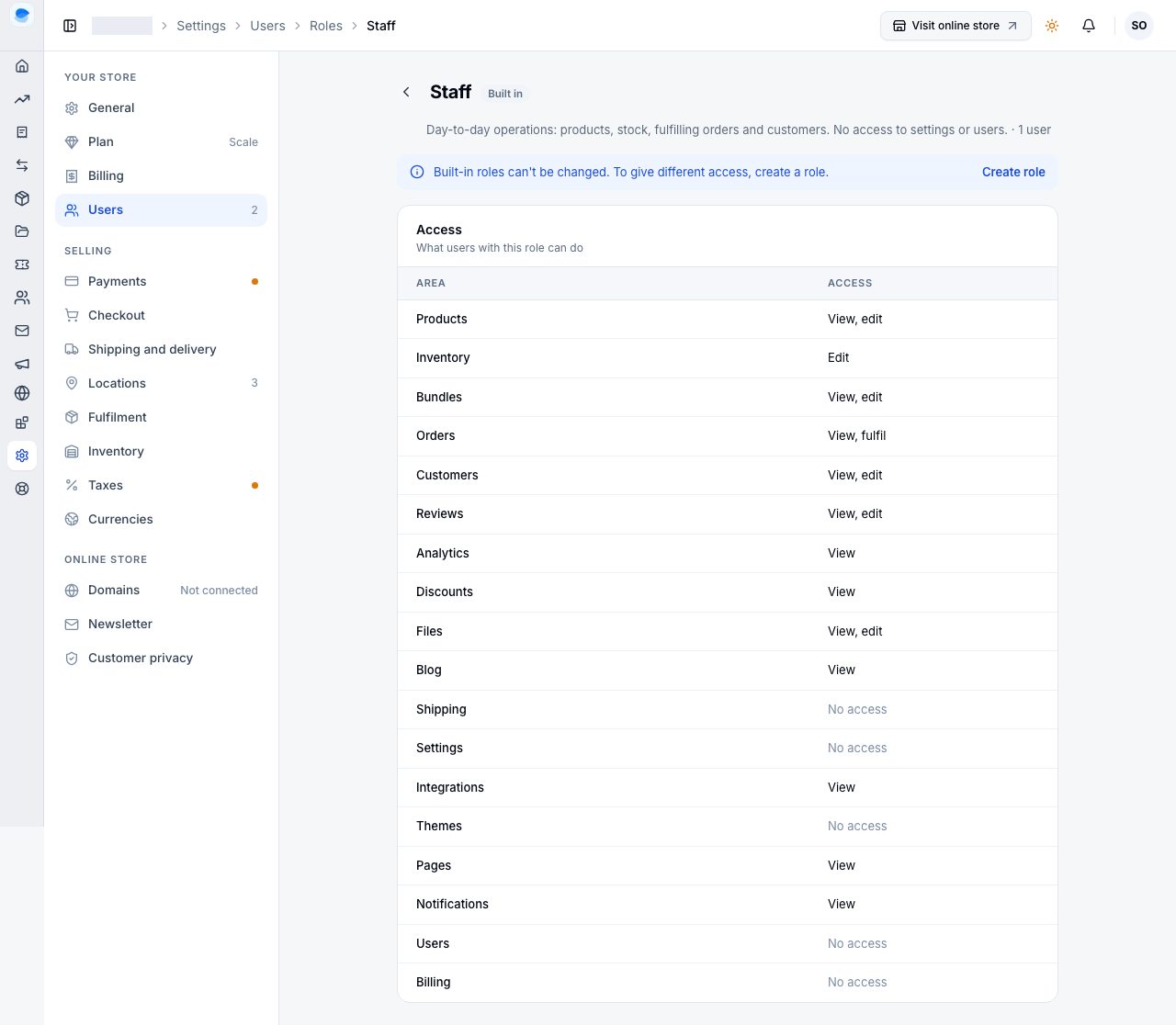
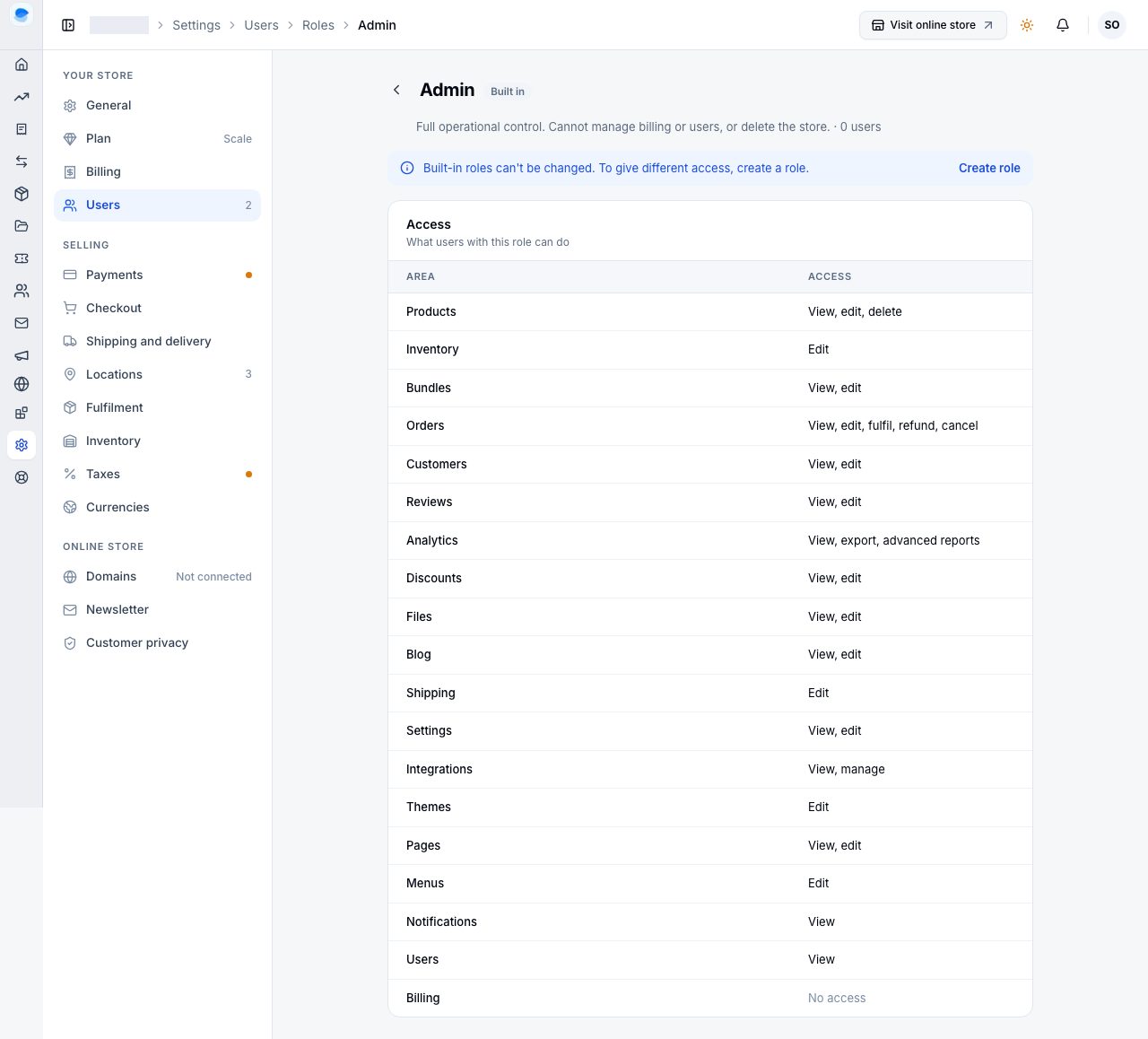
Deleting a product is not the same as removing one of its versions. Staff can discontinue a size or a colour while editing a product, because a product always keeps at least one version and so nothing leaves your catalogue. Removing the product itself is an owner's or an admin's.
Two things a role is not
- A role is not a plan. A staff member on a Professional store can use the storefront editor because the store's plan includes it; on a Starter store nobody can, whatever their role. A page that says a plan is needed is about the store; a page that says you do not have permission is about your role.
- A role does not follow you between stores. You can be an admin in one store and a viewer in another. The role is per store, set by that store's owner.
Choosing a role
Give the smallest role that does the job. Staff covers the shop floor; Admin is for someone who also changes settings, shipping or the online store; Viewer is for anyone who needs to read the numbers and nothing else. On Scale you can make your own combination: see Custom roles.
If it does not work
- Someone sees an upgrade prompt where you expected a permission: the feature is not in the store's plan. Check under Settings → Plan.
- A staff member cannot open Settings or Transactions: that is the Staff role. Those sections are greyed in the sidebar with a padlock, so it is clear they exist and are not theirs. Make them an Admin if they need them.
- A staff member can OPEN Discounts and Flash Sales but changes nothing there: that is also the Staff role, and it is deliberate. Reading what a sale is set to is part of serving a customer who asks; setting it up is not.
Email support@shoponent.com with your store name if anything here does not match what you see. We read and answer every message.