Available on every plan · Updated 18 October 2026
Also asked as: “archived order missing from list” · “find an archived order” · “what does unfulfilled mean” · “awaiting confirmation” · “cannot change order status” · “find an order” · “filter orders” · “orders to fulfil” · “what is in an order” · “orders with a return”
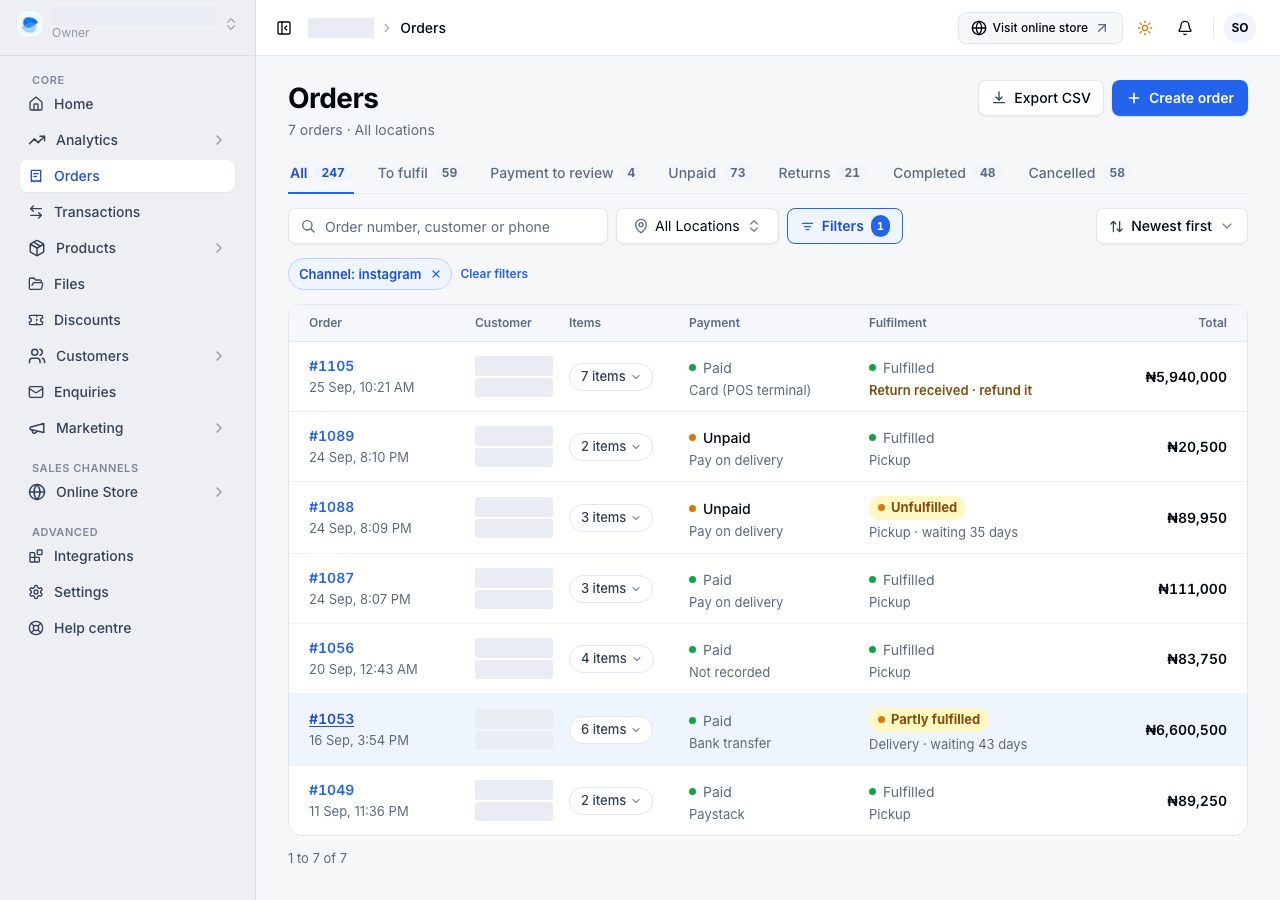
Orders lists every order your store has taken, newest first. Each row is the order number with the day and time it was placed, the customer and where the sale came from, how many items, the payment, the fulfilment, and the total.
The tabs
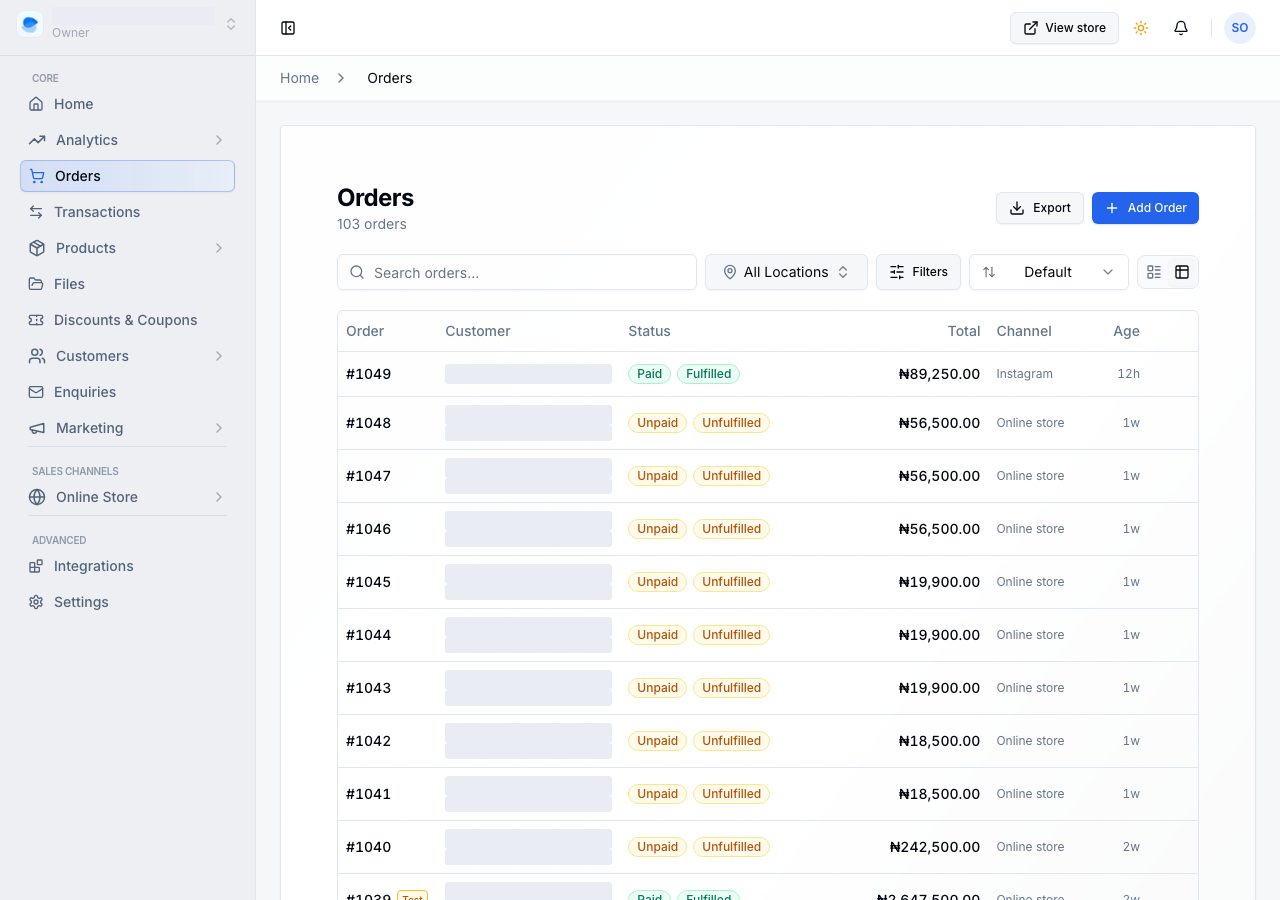
Seven tabs sit above the list, each with the number of orders in it. A tab with nothing in it shows no number.
| Tab | The orders in it |
|---|---|
| All | every order |
| To fulfil | goods still to send, where the money is in or is due at the door. Pay on delivery orders are here, because they are meant to ship before they are paid |
| Payment to review | a shopper has sent a bank transfer and uploaded their receipt, and it is waiting on you to check it |
| Unpaid | nothing has been paid, and no receipt is waiting |
| Returns | an order with a return still open: on its way back, or back and not yet refunded |
| Completed | paid and with the customer |
| Cancelled | cancelled orders |
To fulfil and Payment to review are the same two numbers Home shows under Needs attention, and the rows on Home open these tabs.
The numbers beside the tabs describe the tabs, so they do not change when you search or filter. They do follow the location you pick.
Two statuses, and the ones that need you stand out
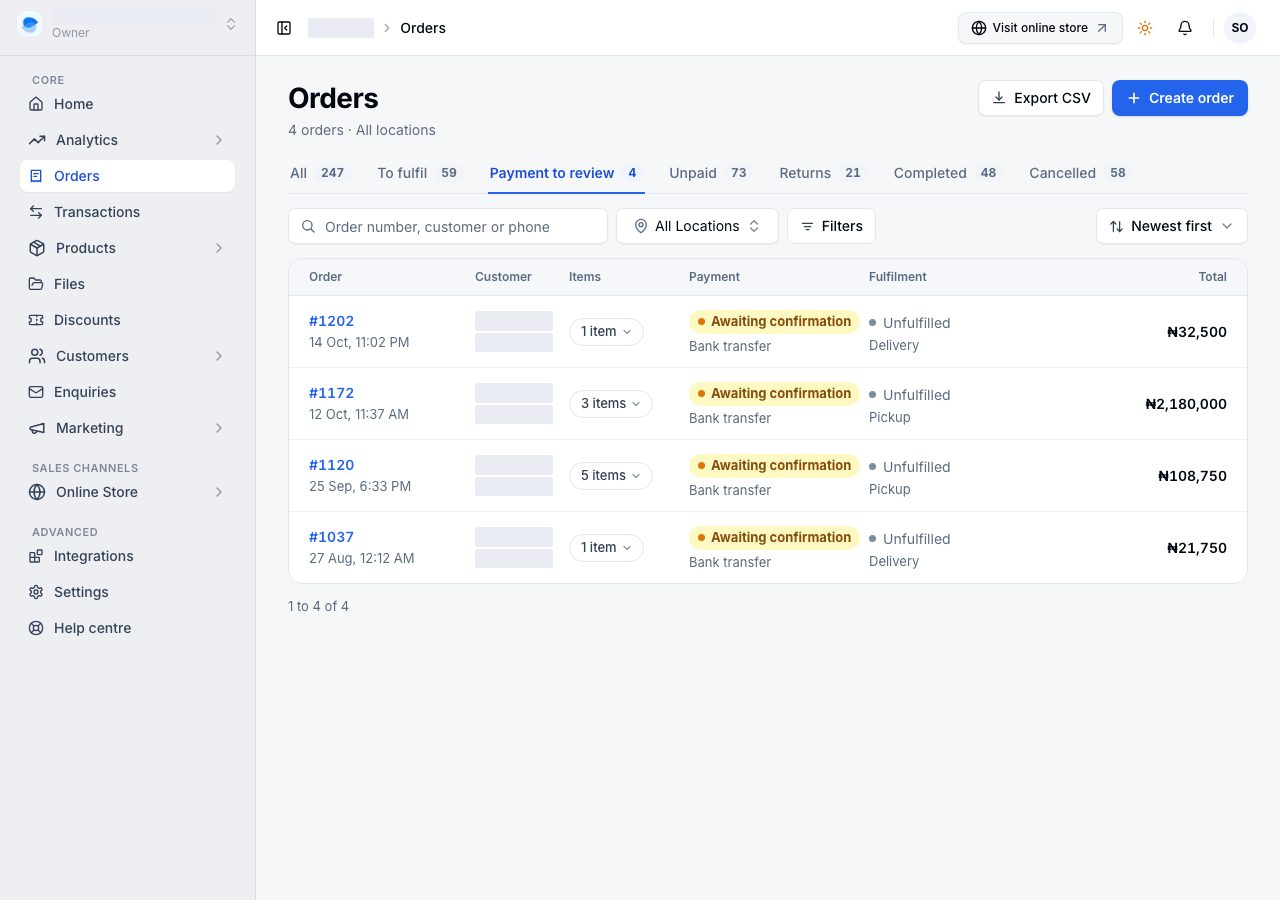
Every row shows payment, have you got the money, and fulfilment, where the goods are. They are independent, and the row shows both, because the case worth spotting is goods gone and money not.
Most are a small dot and a word. A status is a filled label only when it is yours to act on:
- Awaiting confirmation: a transfer receipt is waiting for you.
- Unfulfilled or Partly fulfilled, on an order that is paid or is pay on delivery: there is something to pack. The line under it says how long it has waited.
- Paid, on a cancelled order: the customer paid and has not been refunded.
An unpaid online order that has not shipped stays quiet. It is waiting on the shopper, not on you.
A cancelled order reads Cancelled where fulfilment would be.
What the payment word means
| Word | The order is |
|---|---|
| Unpaid | nothing has been paid. Normal for a bank transfer nobody has sent yet, and for pay on delivery right up to the door. A card the gateway refused leaves it unpaid too, and the shopper can try again |
| Awaiting confirmation | the shopper has sent you a bank transfer and uploaded their receipt. The money is usually already in your account; it is waiting on you to check it |
| Paid | the money is confirmed |
| Refunded / Partly refunded | you have sent money back, all of it or some |
The line under the word is how they paid, or chose to pay.
What the fulfilment word means
Five words, in order, and an order only moves down the list. Each one excludes the ones above it.
| Word | The goods are |
|---|---|
| Unfulfilled | nothing packed |
| Partly fulfilled | some items packed, some not |
| Preparing | everything packed, nothing dispatched |
| Shipped, or Ready for pickup on a collection | everything dispatched, not everything arrived |
| Fulfilled | everything has reached the customer |
Fulfilled means arrived, not packed. An order with a parcel in a van is Shipped, not Fulfilled, and one sitting on your shelf ready for a customer is Ready for pickup. That is deliberate: a word that means "done" has to mean the customer has it.
An order with several parcels is as far along as the parcel furthest behind. The line under the word says whether it is a delivery or a pickup, and how many parcels when there is more than one.
If the order has a return, that line says so instead: Return requested with how long it has waited, Return received when the goods are back and a refund is due, or Returned with the amount refunded.
What is in an order
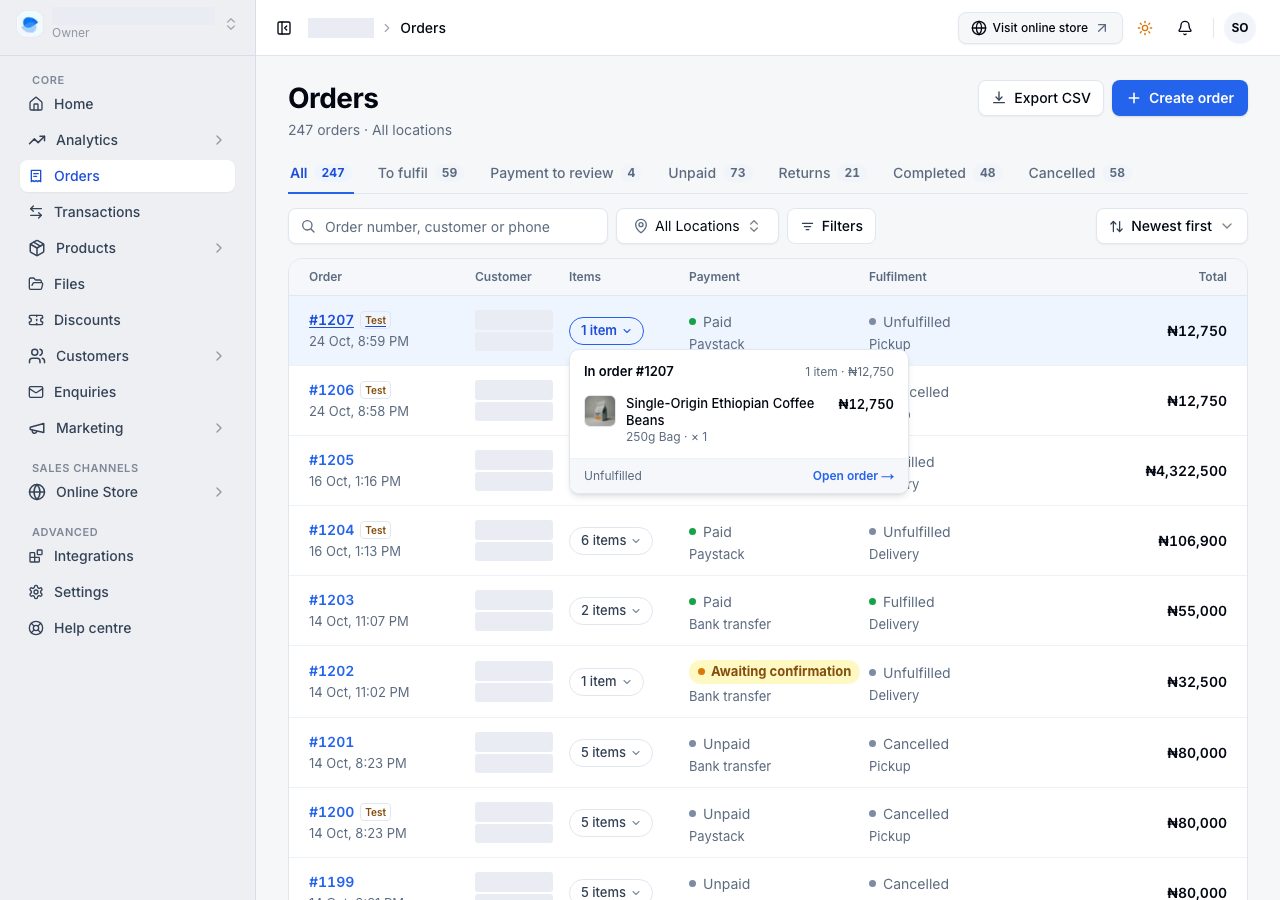
The list shows how many items, not their names. Choose the count on a row to see them: each line with its option, quantity and price, and a link to open the order.
Nothing sets a status by hand
There is no dropdown that stamps an order Completed. The two words follow what you actually do: confirming a payment moves the first, creating a parcel and marking it on its way moves the second, and cancelling stops both. That is why an order can never claim to be paid when no money arrived.
Finding one order
Every tab has the same four controls.
- Search matches the order number, the customer's name, their email and their phone number.
- The location control, if you have more than one location, narrows the list and the tab numbers to one of them. An order tied to none appears under every location; an order tied to another one appears only there.
- Filters offers Payment, Fulfilment, Return, Channel and Placed (today, the last 7 days, this month, or two dates), using exactly the words the list shows. Under More are Include archived orders, because an order you archive leaves the list (a search for it still finds it), and Include orders refused at placement: orders another shopper's order beat to the last unit, cancelled by us and never charged, left out unless you ask for them. Nothing changes until you choose Apply; Cancel closes the panel and keeps the list as it was, and Clear all empties every choice.
- Sort orders the whole list, not only the page you are on: newest, oldest, or by total.
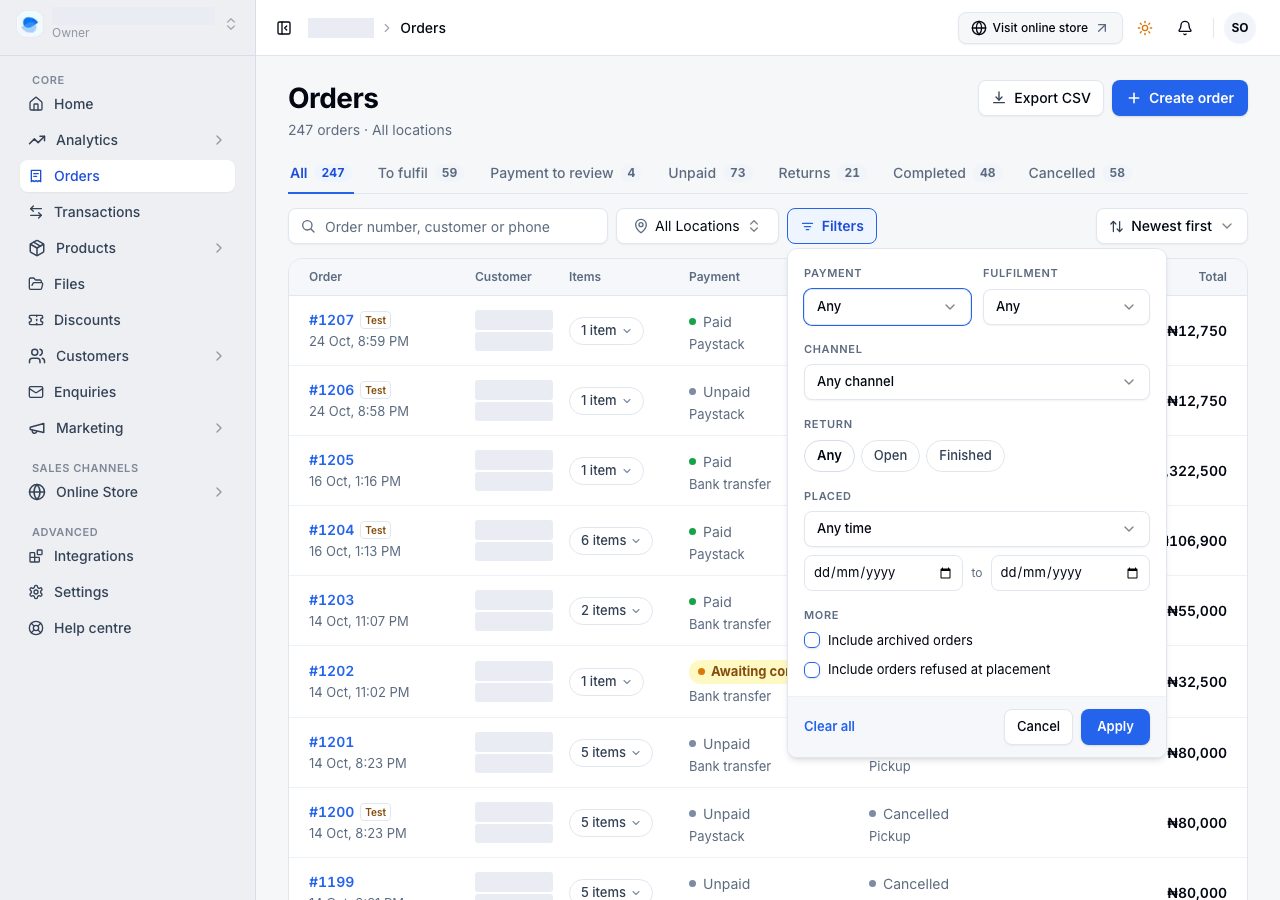
A tab is a saved set of filters. Open Filters on the Returns tab and Return already reads Open. If you choose a combination no tab describes, the list moves to All and shows each filter as a chip under the toolbar, with an × to drop it and Clear filters to drop them all.
On a phone
The same tabs run across the top as chips you can swipe. Orders are grouped by the day they were placed, and each row shows the number, the customer and the total, then the time, the channel and the item count, then the two statuses. The date of the orders you are looking at stays pinned at the top as you scroll. Filters and sort are the two buttons beside the search box, and the location control shrinks to its pin while you type a search.
Create order and Export CSV are behind the ⋯ at the top. The + in the middle of the bottom bar also creates an order, from any screen.
Exporting
Export CSV downloads what you are looking at: the tab, the filters, the search, the location and the sort. It is available on Professional and Scale. On Starter the button is there and explains that; see the pricing page for what each plan includes.
If it does not work
- A filter shows fewer orders than you expected: a cancelled order is always described as Cancelled, so it is left out of the payment and fulfilment filters even when its old payment state still matches.
- An order you know exists is missing: check the location control is on All Locations, go to the All tab, and clear any chips under the toolbar.
- The number on a tab does not match the list: the tab numbers ignore search and filters on purpose. Clear the search box and the chips and the two will agree.
- A pay on delivery order is under To fulfil while it still says Unpaid: that is intended. It ships first and is paid at the door.
Email support@shoponent.com with your store name if anything here does not match what you see. We read and answer every message.