Available on every plan · Updated 22 October 2026
Also asked as: “where is my invoice” · “customer wants a receipt” · “vat on an order” · “tax invoice number” · “credit note”
Every paid order gets one document, issued automatically, and it is frozen the moment it is issued: numbered, dated, and never edited afterwards. An order paid after you cancelled it gets none, because nothing was sold; you refund the payment instead.
Tax invoice, or receipt
Which one you get is decided by what the order itself recorded, not by your settings today.
- A tax invoice when the order carried a tax rate. It names you as the supplier, shows the rate and the tax amount, and carries your tax identification number.
- A receipt when it did not. The same document without a tax block, and the panel says why.
An order placed before you switched tax on stays a receipt for ever. History does not restate itself.
A receipt also says, under a line, what its price compared with when it was sold, with the amount: before the sale for something bought in a flash sale, on its own for an add-on at its add-on price, bought separately for a bundle. A tax invoice shows only the prices charged. Receipts issued before October 2026 do not carry these lines, because an issued document never changes.
Tax is inside the total, never added to it
Your prices include tax. The order shows the total the customer paid, and under it, what part of that was tax: Includes 7.5% VAT, using your own label and rate. It is a breakdown of the total, not a line added to it.
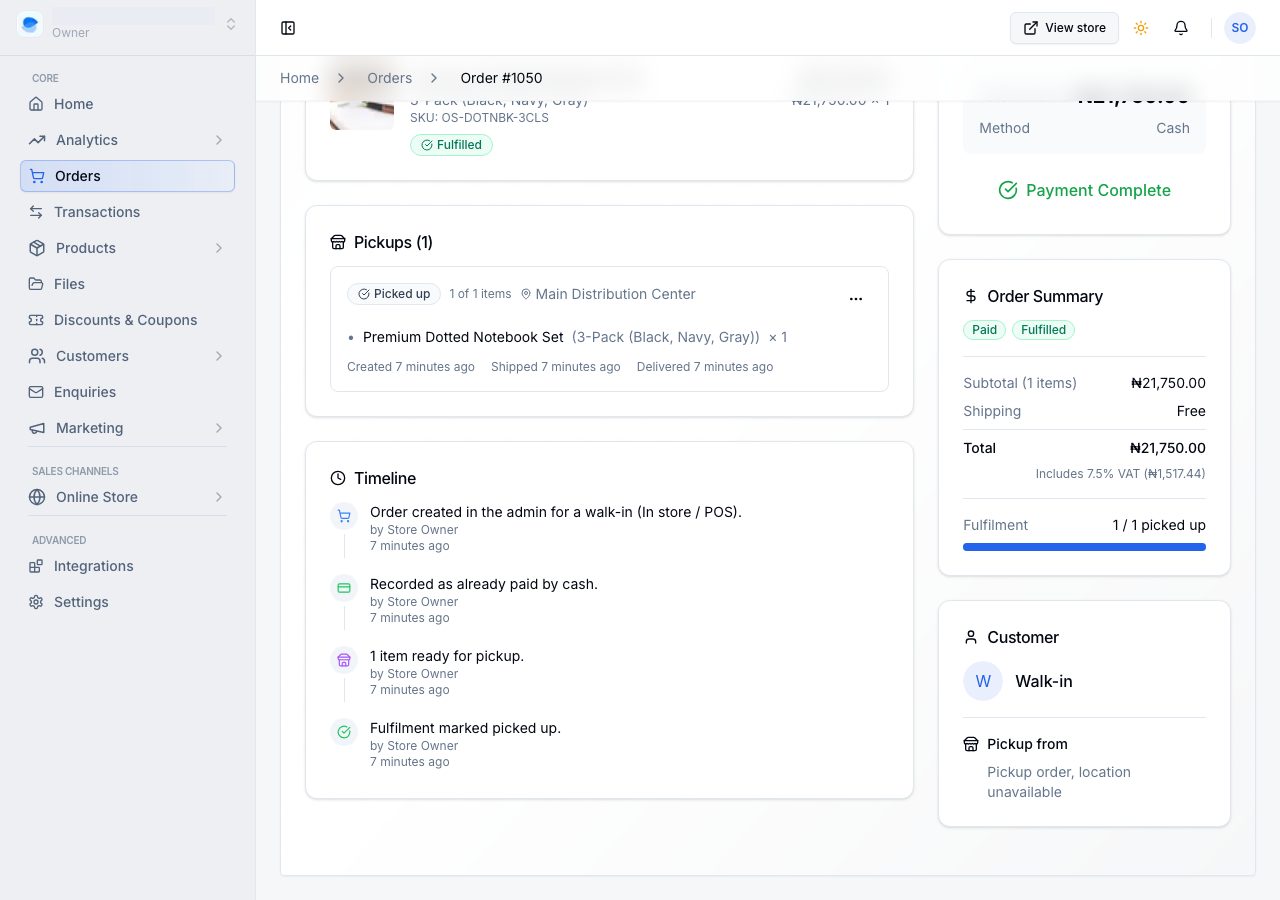
An order delivered outside your own country is zero-rated: it records no tax at all.
Finding the document
Open the order. The Receipt or Tax invoice card on the right shows its number and the day it was issued, and View opens it: the document as the customer gets it, drawn on the page, with Download PDF, Print, the credit notes against it, and whether the customer already has it.
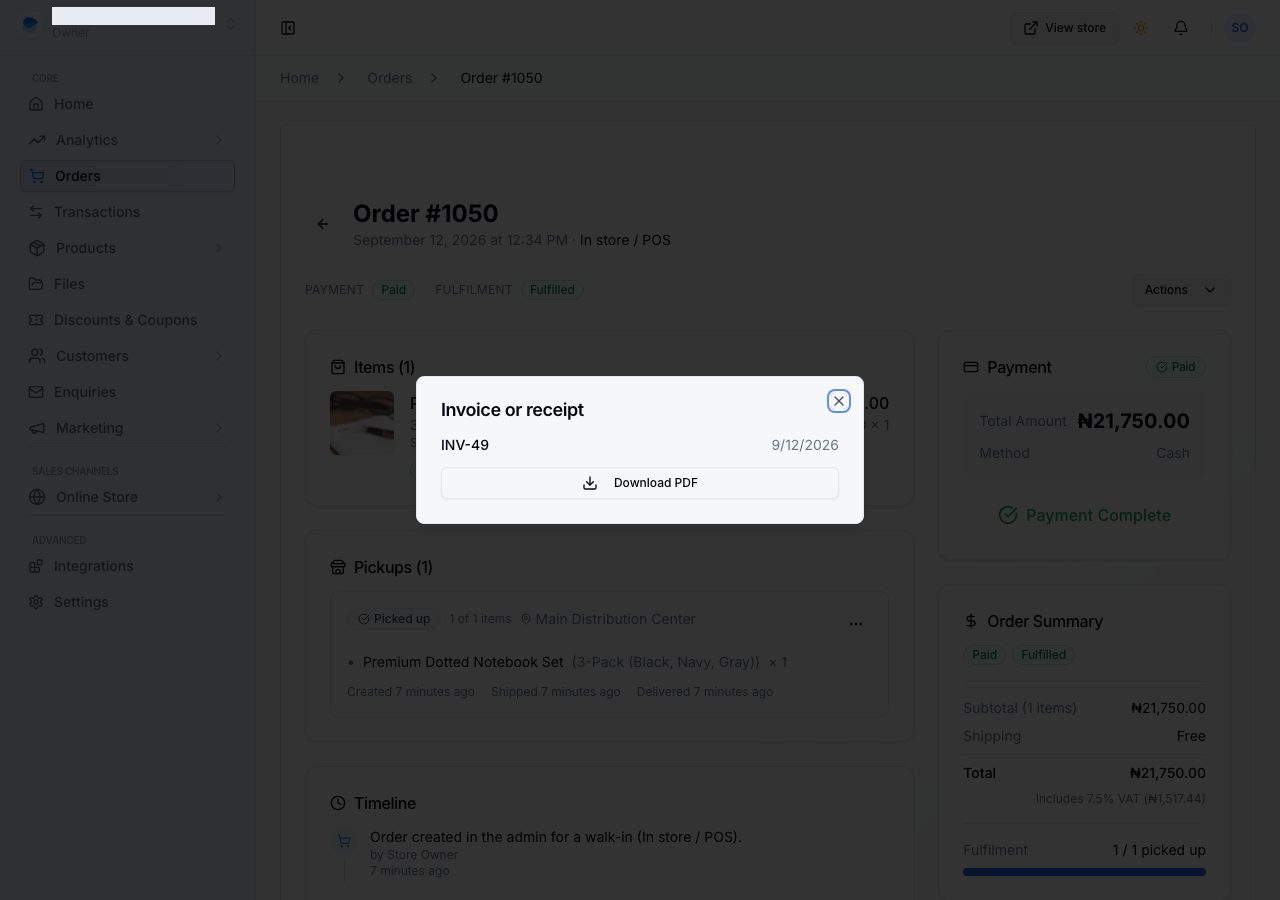
Your customer is emailed it, attached, when their payment is received. They can download it again from the order in their account. The order's link shows only that the payment was received. See What your customer sees after ordering.
Numbers run in order and are never reused. A document that has to be cancelled is marked void and keeps its number, rather than disappearing, because a gap in a numbered series is what an auditor asks about.
A refund adds a credit note
Nothing edits an issued document. When you record a refund, a credit note is issued against the invoice, carrying its share of the tax, and it is listed on the panel beside the invoice it corrects. That is what keeps the copy in your customer's hands true: it was right when it was sent, and the correction is a second document rather than a silent rewrite of the first.
What fills in your half of it
Settings → Taxes, under Tax invoices, holds everything that prints as the supplier:
- Tax identification number. Without it, the tax invoices your customers download are missing it, and an invoice without it is not a valid tax invoice. The page says so beside the field.
- Registered business name (optional), when the registered name is not the name over the shop. Leave it blank if they are the same.
- Next invoice number, which the next tax invoice carries.
- What shoppers see it called, which is the word beside every total.
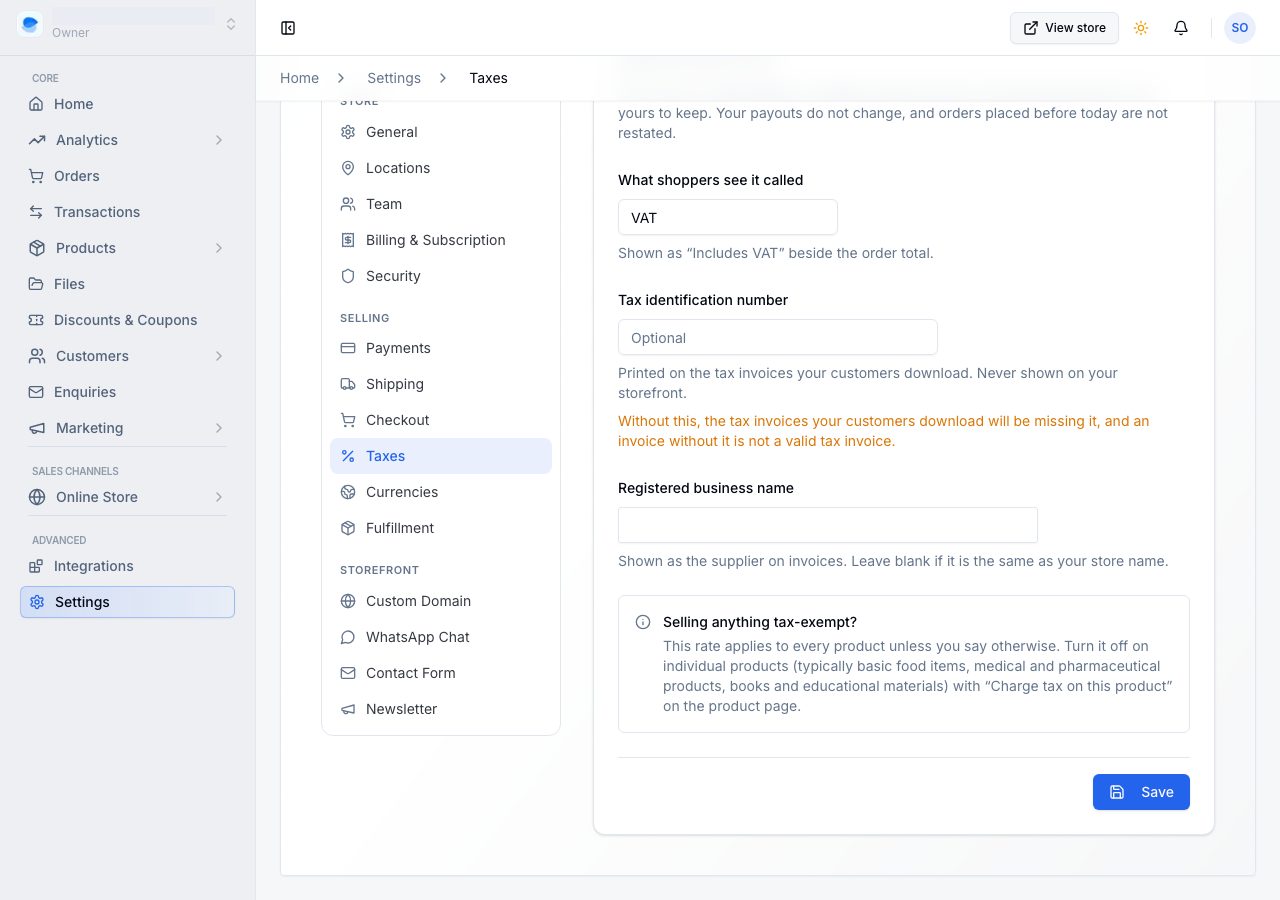
Changing these changes what future documents say. Documents already issued keep the details they were issued with.
If it does not work
- The panel says the document is being issued: it is produced the first time somebody asks for it, and a moment later it is there. Reopen the order.
- There is no document at all: the order is not paid yet, or it was a test payment. Test payments never produce one; a real order will. Before it is paid, the order has an invoice asking for payment, which carries the order number instead: see Send an invoice and get paid.
- It says receipt and you expected a tax invoice: that order recorded no tax rate, either because tax was off when it was placed or because it was delivered abroad.
- Your business details are wrong on it: fix them in Settings → Taxes. The document already issued keeps what it was issued with, which is the point of it; issue-date details are what a corrected document would carry.
Email support@shoponent.com with the order number if anything here does not match what you see. We read and answer every message.