Available on every plan · Updated 25 September 2026
Also asked as: “exchange an item” · “customer wants a different size” · “swap for another colour” · “replace a returned item” · “exchange for something more expensive” · “exchange for something cheaper” · “customer owes the difference” · “refund the difference” · “replacement is held” · “send the replacement before they pay” · “undo an exchange” · “email the customer about the exchange” · “customer pays the difference online” · “customer sent a transfer receipt for the exchange” · “transfer never arrived”
When a customer sends something back and wants something else instead, a different size, colour or product, you exchange the return. The replacement goes out on the same order: one order, one link for the customer, one timeline. What came back pays for what goes instead, and only the difference moves.
An exchange starts from a return, so first take the return. You can exchange it straight away, even before the goods arrive (a rider can swap at the door), or once you have received them.
Start an exchange
On the order, the return's line on the Returns card has Exchange beside its next step. It is there until the return is refunded, closed or exchanged.
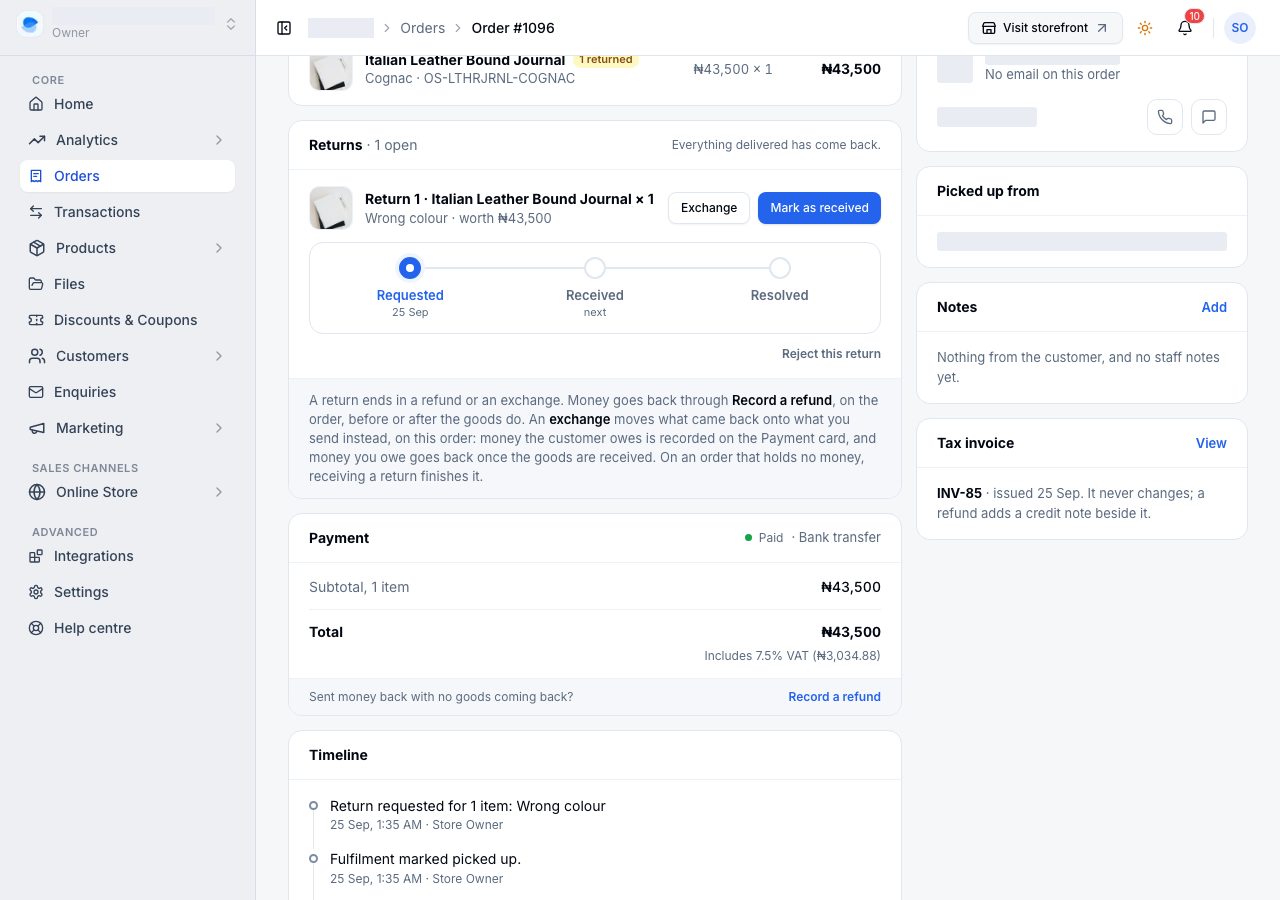
Exchange is not offered on an order that holds no money, such as pay on delivery whose goods came back before the money did: there is nothing to move onto a replacement, and receiving the return finishes it.
Choose what goes instead
The exchange page is built like Create order:
- Coming back is the return: what the customer is sending back, and what it is credited at. That is what they paid for it, its price less its share of any discount on the order.
- Sending instead is where you search for the replacement. Stock from says where it is taken from, the order's own location unless you change it, and an item whose stock you track says how many are left there. Bundles and custom items cannot be a replacement.
- How it reaches them follows the order: a delivery goes to the address on the order, and a pickup is collected like the order was. A replacement's delivery is free unless you choose Charge for it and type what your rider quoted.
- The difference is worked out by Shoponent as you choose, the same figure the exchange will record: what comes back, what goes instead, the delivery, and what that leaves.
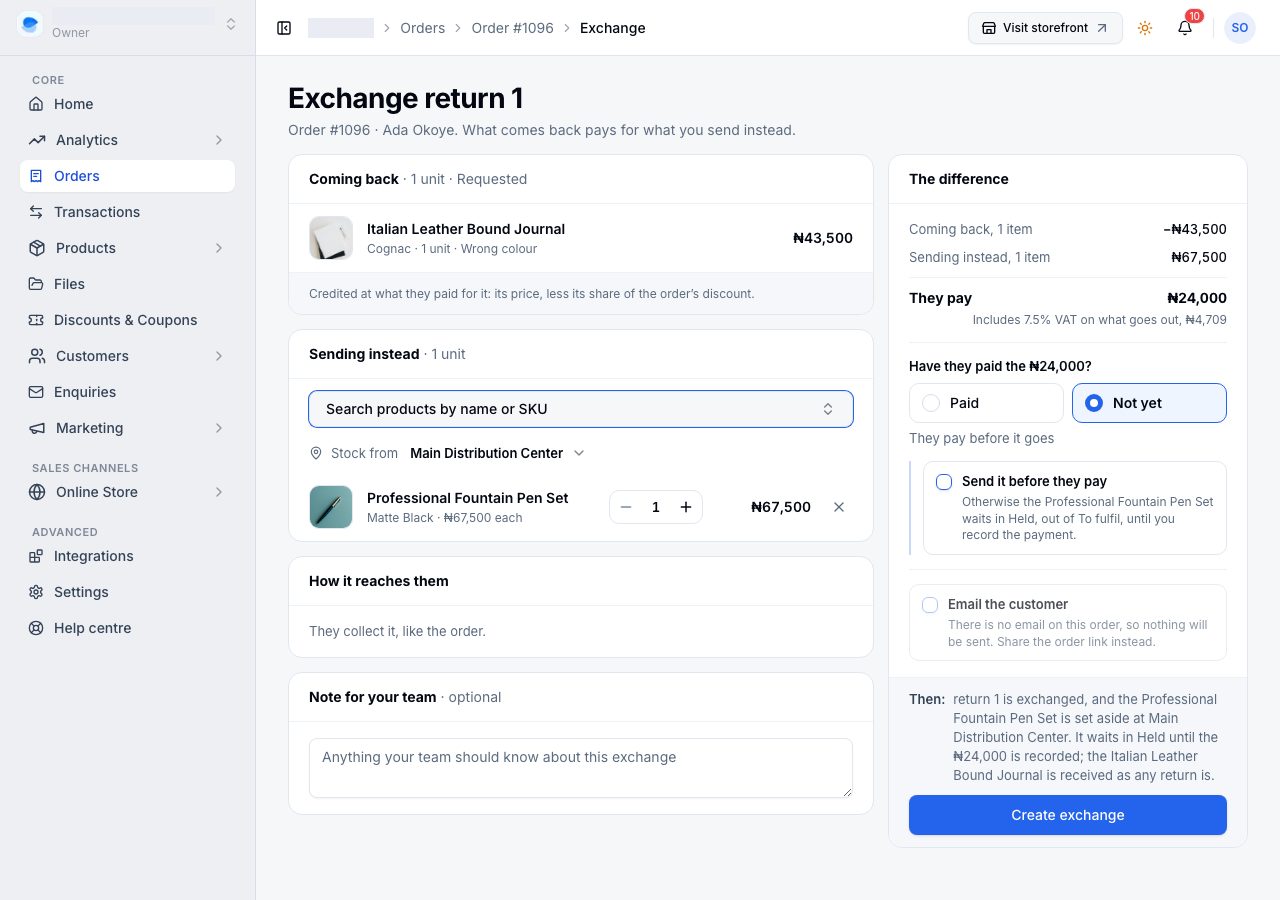
What happens next depends on the difference. Then under it always says what pressing Create exchange will do.
| The difference | What it asks |
|---|---|
| They pay (the replacement costs more) | Have they paid? Choose Paid and how, or Not yet. Not yet holds the replacement until you record the money, unless you tick Send it before they pay. |
| You refund (the replacement costs less) | Once the goods are back, Send it back now? and how. Before they arrive, it says the money goes back once they do. |
| Even | Nothing. No money moves. |
Email the customer is ticked for you. They get what comes back, what goes instead and the money: a link to pay when they owe the difference, or when a refund follows. When the order has no email that can receive mail, the tick is off and says so; share the order's link with them instead.
When the customer owes the difference
If they have not paid yet, the replacement is held. It sits in its own Held for the exchange card on the order, it is not in To fulfil, and the next step asks you to collect the money.
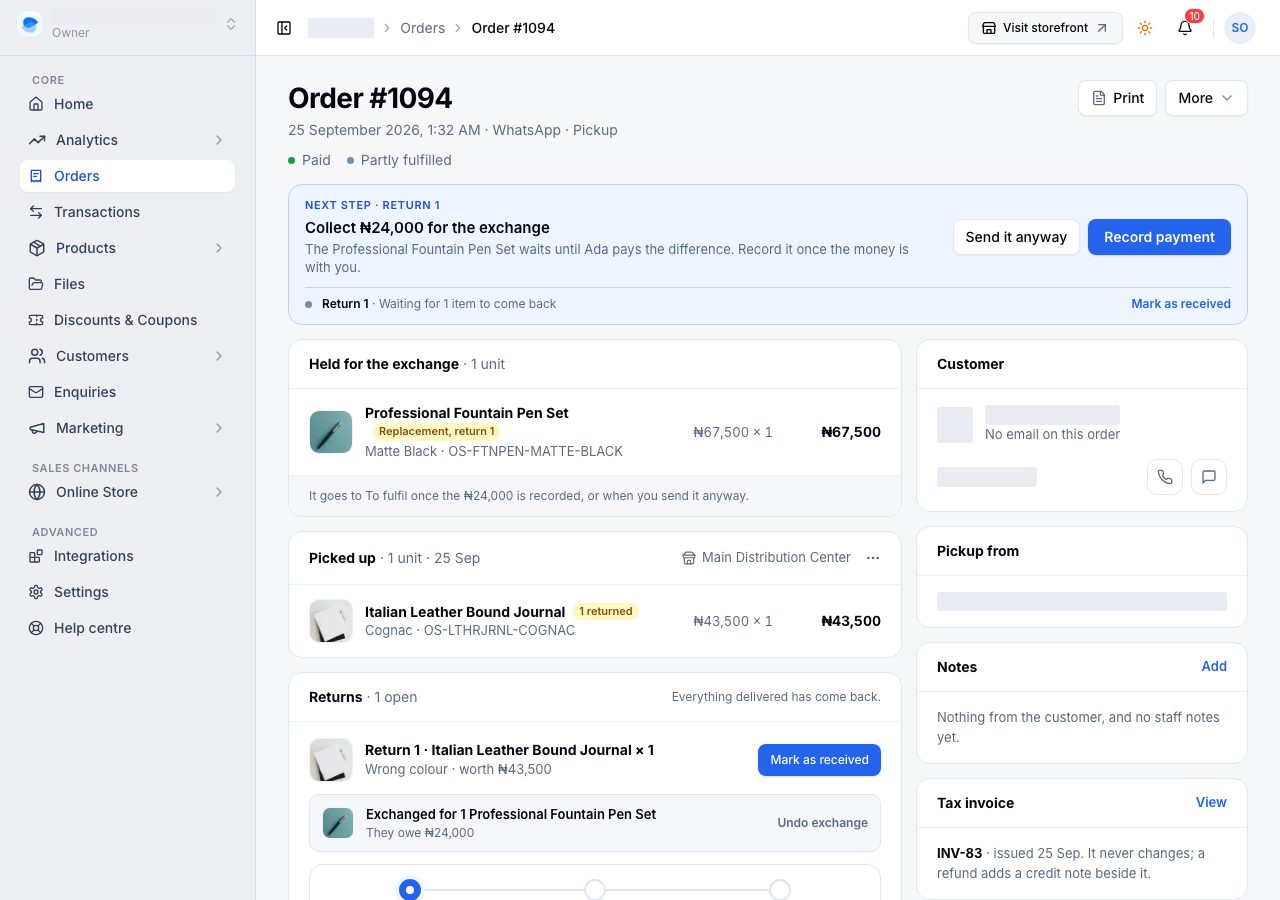
The Payment card shows the amount owed on its own line, marked not counted: You hold is money you actually received, and an unpaid difference is not money yet.
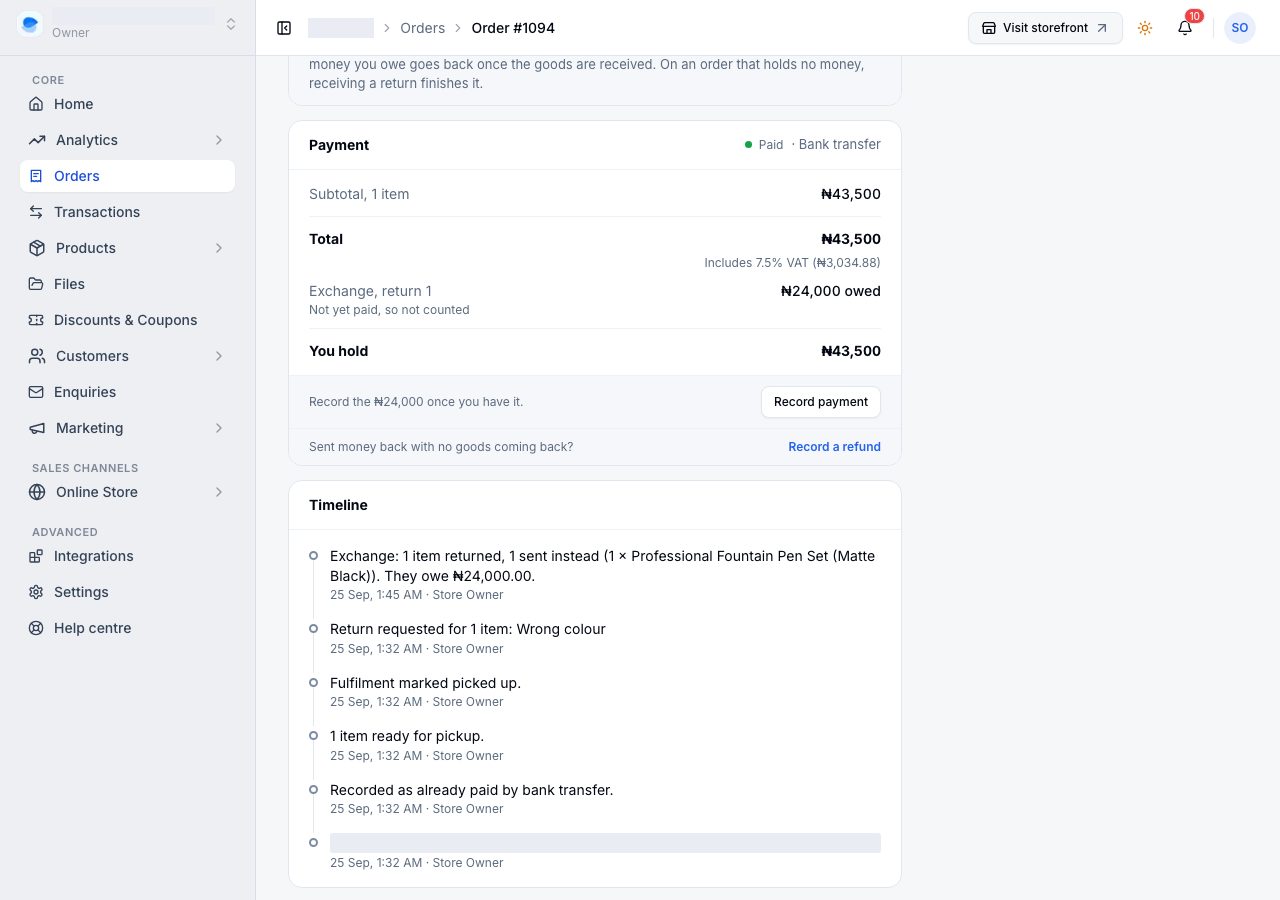
When the money reaches you, choose Record payment (on the strip, or at the foot of the Payment card), say how they paid, and record it. The exchange is settled, the replacement goes to To fulfil, and the payment joins what you hold.
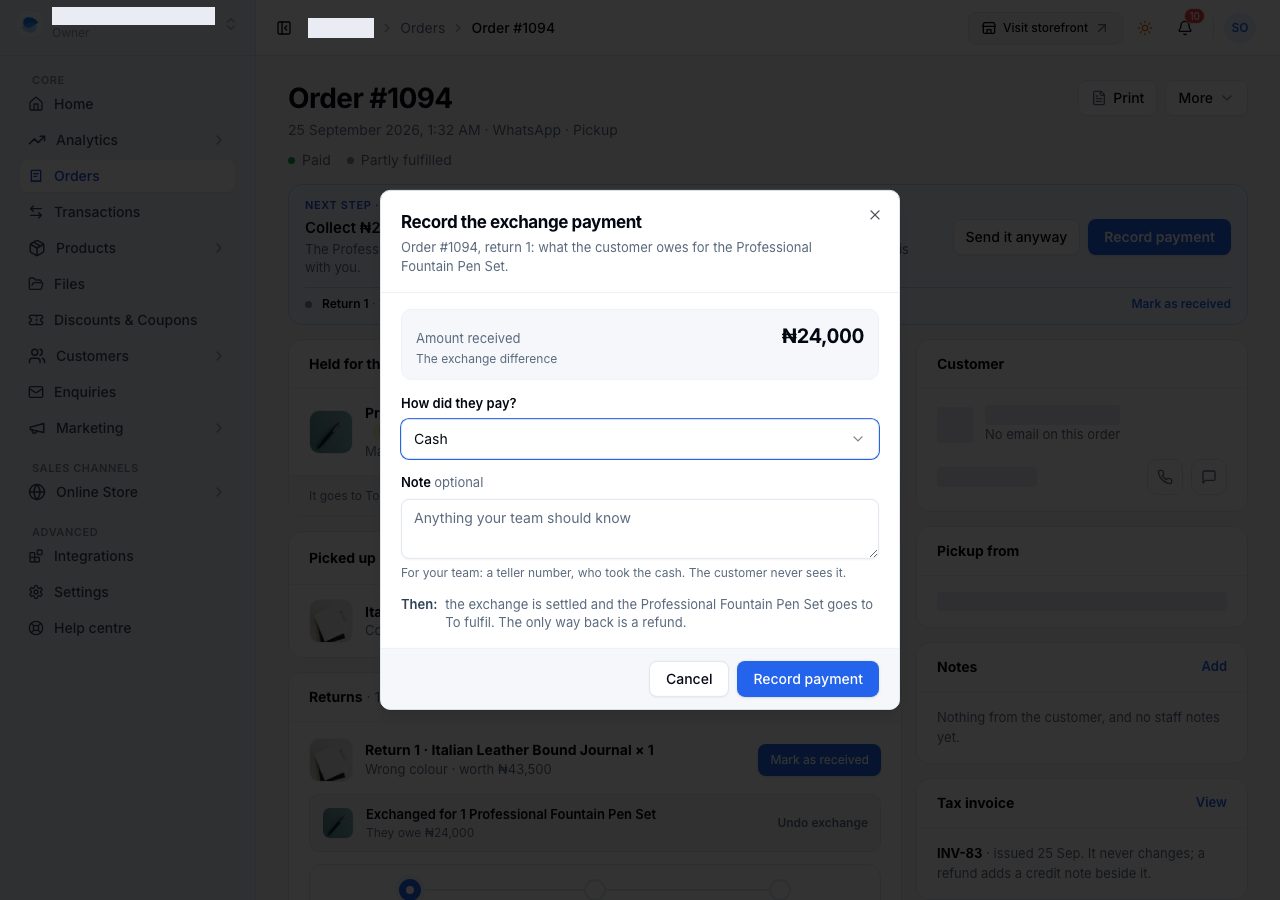
If you trust the customer to pay later, Send it anyway releases the replacement to be sent now. The amount stays owed on the order until you record it.
The customer can pay it themselves
The order's link, in their order emails, shows the exchange: what comes back, what goes instead, and the difference to pay. A customer with an account also sees it at the top of that order in their account, with a button that takes them to the link to pay. They can pay it there in any of the ways your store takes money online: through your own Paystack or Monnify, or by bank transfer to the account in your payment settings.
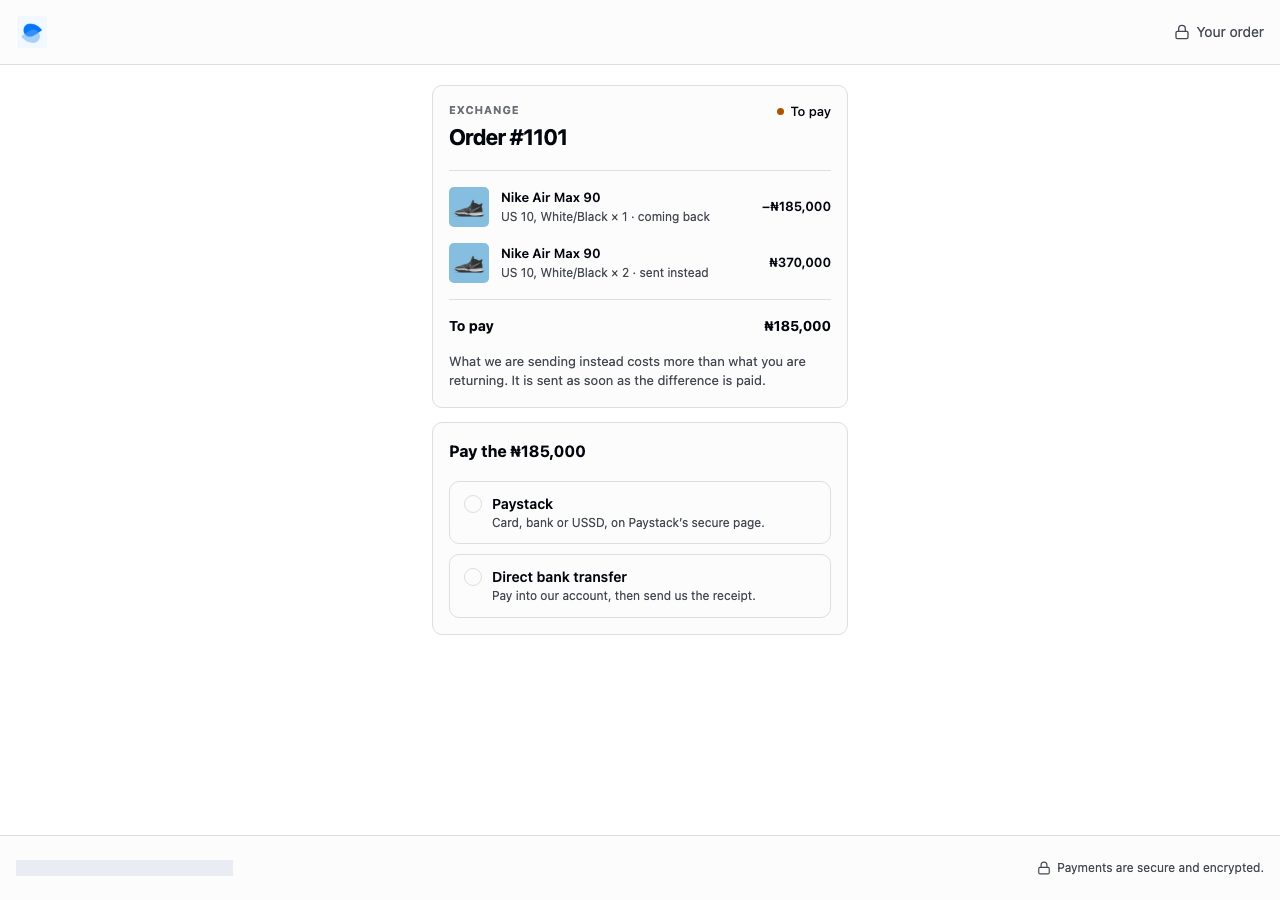
- Paid through Paystack or Monnify, the exchange settles by itself once the provider confirms it, and the replacement goes to To fulfil. While the provider is still confirming, the Payment card says the payment was started and is not yet confirmed. Do not record it by hand as well.
- Paid by transfer, the customer sends you the receipt, and it does not count until you have checked it.
Check a transfer receipt
When a receipt comes in, the next step asks you to check the transfer.
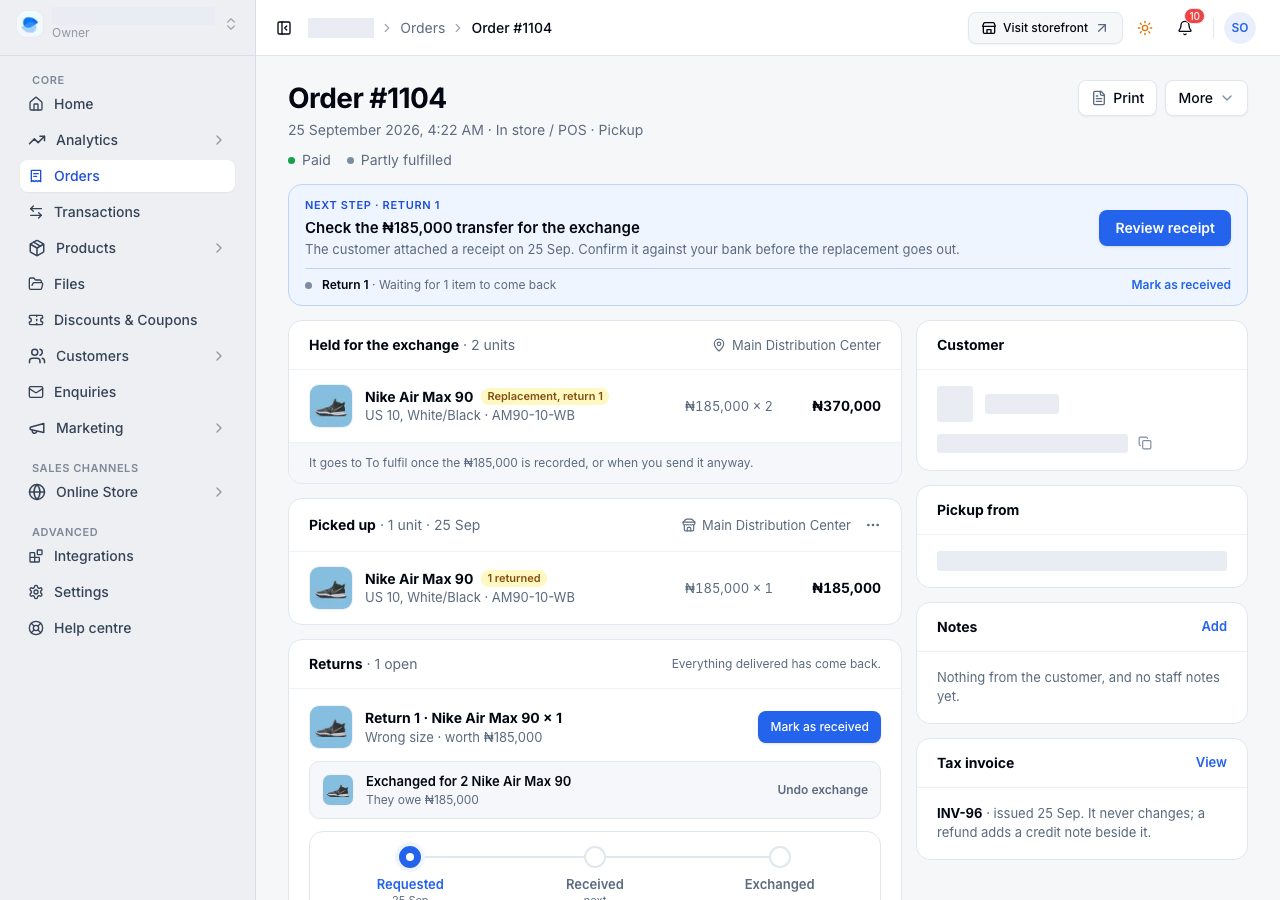
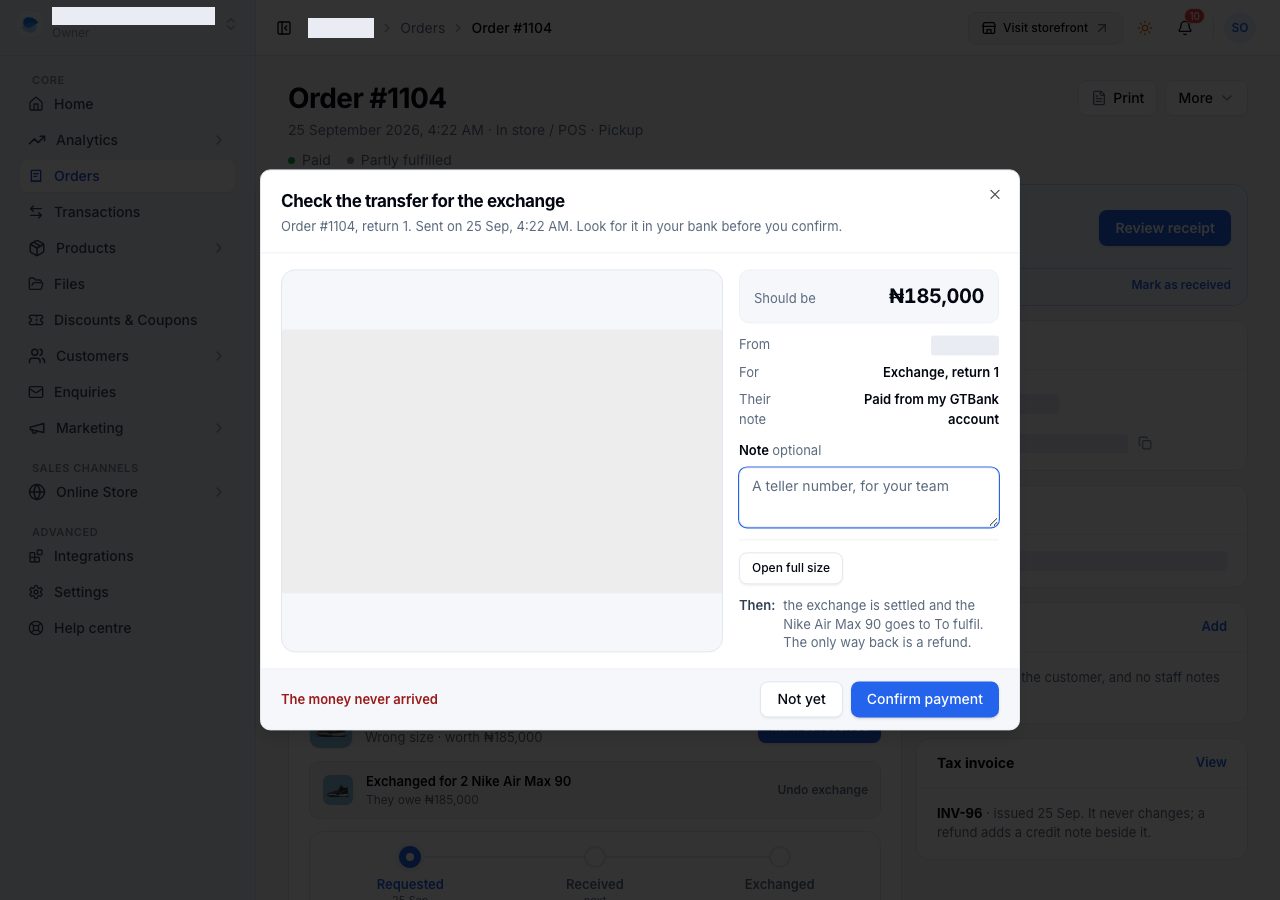
Review receipt shows the receipt beside the amount it should be. Look for the money in your bank, then:
- Confirm payment records it as a bank transfer. The exchange is settled and the replacement goes to To fulfil.
- The money never arrived asks first, then takes the receipt off the exchange. The difference is still owed, and the customer can pay again from their order page.
- Not yet leaves it waiting.
When you owe the difference
If the replacement costs less, you owe the customer the difference. Money going back always waits for the goods, as every refund does: until the return is received, the next step is to mark it received. Once it is, the next step is to send the difference.
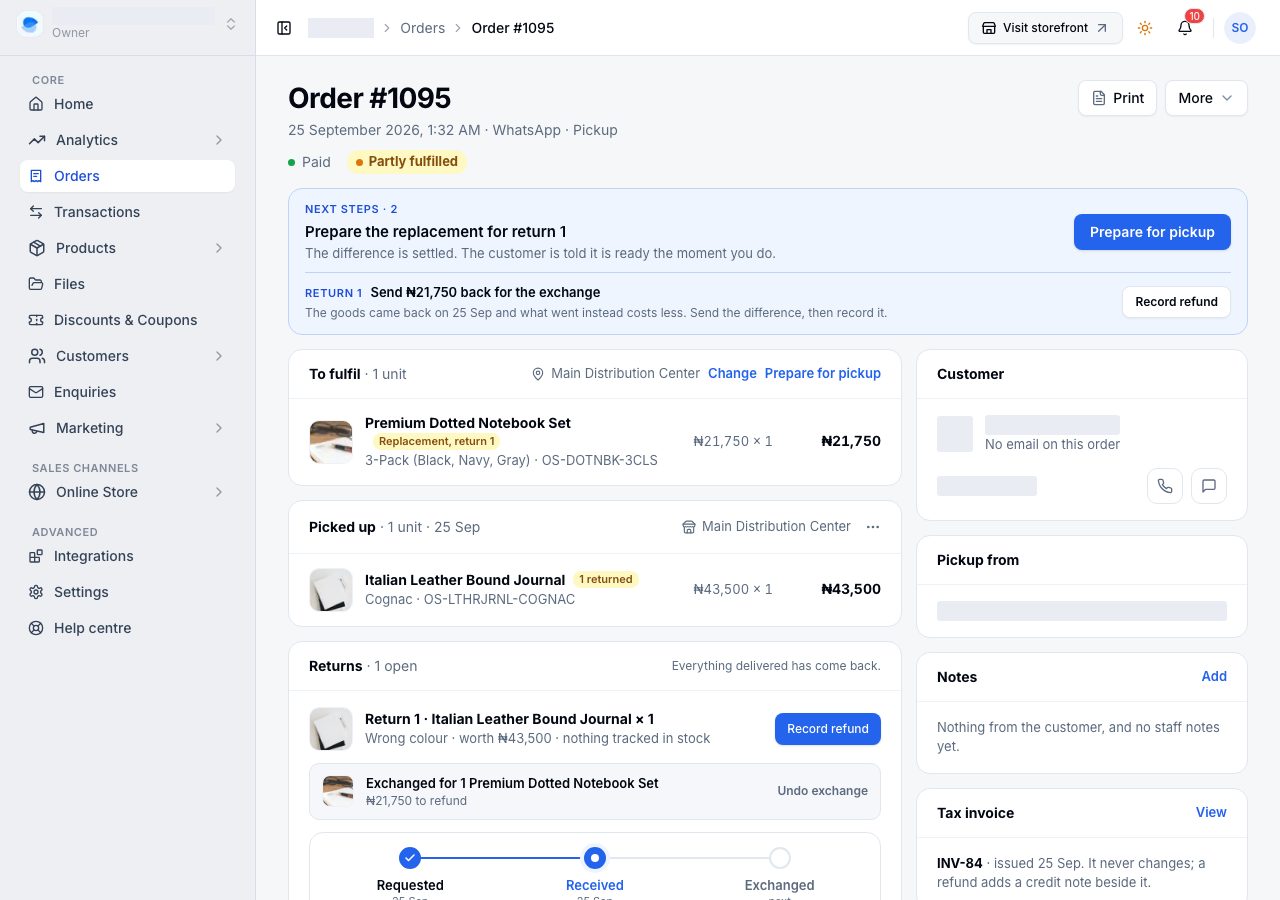
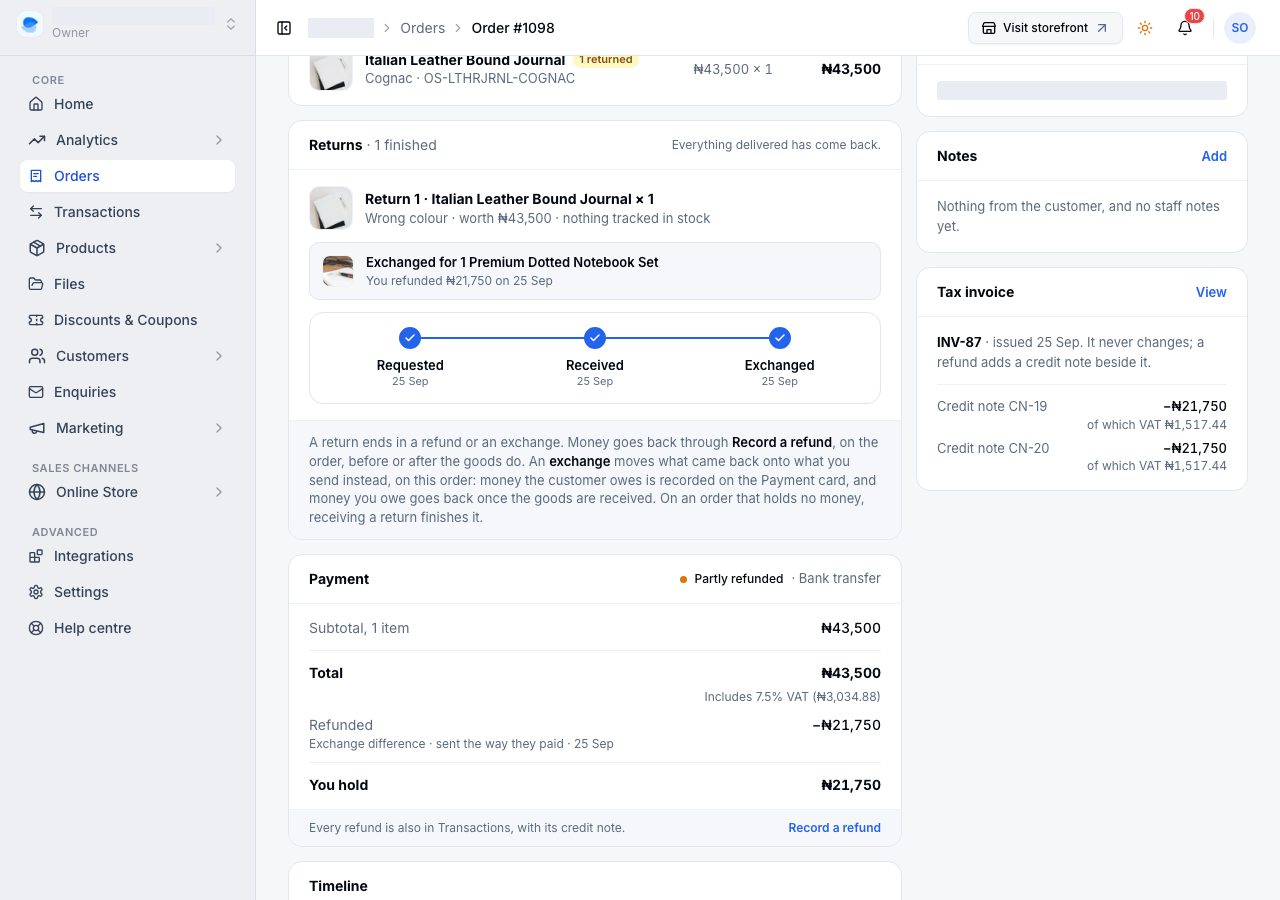
Send the money through your bank or provider, then choose Record refund. The order reads Partly refunded, the return reads Exchanged, and a credit note is issued.
Record it there, not through Record a refund. That dialog says how much is owed back on an exchange and will not let an ordinary refund take it, so the same difference cannot be refunded twice.
When it is finished
A return that has been exchanged ends at Exchanged, where a refunded one would end at Refunded. Its line on the Returns card says what went instead and what money moved.
The replacement ships like any other item on the order, through Fulfil items, and the order reads Partly fulfilled until it has gone.
Undo an exchange
While nothing has been paid, refunded or sent, Undo exchange on the return's line takes the replacement off the order and puts its stock back on sale. The return is left as it was, free to be refunded or exchanged again. Once any money has moved or any of the replacement has been packed, it can no longer be undone: take a return of the replacement instead.
Two more things stop it, because money may be on its way. If the customer has sent a transfer receipt for the difference, review that first: confirm it, or reject it, and then undo. If they started paying by card or bank in the last day, Undo asks the gateway; it goes ahead only when the gateway says that payment will not complete, and otherwise asks you to wait.
About the money
- The order's total never changes. It is what the customer paid when they ordered. The exchange's money is its own, shown on its own lines.
- Tax documents. The exchange is issued its own numbered invoice for what went out, and a credit note for what came back, beside the order's own.
- Reports count an exchange on the day it settles: the replacement as a sale and what came back as a return, so your sales move by exactly the difference.