Available on every plan · Updated 16 November 2026
Also asked as: “renew my domain” · “my domain expired” · “domain stopped working” · “turn off auto renew” · “pay for my domain” · “restore an expired domain” · “email on my domain stopped” · “transfer my domain to another registrar”
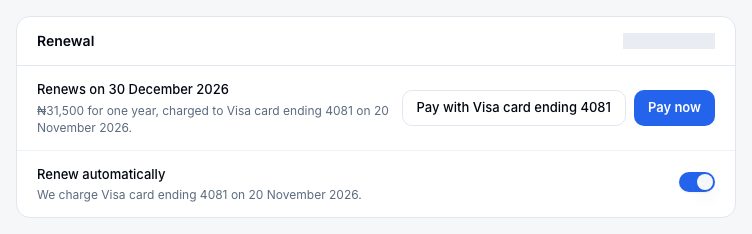
A domain you buy here is registered for the years you paid for, then renewed a year at a time. Its page under Settings → Domains has a Renewal card that says when it renews, what it costs and how it will be paid.
You can renew a domain you own even if your subscription has lapsed or been cancelled: paying for it never needs an active plan.
How it renews
With a saved card. Renew automatically is on unless you turn it off. We email you the price 45 days before the domain expires, and 40 days before, we charge the card your plan renews with. If the charge fails, we email you and try the card twice more over the following week; the email has a link to pay another way.
Without one. When there is no saved card, when your plan is not active and paid (complimentary, lapsed or cancelled), or when Renew automatically is off, we never charge a card. We email you a link to pay instead, 45, 30, 7 and 1 days before the domain expires.
Turning it off. Only the store owner can change Renew automatically, and Admin asks first: nothing is cancelled, and you keep using the domain until it expires. Turned off before the card is charged, the card is not charged and you get the link instead. Turned off after, this year stays paid and the change applies from next year.
The price is the same every year. If the registry changes its price, the new one is in the email we send 45 days before the domain renews.
Paying from the email
The email's Pay now opens a page that needs no sign-in. It shows the domain, the amount and the last day to pay it, and pays in a payment window on the same page.
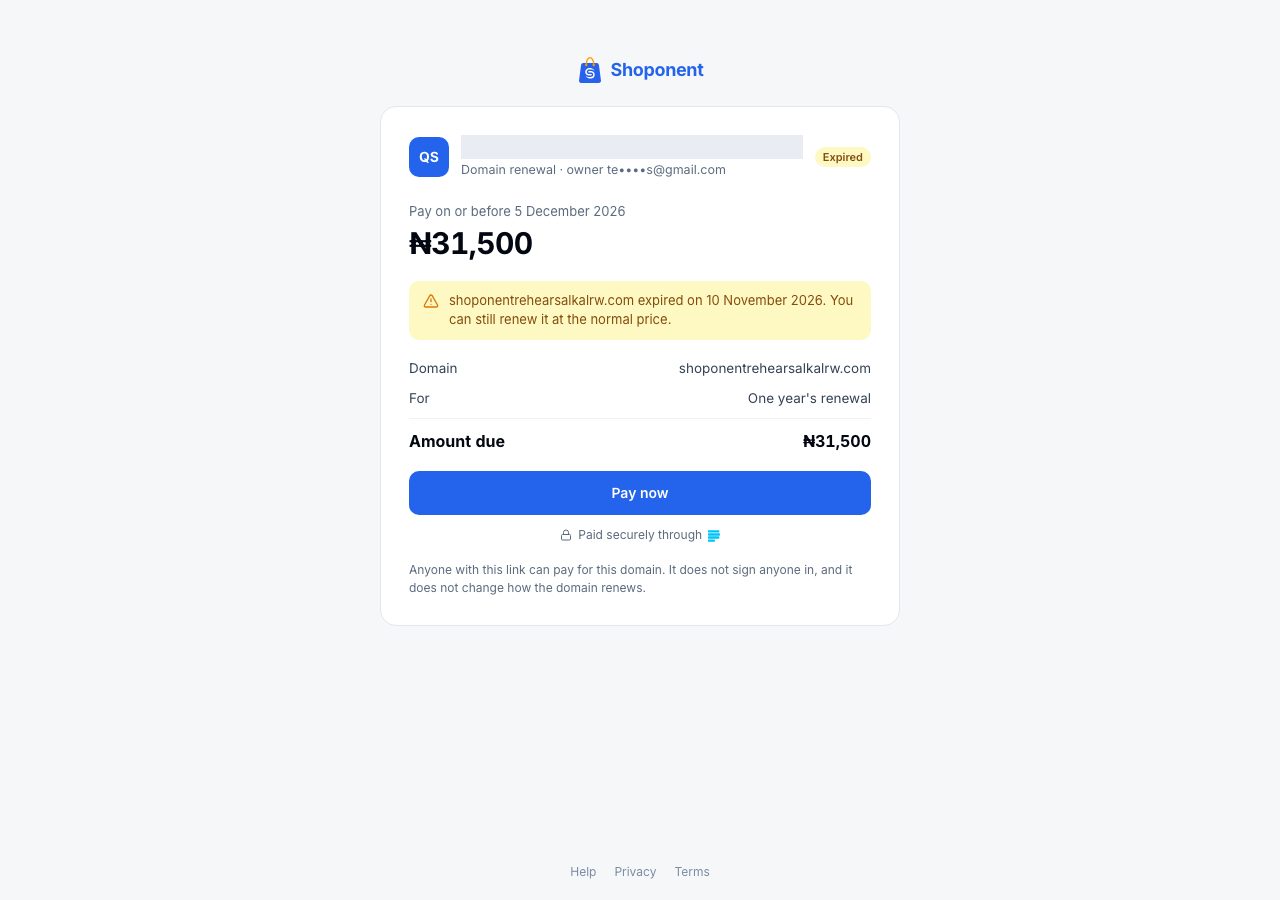
Anyone you forward the email to can pay, which is how a bookkeeper pays without an account. The link pays this domain's renewal only. It does not sign anyone in, does not save a card and does not change how the domain renews.
You can also pay on the domain's own page in Admin, with Pay now, and the store owner can pay with the plan's card there.
If it expires
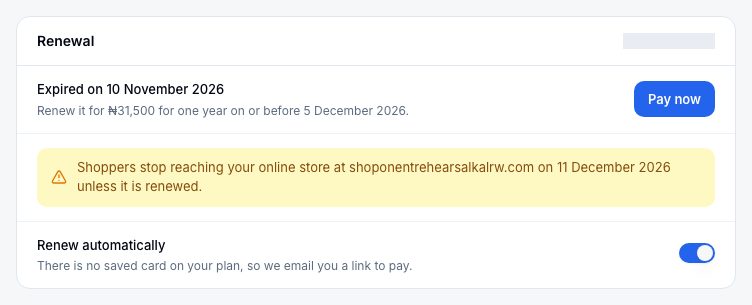
The Renewal card says what happened and what you can still do, and the emails say the same.
| After it expires | What happens | What you can do |
|---|---|---|
| Days 1 to 25 | It keeps working | Pay at the normal price, on the domain's page or from the email |
| Days 26 to 35 | From day 31 it shows a holding page instead of your online store, and email on the domain stops | Choose Request renewal. The bill is at the normal price and must be paid on or before the end of the second day after you ask; we renew the domain once it is paid |
| Days 36 to 40 | It still shows the holding page | Email us on or before day 40, and we can still renew it at the normal price: we send you the bill and renew it once it is paid |
| Days 41 to 60 | Only a restore can get it back | Email us on or before day 60. A restore costs the registry's restore fee plus a year's renewal; we send you the bill and restore the domain once it is paid. A restore is not guaranteed |
| After day 60 | It cannot be recovered | It is released for anyone to register |
Your online store keeps opening at your Shoponent domain throughout. When the domain is renewed or restored, it is connected again, unless you connected another domain meanwhile; then it comes back Not connected, and you connect it from its page when you want it.
Moving it to another registrar
You can move the domain to another registrar, whether or not you stay with Shoponent. Write to support@shoponent.com: we unlock it and send you its transfer code, and you start the transfer at the new registrar. How long it takes depends on the new registrar. The domain's page says from when it can move.
The new registrar charges for a year, which is added to the time you have left, so nothing you paid is lost. A domain cannot move in its first 60 days, or once it has been expired for 25 days.
Once it has moved, you manage its records at the new registrar. To keep your online store on it, connect it as a domain you own; see Connect a root domain.
If it does not work
- The card was declined: pay from the email or with Pay now on the domain's page, or put a new card on your plan under Settings → Billing.
- You paid after it expired and it still says expired: once a domain has expired, our team renews it by hand. The card says it is paid, and we email you when it is renewed.
- It is past day 35: email us with your store name and the domain. Until day 40 we can still renew it at the normal price; after that, on or before day 60, it can only be restored.
Email support@shoponent.com with your store name if anything here does not match what you see. We read and answer every message.