Available on every plan · Updated 16 November 2026
Also asked as: “buy a domain” · “get a .com for my store” · “register a domain name” · “my own domain without a registrar” · “domain name price” · “how much is a domain”
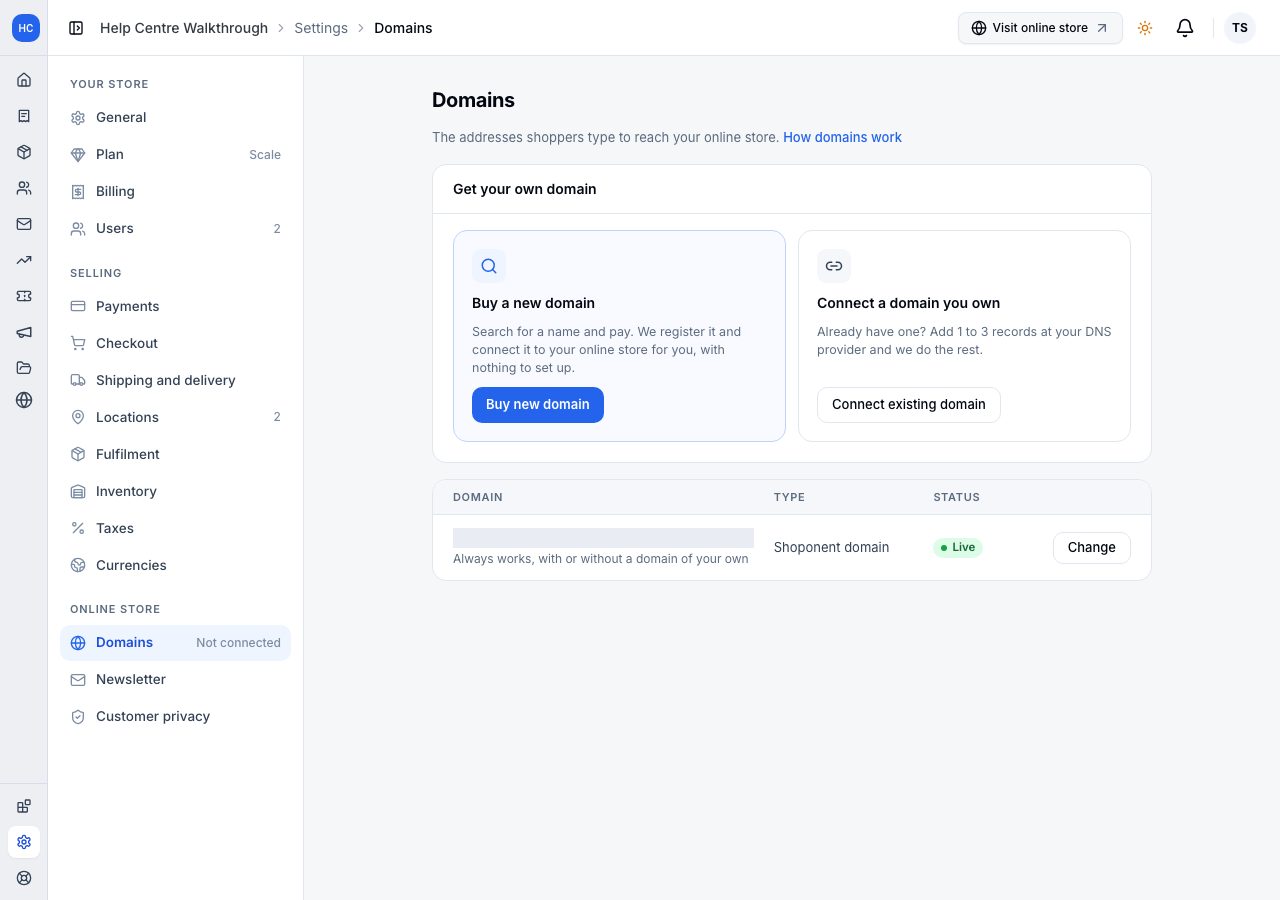
You can buy a new domain without leaving Admin. We register it, point it at your online store and switch on HTTPS, so there is no registrar account to open and no DNS record to copy. If you already own a domain, connect it instead: see Connect a subdomain or Connect a root domain.
Buying a domain is available on every plan, as long as your subscription is active. Your Shoponent domain keeps working throughout.
1. Open Buy new domain
Go to Settings → Domains and choose Buy new domain.
2. Search for a name
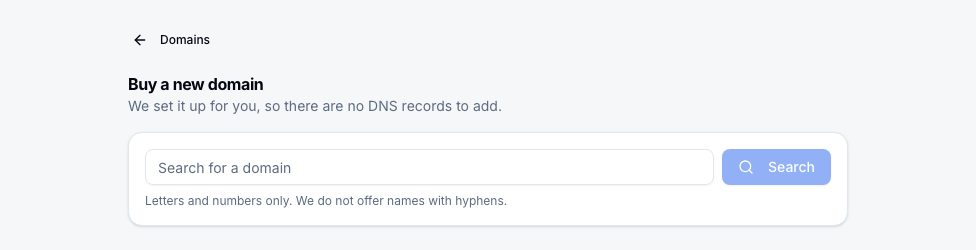
Type the name you want and choose Search. Use letters and numbers only: names with hyphens are not offered.
You get the name you typed on each extension we sell, then other names close to it that you can have, each with what it costs a year. A name someone else already holds says so, and has no Buy button.
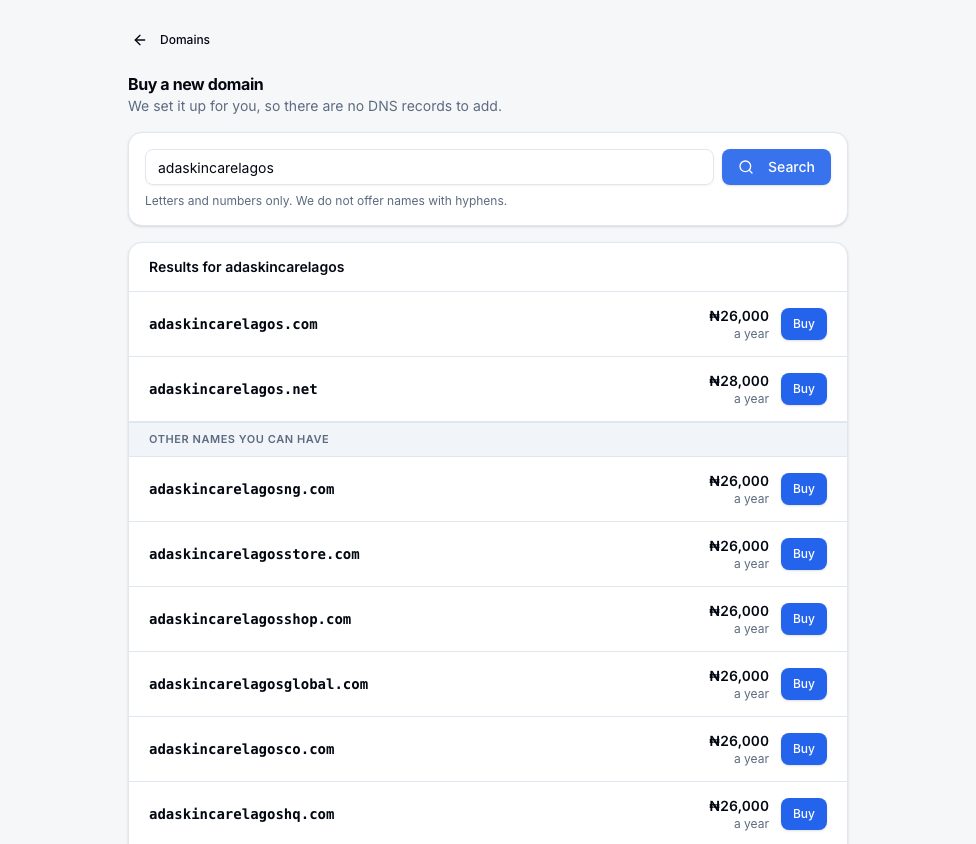
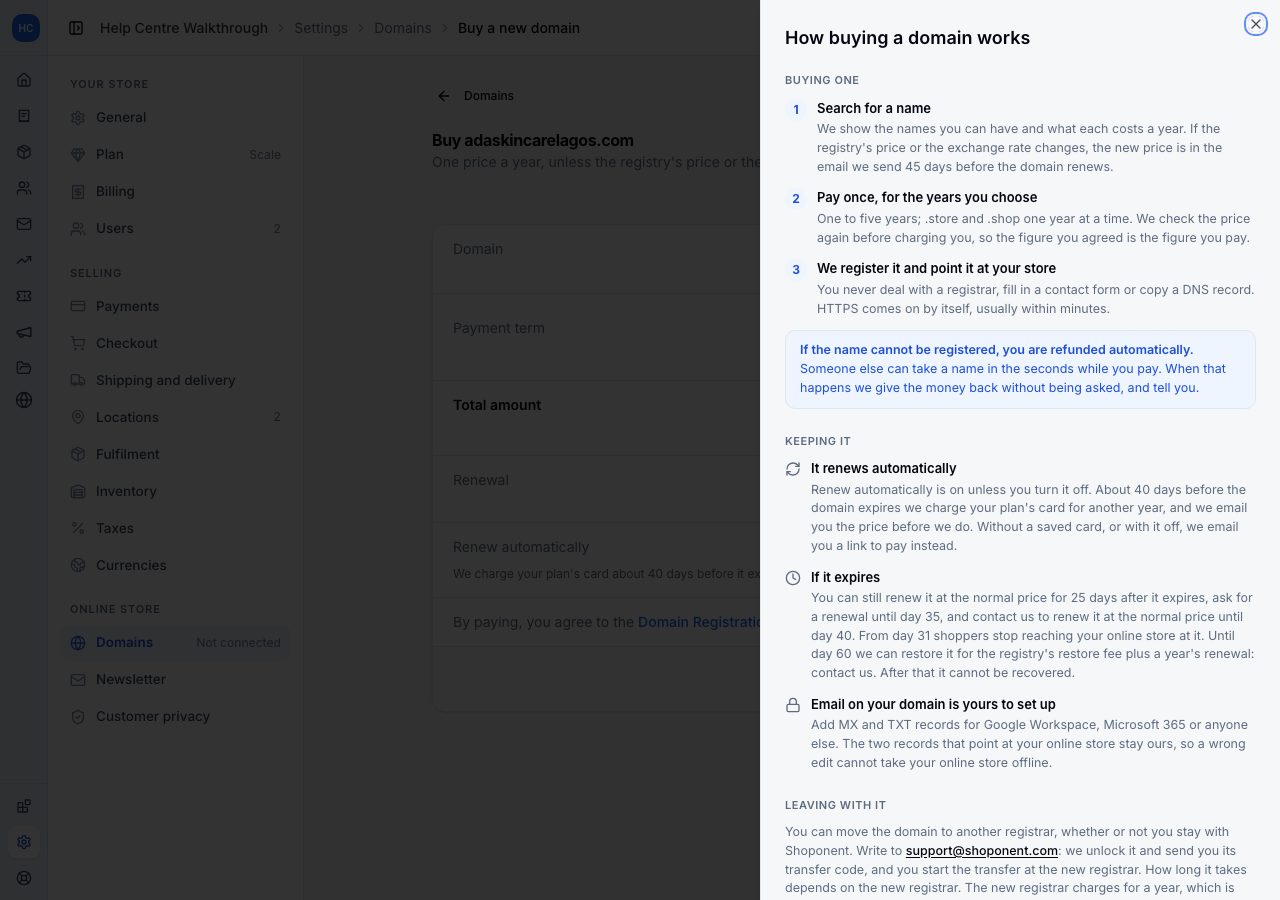
The price a year is the price every year: the first year costs the same as the years after it. If the registry's price or the exchange rate changes, the new price is in the email we send 45 days before the domain renews.
We sell .com, .org, .net, .store and .shop. For any other extension, such as a country's own (.ng, .co.uk), buy it at a registrar that sells it and connect it: see Connect a root domain.
3. Choose how long, and pay
Choose Buy beside the name. The panel shows the domain, the Payment term and the Total amount. Choose one to five years (.store and .shop are sold one year at a time, and renew yearly); the date under the term is when the registration runs to.
Under them, Renewal is what each year costs after that, and Renew automatically is on: we charge your plan's card about 40 days before the domain expires. Turn it off if you would rather renew by hand; we then email you a link to pay before it expires. You can change it later on the domain's page.
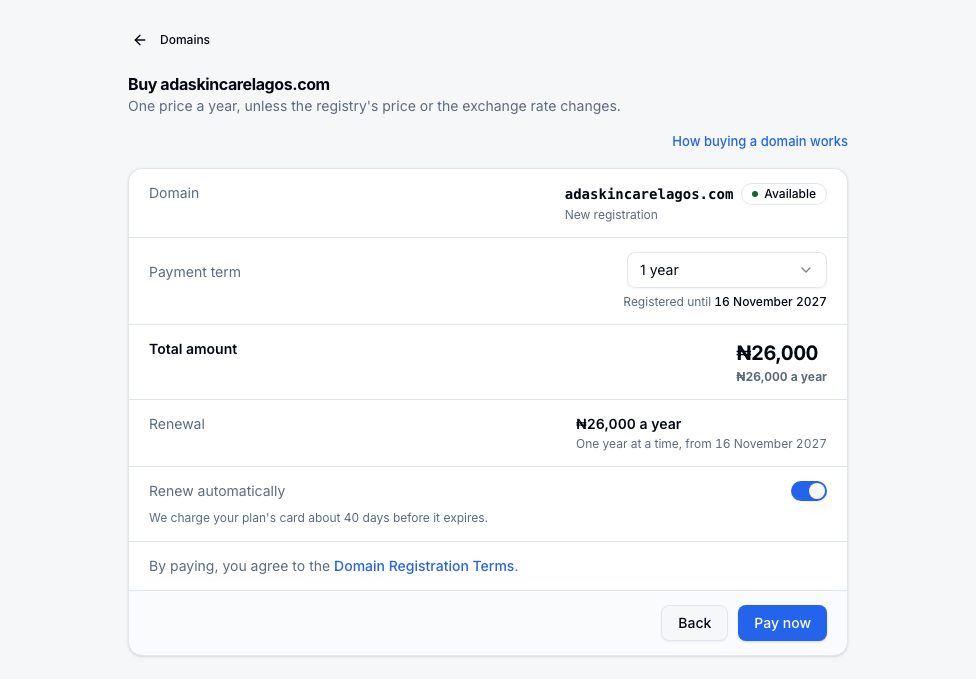
Choose Pay now. Paying means you agree to the Domain Registration Terms, which the line above the button links to. The payment window opens on the same page. We check the price again just before charging you, so the figure you agreed is the figure you pay.
4. We register it and connect it
Once the payment is confirmed, the page follows the domain as we register it and connect it to your online store. HTTPS comes on by itself, usually within minutes. The domain then has its own page under Settings → Domains, with when it is yours until and how it renews.
If another domain is already connected to your online store, the new one is registered and stays Not connected until you choose to connect it from its page, so nothing changes for your shoppers until you decide.
Someone else can take a name in the seconds while you pay. If that happens, we refund you automatically and tell you.
What you can and cannot change
- Email on your domain is yours to set up. On the domain's page, add the MX and TXT records Google Workspace, Microsoft 365 or another provider gives you. The two records that point at your online store stay ours, so a wrong edit cannot take your online store offline.
- Nameservers cannot be changed while we hold the domain.
- Moving it to another registrar is possible after its first 60 days; see Renewing a domain you bought.
How buying a domain works, beside the review panel, says all of this in one place; How domains work on the Domains page covers connecting a domain as well.
If it does not work
- The payment window did not open: choose Pay now again. Nothing is charged until you pay in the window.
- You paid and the page still says it is working on it: leave it open or come back later; the domain's page shows where it has got to. If it says something went wrong, email us with the domain and the payment reference.
- You were refunded: the name was taken while you paid. Search again for another.
Email support@shoponent.com with your store name if anything here does not match what you see. We read and answer every message.